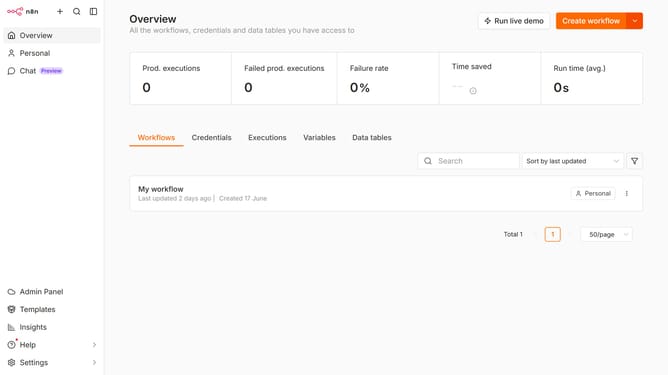
How to create Postmark API credential in n8n
Here is how to create postmark api credential in n8n
- First click on the dropdown arrow next to "Create workflow" button
- Then click on "Create credential" button
- Next, click on the "Search for app..." input field and enter "Postmark"
- After that, click on "Postmark API" from the list
- Then click on the "Continue" button
- Next, fill in the input field for "Server API Token"
- Finally click on the "Save" button
Why should you create Postmark API credential in n8n
n8n is a powerful, open-source automation tool, enabling seamless workflows between different applications.
Creating a Postmark API credential in n8n stands out as a pivotal feature, enabling users to send and track emails efficiently. This integration ensures that email communications are swift and reliable, making it an invaluable addition to any automated workflow.
By using Postmark API credentials in n8n, businesses can streamline their communication processes, ensuring that every transaction and notification is handled with precision and speed. This not only improves operational efficiency but also enhances customer engagement.
Last update