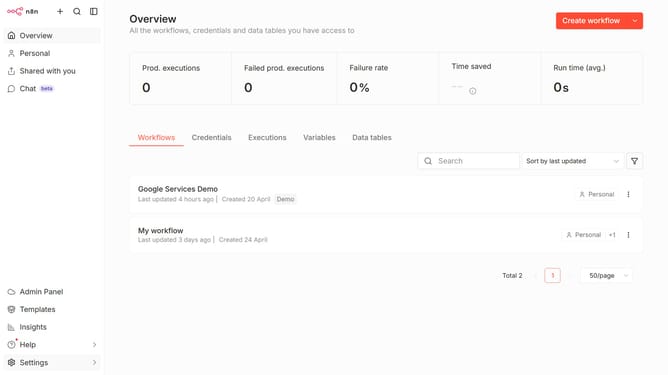
How to create ClickUp OAuth2 API credential in n8n
Here is how to create clickup oauth2 api credential in n8n
- First click on the "Create workflow" button's dropdown arrow.
- Then click on "Create credential" option.
- Next, select "ClickUp OAuth2 API" from the list of available services.
- After that, click on the "Continue" button.
- Finally, click on the "Connect to ClickUp" button.
Why should you create ClickUp OAuth2 API credential in n8n
n8n is an intuitive workflow automation tool that seamlessly connects applications and services to help streamline tasks.
Creating ClickUp OAuth2 API credentials in n8n allows you to efficiently integrate your task management processes across platforms, enhancing productivity.
With ClickUp OAuth2 credentials, securely automate workflows without repeatedly logging in, ensuring smooth data exchange and consistent operations.
This seamless connection fosters ubiquitous task management and fosters improved team collaboration.
Last update