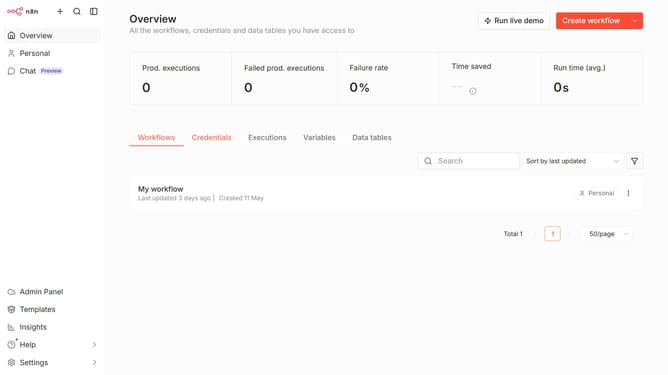
How to create Google Translate OAuth2 API credential in n8n
Here is how to create google translate oauth2 api credential in n8n
- First click on the 'Create workflow' button dropdown.
- Then click on the 'Create credential' button.
- Then type 'search for app...' in the search bar and enter 'google translate'.
- Then click on the 'Google Translate OAuth2 API' option.
- Then click on the 'Continue' button.
- Then enter the necessary information for your new credential.
- Then click on the 'Sign in with Google' button.
Why should you create Google Translate OAuth2 API credential in n8n
n8n is an intuitive and powerful automation tool designed to connect different applications and services effortlessly.
Creating Google Translate OAuth2 API credentials in n8n allows users to seamlessly integrate translation capabilities into their workflows.
This feature is beneficial because it facilitates automated translations, enabling businesses to communicate more effectively with a global audience.
Additionally, the seamless integration helps save time, reduces manual effort, and ensures accuracy by leveraging the robust capabilities of Google Translate through a secure API connection.
Last update