How to create a folder for campaigns in Constant Contact
Here is how to create a folder for campaigns in constant contact
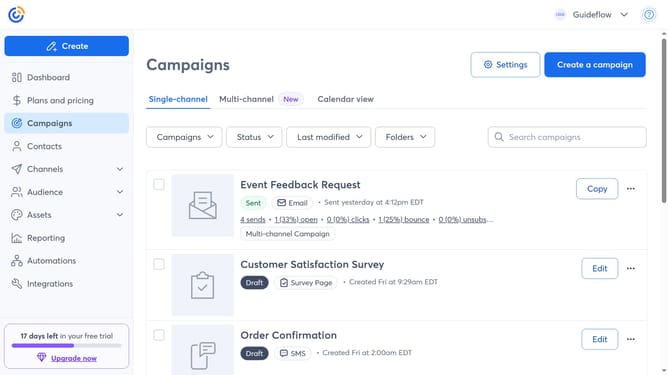
- First click on "Campaigns" in the left sidebar menu
- Next click on the "Folders" dropdown button
- Click on the "Manage folders" option in the folders dropdown menu
- Then click on the "New folder" button in the top-right corner of the Manage folders modal
- Enter a name for your new folder in the dialog box
- Finally click the "Add" button to create the new folder
Why should you create a folder for campaigns in Constant Contact
Constant Contact is a powerful platform designed to streamline email marketing and enhance customer engagement effortlessly.
Creating a folder for campaigns in Constant Contact helps you stay organized, ensuring a clutter-free workspace. This feature allows for easy categorization, making it simple to locate specific campaigns when needed.
By grouping similar campaigns into folders, it enhances workflow efficiency and boosts productivity, enabling you to focus on crafting engaging content for your audience. This organization method not only simplifies management but also aids in maintaining a cohesive marketing strategy.
Last update