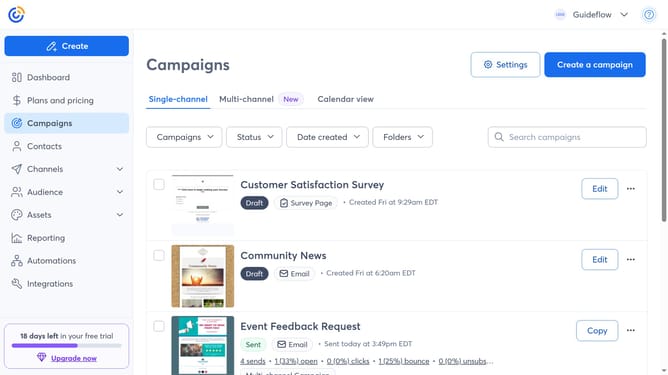
How to sort campaigns by name in Constant Contact
Here is how to sort campaigns by name in constant contact
- First click on "Campaigns" in the left sidebar menu
- Next click on the Sort by dropdown at the top of the campaigns list
- Then select the "Name A-Z" or "Name Z-A" option from the sorting options
- The campaigns list will now display campaigns in alphabetical order (A to Z or Z to A)
Why should you sort campaigns by name in Constant Contact
Constant Contact is a powerful tool designed to streamline and enhance your email marketing efforts.
One standout feature is the ability to sort campaigns by name, which offers significant organizational benefits. By sorting campaigns alphabetically, you can quickly locate specific campaigns without scrolling through a cluttered list.
This feature enhances efficiency, saving you time and reducing frustration when managing multiple campaigns. By maintaining a well-organized campaign library, you make room for creativity and strategic planning.
In essence, sorting campaigns by name in Constant Contact keeps your marketing efforts smooth, efficient, and focused.
Last update