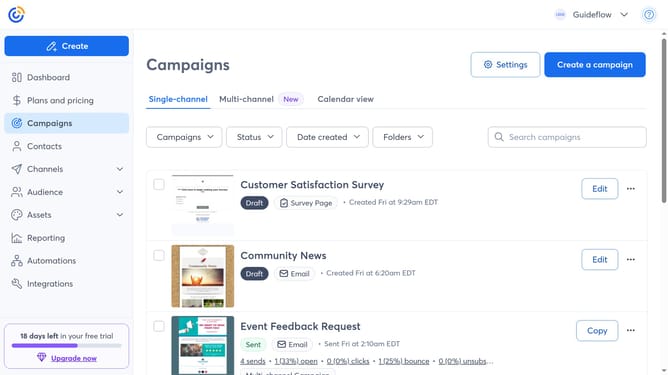
How to resend a campaign to new contacts in Constant Contact
Here is how to resend a campaign to new contacts in constant contact
- First click on "Campaigns" in the left sidebar
- Find the sent campaign you want to resend
- Next click the "more options" menu (three dots) button next to it
- Select "Resend" from the dropdown menu
- Then click on the "Send to new contacts" option in the resend dialog
- Select the new contacts you want to resend the campaign to
- You can also edit the physical address and email settings if needed
- Next click on the "Send Now" button in the top right corner
- Finally click the "Send Now" confirmation button in the popup dialog
Why should you resend a campaign to new contacts in Constant Contact
Constant Contact is a powerful email marketing tool designed to help businesses connect and engage with their audience effortlessly.
One of its standout features is the ability to resend a campaign to new contacts. This ensures that your latest subscribers don't miss out on crucial communications, keeping them informed and engaged from the start.
By using this feature, businesses can maximize their campaign reach without creating additional content, saving time while enhancing connectivity with their growing audience.
This approach not only maintains a consistent brand presence but also streamlines the communication process, fostering stronger relationships with new contacts.
Last update