How to connect Salesforce to Drift
Here is how to connect salesforce to drift
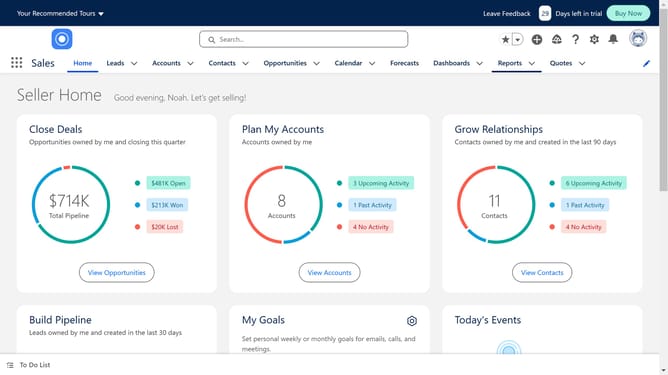
- First click on the search box in the header section
- Then type "drift" in the search box
- Next click on the suggested search term "drift"
- Then click on the "Drift for Salesforce" app tile in the search results
- In the app details page, click on the "Try It Free" button
- On the trial setup page, click on the "Try in your sandbox" option
- Next click the "Continue to Installation" button
- Then click the "Log In & Install" button to proceed
- Click on the "Use Custom Domain" link in the login form
- Enter your custom domain in the text field provided
- Click the "Continue" button after entering your domain
- On the installation options page, verify "Install for Admins Only" is selected
- Click the "Install" button to begin the installation
- Check the checkbox to grant third-party access and click "Continue" to complete the installation
Why should you connect Salesforce to Drift
Salesforce is the world's leading customer relationship management platform, designed to streamline sales processes and enhance customer interactions.
Connecting Salesforce to Drift enables businesses to unify their customer data with real-time communication capabilities. This integration provides a seamless flow of information, empowering sales and marketing teams to have more informed and personalized conversations with clients.
The benefits of this connection are substantial, including increased efficiency in managing leads and improved customer engagement. By combining Salesforce's data insights with Drift’s conversational marketing tools, organizations can enhance their customer journey and drive more impactful results.
Last update