How to change email in Notion
Here is how to change email in notion
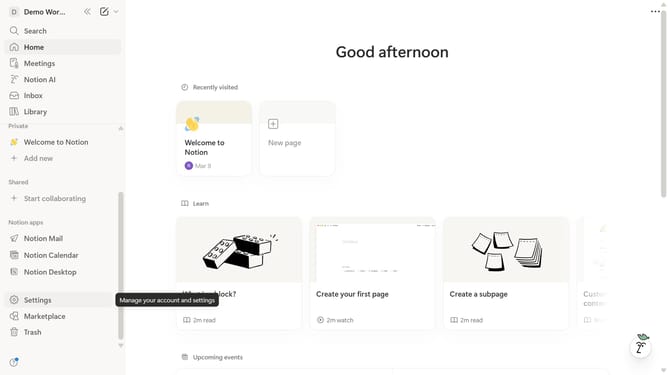
- First click on "Settings" button in the left sidebar
- Then click on your profile in the Account section of the settings menu
- Next click on "Change email" button in the Account security section
- Enter your current password in the password field
- Click the "Continue" button after entering your password
- Enter your new email address in the "Enter new email" field
- Click the "Send verification code" button
- Enter the verification code in the "Enter verification code" field
- Finally click the "Change email" button to complete the process
Why should you change email in Notion
Notion is a dynamic all-in-one workspace designed to facilitate collaboration and organization.
Changing your email in Notion is a straightforward feature, allowing users to effortlessly update their contact information.
This functionality ensures you maintain seamless access to Notion’s resources and communications, despite changes in your professional or personal circumstances.
Updating your email enhances the security of your account, ensuring you receive all crucial updates and notifications without interruption.
Last update