How to delete a workspace in Notion
Here is how to delete a workspace in notion
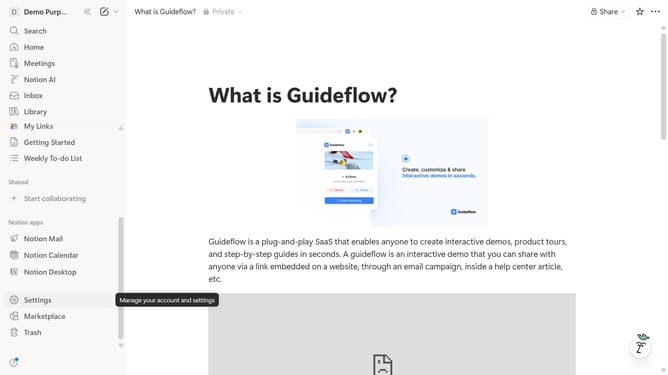
- First click on the "Settings" option in the left sidebar
- Then click on the "General" tab in the settings menu
- Next click on "Delete entire workspace" button in the Danger zone section
- Enter your workspace name in the confirmation text field
- Finally click on the "Permanently delete workspace" button in the confirmation dialog
Why should you delete a workspace in Notion
Notion is an all-in-one digital workspace designed to streamline collaboration and organization for individuals and teams.
The ability to delete a workspace in Notion ensures that users maintain a clutter-free digital environment. This feature is particularly beneficial when shifting project priorities or consolidating resources, as it helps remove unnecessary distractions.
By streamlining active workspaces, users can focus more efficiently on important tasks, reducing cognitive overload and enhancing productivity. Such thoughtful organization makes Notion an indispensable tool for modern workflows.
Last update