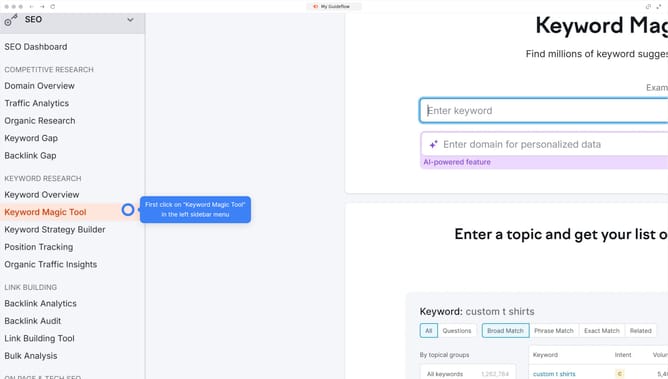
How to analyze competitor keyword gaps in Semrush
Here is how to analyze competitor keyword gaps in semrush
- First click on the "SEO" tab in the main navigation menu
- In the left-hand sidebar, click "Organic Research" under the "Competitive Research" section
- Enter your domain in the domain input field
- Click "Search" to open the Organic Research report
- Navigate to the "Competitors" tab
- Scroll down to the “Competitive Positioning Map” and the list of organic competitors
- Click on a competitor’s domain to view their organic keyword profile
Why should you analyze competitor keyword gaps in Semrush
Semrush is a powerful tool designed to enhance your online visibility by providing actionable insights into your digital strategy.
One of its standout features is the ability to analyze competitor keyword gaps. This feature allows you to identify the keywords your competitors are ranking for, but you are not. Understanding these gaps can significantly enhance your content strategy.
By leveraging this feature, you can uncover hidden opportunities and refine your SEO tactics, ensuring you capture the attention of your target audience more effectively.
This strategic insight positions you to outmaneuver competitors and optimize your digital presence.
Last update