How to show ruler in Canva?
Here is how to show ruler in canva
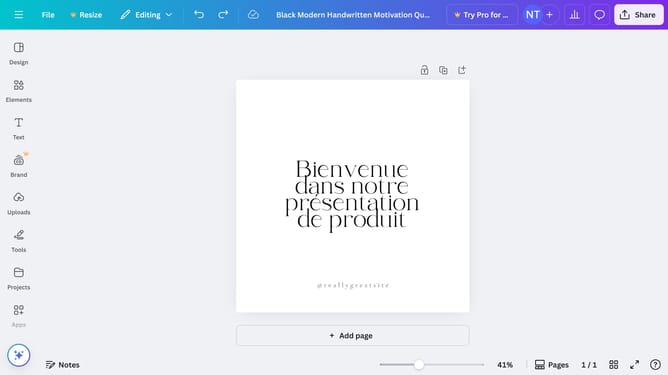
- First click on the "File" button in the top menu bar
- Then click on the "Settings" option from the dropdown menu
- Finally click on "Show rulers and guides" in the settings submenu, or use the shortcut Shift+R
Why should you show ruler in Canva?
Canva is a versatile digital design platform that empowers everyone to craft stunning graphics effortlessly.
Displaying the ruler in Canva elevates your design precision, allowing perfect alignment for elements within your project. By visualizing exact measurements, you can achieve a more polished and professional output.
This feature ensures consistency across various design elements, boosting both aesthetic appeal and functionality. Utilizing the ruler in Canva transforms a good design into a flawless one, instilling confidence in your creative process.
Last update