How to add page to menu in WordPress?
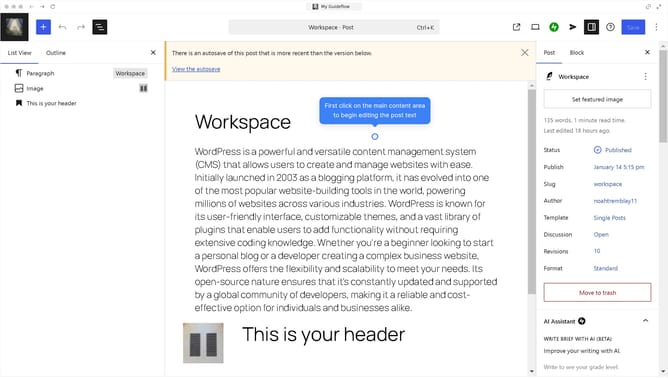
Here is how to add page to menu in wordpress
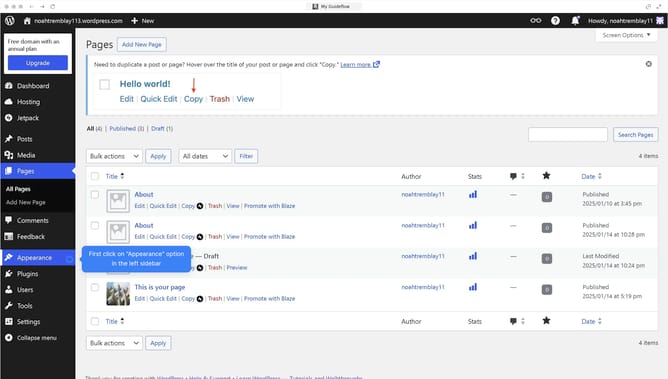
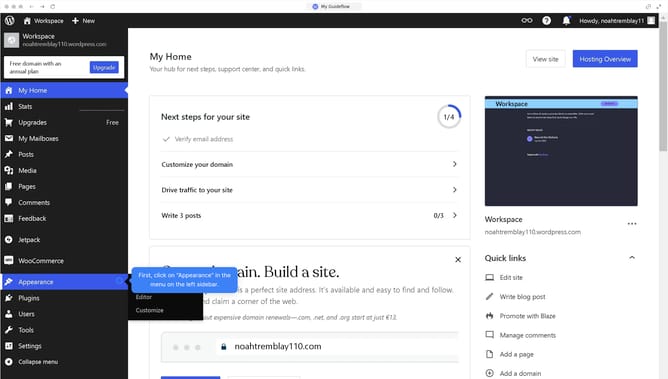
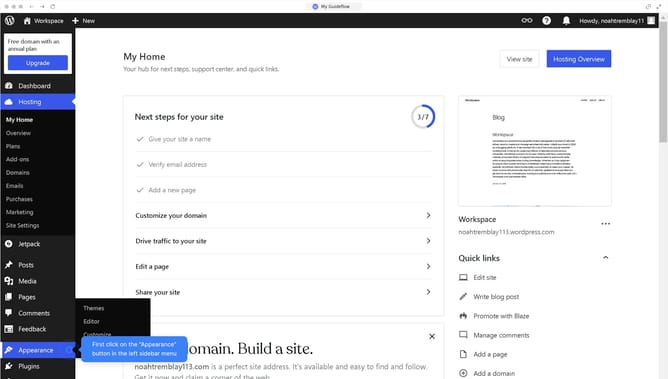
- First click on "Appearance" in the left sidebar menu
- Then click on "Editor" in the themes submenu
- Next click on "Navigation" in the design panel
- Click on the "Menu" item in the navigation section
- Then click on "+"
- Select the page you want to add to your menu bar
- Finally click on "Submit for Review" button to save your changes
Why should you add page to menu in WordPress?
WordPress is a versatile platform designed for creating and managing websites with ease.
Adding a page to the menu in WordPress enhances user navigation, ensuring visitors can easily access important content.
This feature streamlines how users interact with your website, promoting a smooth and organized browsing experience.
By effectively managing your menu, you enhance user engagement and make your site more intuitive, ultimately improving visitor retention and satisfaction.
Last update