How to add a user in Hubspot
Here is how to add a user in hubspot
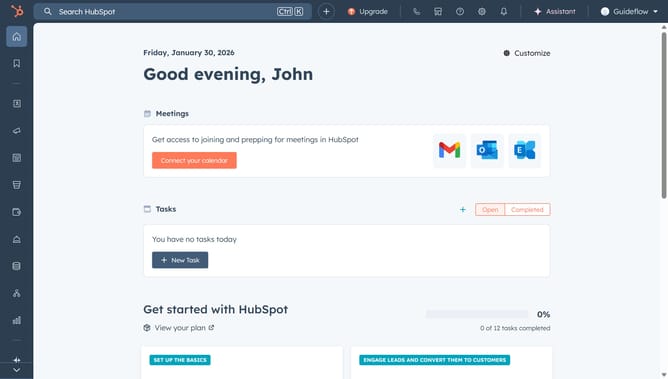
- First click on the the account name dropdown menu in the top navigation bar
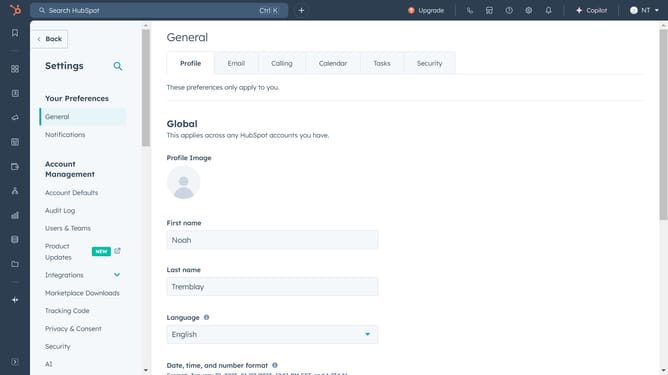
- Then click on "Users & Teams" link in the left sidebar under Account Management section
- Next click on the "Add users" dropdown button in the top right area of the Users page
- Then click on "Create new" option from the dropdown menu
- Next enter the user email address and click on the "Add a user role" dropdown field in the Create a new user dialog
- Then choose a user role
- Finally click on the "Add a user" button at the bottom right of the dialog
Why should you add a user in Hubspot
HubSpot is a comprehensive platform designed to streamline marketing, sales, and customer service processes for businesses.
The feature to add a user in HubSpot is an essential aspect that makes team collaboration seamless. By enabling user addition, teams can personalize access and permissions, ensuring everyone has the right tools at their disposal.
Utilizing this feature not only improves operational efficiency but also bolsters team communication, allowing companies to scale effortlessly with organized team management.
Last update