How to add a calendar in Hubspot
Here is how to add a calendar in hubspot
- First click on the account dropdown menu in the top navigation bar
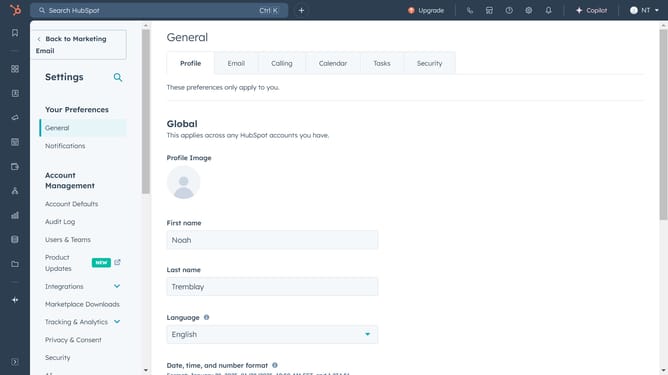
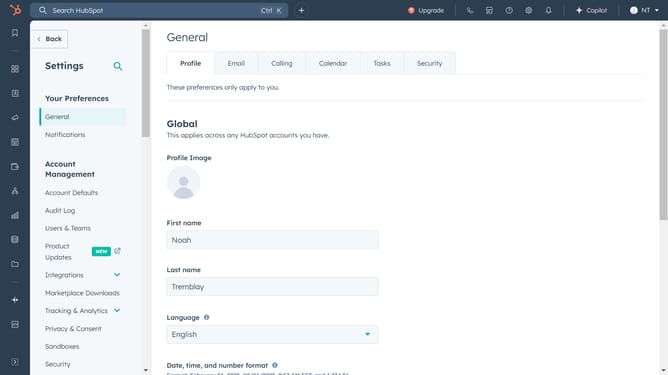
- Then click on "Profile & Preferences" link in the dropdown menu
- Next click on the "Calendar" tab in the settings navigation
- Then click on the "Connect your calendar" button in the calendar settings section
- Then select an option from the calendar provider choices
- Finally click on the "Connect your calendar" button to confirm the connection
Why should you add a calendar in Hubspot
HubSpot is a powerful platform designed to streamline and enhance your marketing, sales, and customer service efforts.
Adding a calendar in HubSpot is a seamless feature that allows you to efficiently manage appointments and scheduling directly within the platform.
This feature optimizes your workflow by integrating seamlessly with your existing tools, improving time management and providing a cohesive user experience.
By organizing all your scheduling in one place, it enhances team collaboration and ensures you never miss an important meeting or event.
Last update