How format a subject line on a campaign in Mailchimp
Here is how format a subject line on a campaign in mailchimp
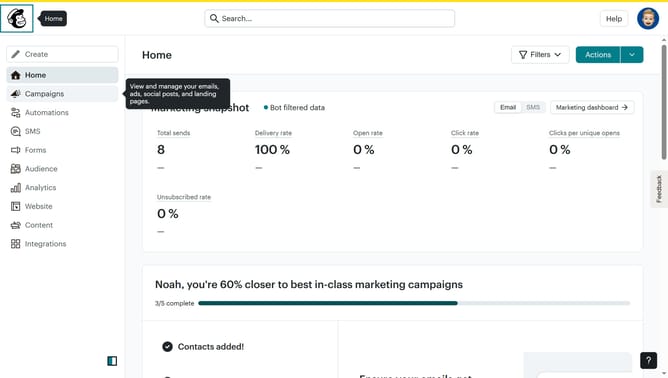
- First click on the "Campaigns" item in the left sidebar navigation menu
- Then click on the "Edit" button in the campaign actions menu
- Next click on the "Subject" section to expand the subject line options
- Then click on the subject line input field to enter your email subject
- Finally click on the "Save" button to save the subject line changes
Why should you How format a subject line on a campaign in Mailchimp
Mailchimp is a versatile email marketing platform designed to help businesses effectively engage with their audience.
Crafting compelling subject lines in Mailchimp is a straightforward process that enhances open rates and engagement.
By fine-tuning your subject lines, you can grab your audience's attention and increase the likelihood of email opens.
An impactful subject line sets the tone for your entire campaign, maximizing the chances of your message being read.
Last update