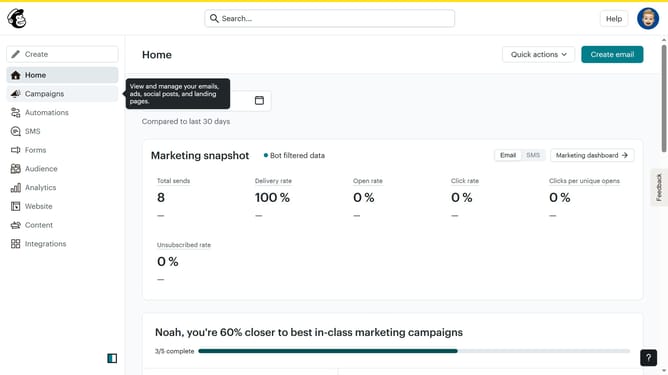
How to delete a text block in a landing page in Mailchimp
Here is how to delete a text block in a landing page in mailchimp
- First click on "Campaigns" button in the left sidebar
- Then click on "Edit" button
- Then click on "Edit design" button
- Then click on the text block that you want to delete
- Then click on the trash icon
- Finally click on the "Delete" button
Why should you delete a text block in a landing page in Mailchimp
Mailchimp is a versatile platform that simplifies marketing campaigns, helping businesses engage effectively with their audience.
One useful feature is the ability to easily delete a text block from a landing page. This function allows you to keep your messaging sharp and relevant, enhancing the overall user experience.
Removing unnecessary or outdated text blocks ensures your content remains focused, making your landing page more appealing and efficient in driving conversions.
Last update