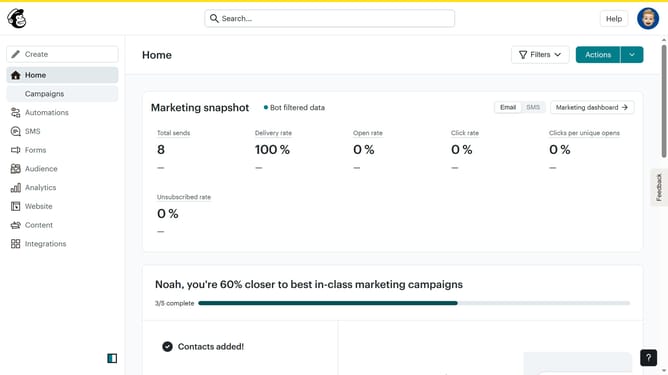
How to use Mailchimp to send mass email
Here is how to use mailchimp to send mass email
- First click on the "Create" button in the top navigation bar
- Then click on "Email" option in the left sidebar menu
- Next click on "Regular" option under the Email section in the left sidebar
- Click on the input field for "Internal email name"
- Click the "Begin" button to start creating the email
- Click on "Edit recipients" button to select email recipients
- Click the dropdown to select recipient list
- Click "Save" button to confirm recipient selection
- Click on "Add subject" button to enter email subject
- Enter subject text in the subject line field
- Click "Save" button to confirm the subject
- Click "Send" button in the top-right corner to proceed with sending
- Finally click "Send now" button in the confirmation dialog to send the email
Why should you use Mailchimp to send mass email
Mailchimp is a powerful platform designed to simplify email marketing for businesses of all sizes.
Using Mailchimp to send mass emails is a breeze, thanks to its user-friendly interface and robust features. It allows you to effortlessly manage and grow your audience, ensuring your message reaches the right people at the right time.
This tool enhances your marketing strategy by providing analytics and insights that help you refine your approach. The convenience and efficiency offered by Mailchimp ensure you're communicating effectively with your subscribers without the hassle.
Last update