



You move one turbine 40 meters to dodge a setback line. Wake losses shift. Your P50 drops. The bankable case your finance team already circulated is now wrong.
That is the shape of wind farm planning. Every layout decision ripples through wake interaction, energy yield, noise limits, and cost of energy at the same time. Manual spacing rules cannot hold that many moving variables, and a bad wake assumption compounds across 20 years of production estimates.
The stakes are getting bigger. The global wind farm management software market reached USD 2.31 billion in 2024 and is forecast to grow at a 12.4% CAGR through 2033, according to Growth Market Reports (2024). BloombergNEF (2020) projected that 78% of wind capacity would run monitoring software by 2025. Modeling and operations software is now standard infrastructure, not an optional add-on.
The right wind farm software helps you estimate yield, optimize turbine placement, model wakes, and defend assumptions to lenders. The wrong one leaves you guessing.
What's inside
This guide is for wind developers, engineers, resource analysts, and energy teams comparing wind farm design software before committing to a stack.
We selected and ranked tools on the factors that decide real projects:
- Layout optimization: how much control you get over turbine placement and wake-loss tradeoffs
- Wake and yield modeling: depth of wake modeling and defensible yield prediction
- Environmental modeling: noise, shadow flicker, visual impact, and permitting support
- Interoperability: GIS integration, terrain handling, and data import/export
- Offshore relevance: whether the tool supports offshore wind farm software workflows
TL;DR
- Best for layout optimization and detailed project modeling: Openwind
- Best for bankable yield prediction and validation-first workflows: WindFarmer
- Best for broad wind energy modeling and familiar design workflows: WindFarm
- Best for standardized wind resource assessment: WAsP
- Best for environmental and permitting analysis: WindPRO
- Best for CFD simulation depth and technical wind studies: WindSim
- Best for monitoring, forecasting, and wind farm operations: WindDeep
If you need one takeaway: match the tool to your stage. Early resource work, layout optimization, environmental permitting, and post-build operations each reward a different wind farm optimization software.
What is wind farm software
Wind farm software is a category of specialized engineering tools used to design, model, optimize, and evaluate wind energy projects across their full lifecycle. It converts wind resource data, terrain, and turbine specs into defensible energy production estimates and buildable layouts.
Most wind farm modeling software covers some or all of these jobs:
- Turbine layout creation: place turbines against setbacks, terrain, and spacing rules
- Wake loss analysis: model how upwind turbines reduce downwind energy through wake modeling
- Energy yield prediction: produce P50 and uncertainty-banded production estimates
- Environmental constraints: noise, shadow flicker, visual impact, and bat curtailment
- Terrain and GIS integration: import elevation, roughness, exclusion zones, and site data
- Offshore planning: handle marine data, blockage, and offshore-specific assumptions where relevant
- Uncertainty and bankability: quantify uncertainty analysis for a bankable yield lenders accept
The category splits roughly into three groups. Resource assessment tools estimate the wind climate at a site. Design and optimization tools turn that resource into an optimized layout with a cost of energy view. Operations and monitoring tools track performance once the turbines are spinning.
The strongest platforms connect these stages. A wind resource map feeds a layout, the layout feeds a yield prediction, and the yield prediction feeds a financial model. When those handoffs are clean, you spend less time reconciling assumptions and more time improving the project. When they are not, small errors in wind speed or wake decay quietly distort your energy production estimation and your cost of energy.
When to use
Plan a new wind farm layout
Layout optimization matters most when spacing, terrain, and constraints interact. Move turbines apart to cut wake losses and you sacrifice capacity or hit exclusion zones. Software runs thousands of layout permutations against energy yield and cost of energy, something manual spacing rules cannot approach. Use it whenever the site has real constraints or the turbine count is high enough that placement drives the economics.
Validate yield and uncertainty
Lenders do not fund guesses. When you need a defensible energy estimate, wind farm software formalizes assumptions and runs uncertainty analysis on wind measurement, wake decay, and losses. This produces the P50 and P90 figures that underpin a bankable yield. Reach for it before financing conversations, during due diligence, and any time an assumption changes enough to move the case.
Handle environmental and offshore constraints
Noise limits, shadow flicker, visual impact, and bat curtailment can reshape a layout after the engineering is done. Environmental modeling tools test compliance before permitting stalls the project. Offshore work adds marine data, blockage effects, and different foundation and cost assumptions, so offshore teams need software with the modeling depth to match.
Comparison table
Pricing and ratings below reflect verified vendor sources at the time of writing. Several vendors in this category publish pricing on request or through resellers, and verified G2 ratings were not available for these engineering tools, so those cells are omitted rather than guessed.
| # | Product | Best for | Key differentiator | Pricing |
|---|---|---|---|---|
| 1 | Openwind | Layout optimization and project design | Layout optimization with cost of energy modeling | $9,250/year |
| 2 | WindFarmer | Bankable yield and validation | Monte Carlo uncertainty and validated methodology | See vendor |
| 3 | WindFarm | Design, optimization, and visualization | Release-based design and photomontage workflow | See vendor |
| 4 | WAsP | Standardized resource assessment | Industry-standard wind resource and yield modeling | From 2,100 EUR/year |
| 5 | WindPRO | Environmental and permitting analysis | Modular environmental and planning workflow | From 500 EUR/module |
| 6 | WindSim | CFD simulation depth | CFD-based flow modeling for complex terrain | See vendor |
| 7 | WindDeep | Operations and monitoring | Monitoring, forecasting, and revenue analytics | From 3,900 EUR/farm |
Best 7 wind farm software tools compared
1. Openwind
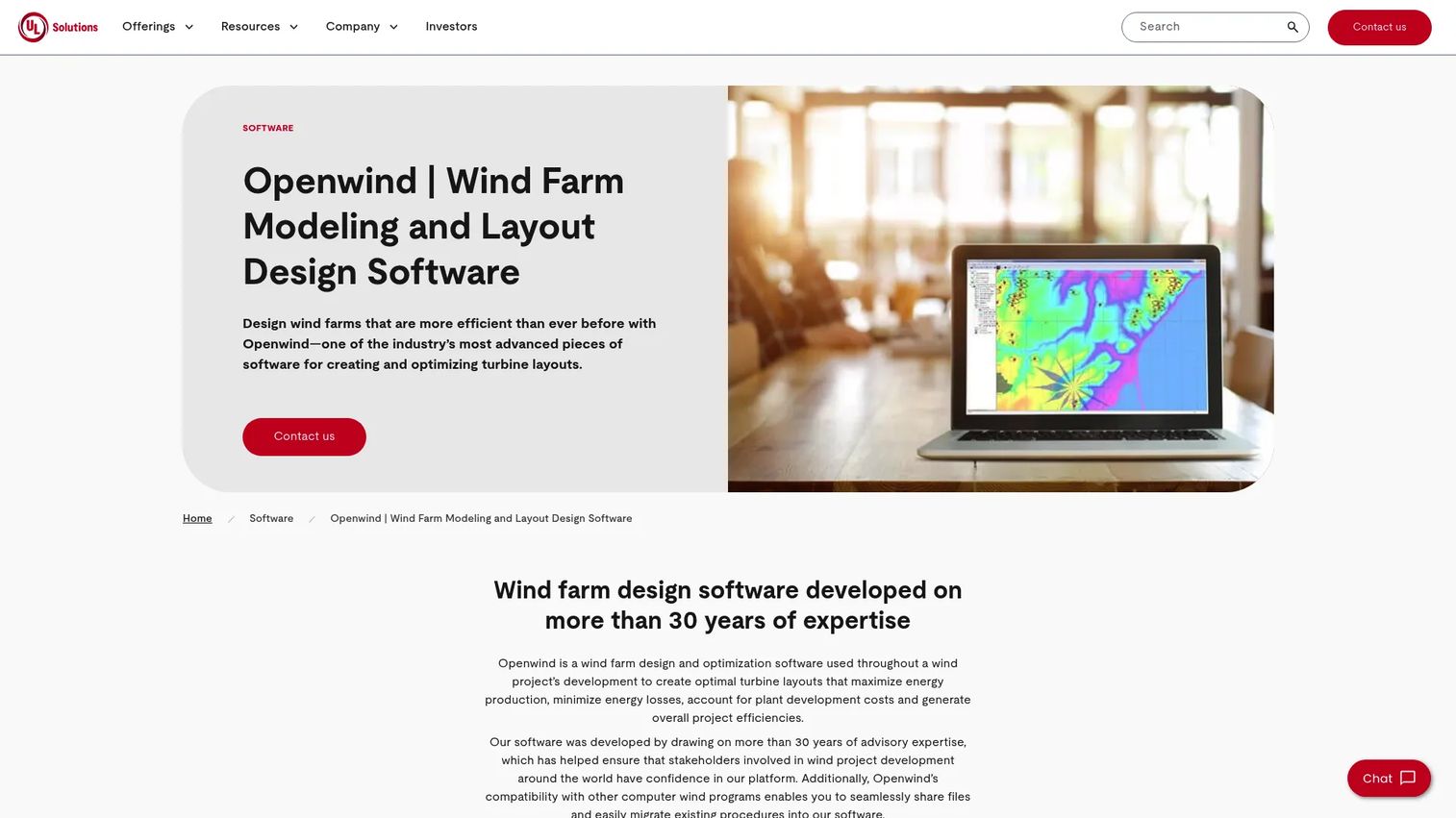
Openwind is a wind farm design and optimization platform from UL, built to create and optimize turbine layouts. It ties layout decisions directly to energy production and cost of energy, so you see how each placement change moves the project economics. The tool models wakes, noise, shadow flicker, curtailments, and GIS constraints in one environment.
Best for: Wind developers who need deep layout optimization and energy and cost modeling in a single design workflow.
Key features
- Optimize turbine layouts for energy production and cost of energy
- Wake modeling with noise and shadow flicker
- Curtailment and GIS constraint handling
- Obstacle and terrain assessment
- WRG and time-series import, substation chaining
Why choose Openwind: It suits engineering-first teams that want to reason about layout, wake losses, and cost of energy together rather than in separate tools. If placement decisions drive your economics, this is a strong fit.
Openwind pricing: UL Renewables lists Openwind 2 and Openwind 3 at $9,250 per year each, billed as an annual subscription. Prices are in USD and noted as subject to change.
2. WindFarmer

WindFarmer is DNV's desktop wind farm design and energy assessment software. It predicts yield, wake, blockage, and environmental impacts through a validation-forward workflow that developers and consultants lean on for commercial confidence. The product is organized into a base module plus optional environment and automation modules.
Best for: Wind developers and consultants who care about validated methodology and bankable yield predictions.
Key features
- Site selection analysis and visualization
- Wind climate analysis and wake modeling
- Blockage estimation and layout optimization
- Optional environment module for noise and shadow flicker
- Optional automation module for repeatable workflows
Why choose WindFarmer: Choose it when traceable assumptions and a validated methodology matter as much as the output. Teams heading into due diligence value the emphasis on defensible yield prediction and uncertainty.
WindFarmer pricing: DNV offers WindFarmer through pricing and free trial links on its site, plus a 50% academic research discount and educational licenses. Public numeric pricing is arranged directly with DNV.
3. WindFarm

WindFarm is ReSoft's wind farm design and analysis software, built around release-based project workflows. It focuses on design, optimization, and visualization, with strong photomontage and visual assessment tooling that permitting teams reach for. Its modular structure lets you add capabilities as a project requires them.
Best for: Wind project teams who want a practical design, analysis, and visualization workflow.
Key features
- Wind farm visualization and photomontage
- Shadow flicker analysis
- ZVI and radar modules
- Wind data and 3D modeling modules
- Release-based updates
Why choose WindFarm: It works well for teams that want a straightforward design tool with strong visualization rather than a heavier analytical suite. Photomontage and ZVI make it useful where visual impact drives approval.
WindFarm pricing: ReSoft arranges WindFarm licensing directly rather than through a published price list. Contact the vendor for a current quote based on the modules you need.
4. WAsP
WAsP, developed at DTU, is the industry-standard tool for wind resource assessment, siting, and energy yield calculations. Many teams standardize on it for pre-feasibility and resource work because its wind climate modeling is a common reference point across the sector. It calculates energy yield, wake losses, and wind resource maps from measured data.
Best for: Wind energy teams standardizing wind resource assessment and pre-feasibility analysis.
Key features
- Energy yield calculation
- Wind farm wake loss and efficiency calculation
- Wind resource and turbulence mapping
- Wind climate modeling from measured data
- WAsP CFD credits and PyWAsP tiers
Why choose WAsP: Its role as a widely recognized reference makes it a safe standard for resource estimation and cross-team consistency. Reach for it when a defensible, industry-familiar wind climate model matters.
WAsP pricing: A new WAsP Bundle license is 2,100 EUR as an annual license fee. Upgrades from WAsP 11 are 1,900 EUR for the first year, and the ongoing annual fee for existing Bundle licenses is 800 EUR from the second year onward.
5. WindPRO
WindPRO from EMD International is a modular wind and solar project design, planning, and assessment suite. Its strength is environmental modeling and permitting support, with dedicated modules for noise, shadow flicker, and visual impact. The module-based structure spans resource, yield, compliance, visualization, and optimization.
Best for: Wind teams that need noise, shadow flicker, and permitting workflows at the center of the project.
Key features
- Noise modeling
- Shadow flicker analysis
- Visual impact mapping
- Modular resource and yield analysis
- Support for third-party models and site measurements
Why choose WindPRO: When environmental constraints and permitting drive your timeline, its depth in noise, flicker, and visual impact is hard to match. Buy only the modules the project requires.
WindPRO pricing: WindPRO is priced per module. The BASIS module is 1,700 EUR as a standard license or 680 EUR for a one-year license, and add-on modules such as Environment and IMPACT start at 500 EUR. One year of support and maintenance is included, and additional licenses to the same holder are 50% of the first license price.
6. WindSim
WindSim is CFD-based wind modeling software for wind resource and wind farm analysis. It uses computational fluid dynamics to model flow across complex terrain, which matters where simple linear models struggle. The product spans a desktop application, cloud-based Accelerator simulations, and add-on modules.
Best for: Wind energy teams with complex terrain or flow-analysis needs that demand CFD depth.
Key features
- WindSim Desktop CFD wind modeling
- WindSim Accelerator cloud simulations
- Terrain sensitivity analysis
- Wind resource simulation
- Add-on modules and training services
Why choose WindSim: Pick it when terrain complexity makes linear wind flow models unreliable and you need the physics of CFD behind your wind resource estimate. It rewards teams that value technical validation depth.
WindSim pricing: Commercial and academic licenses are available as subscription or perpetual, arranged with WindSim or a reseller. Public training course fees start at 1,000 EUR for the basics course and 2,250 EUR for advanced usage.
7. WindDeep
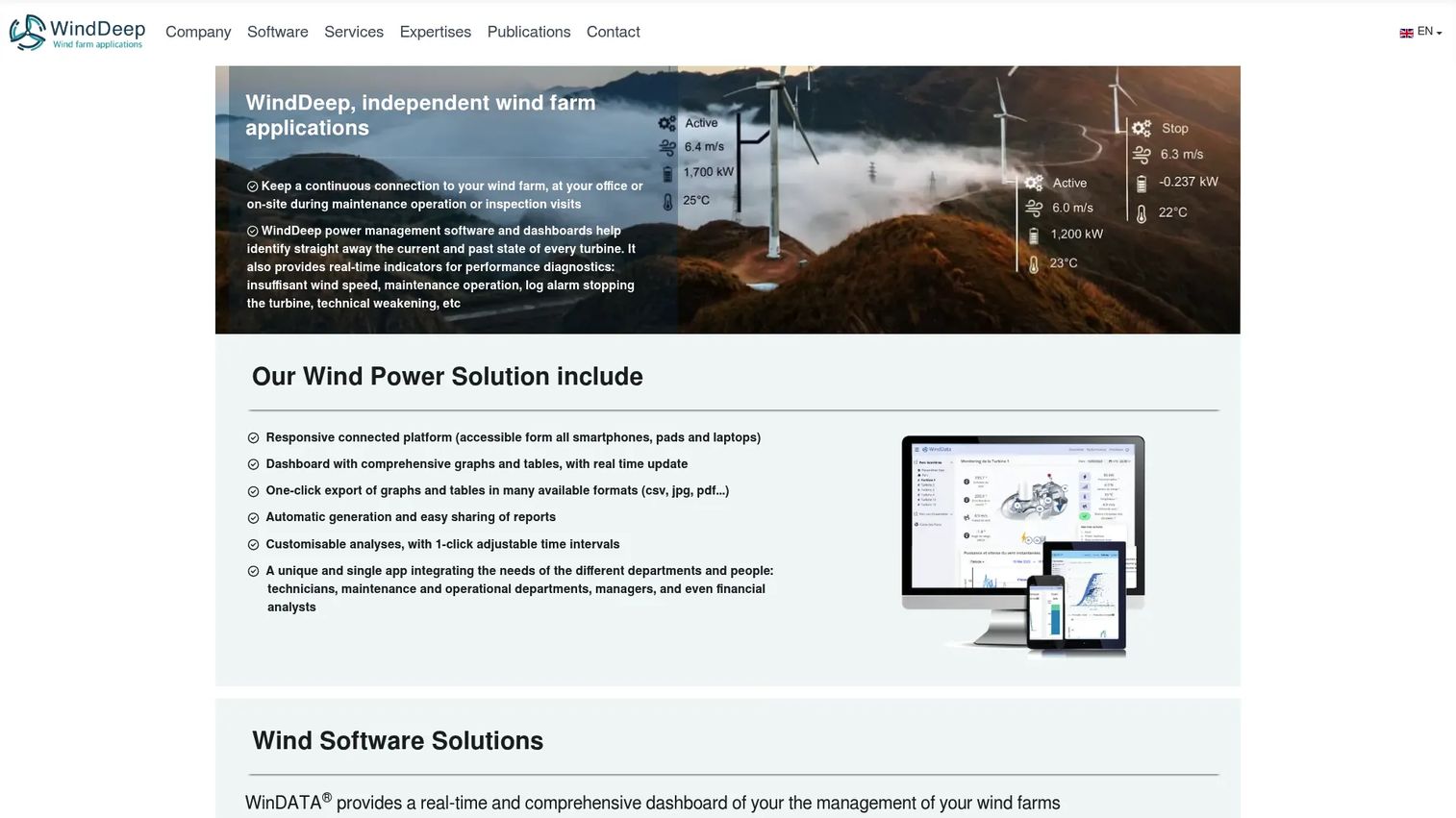
WindDeep is wind farm monitoring, forecasting, and analytics software for operators. Unlike the design-focused tools above, it works after the project is built, tracking turbine performance and revenue. It handles real-time monitoring, downtime and alarms analysis, and production forecasting.
Best for: Wind operators who need turbine monitoring, performance diagnostics, and revenue or forecast analysis.
Key features
- Real-time wind farm and turbine monitoring
- Performance and downtime and alarms analysis
- Production forecasting
- Spot revenue analysis
- Availability and equipment audits
Why choose WindDeep: It fits operations rather than design, so it complements the modeling tools rather than replacing them. Choose it when the priority is running assets well after buildout.
WindDeep pricing: WindDeep publishes one-time study rates per farm. An assessment of wind farm production and spot captured revenue is 3,900 EUR per farm, an independent availability audit is 4,500 EUR per farm, and a repowering analysis is 4,300 EUR per farm. Rates are estimates, ex-VAT, and may vary.
Considerations
Layout optimization depth
Check how much control the software gives over turbine placement and wake-loss tradeoffs. Some tools run automated optimization against energy yield and cost of energy, while others expect you to iterate manually. If placement drives your economics, prioritize a tool that can search many layouts against real constraints.
Bankability and uncertainty
Lenders want traceable assumptions. Confirm the tool supports uncertainty analysis on wind measurement, wake decay, and losses, and that it produces P50 and P90 figures in a form your finance model accepts. A yield prediction is only bankable if you can defend every input behind it.
Environmental and permitting coverage
Noise, shadow flicker, visual impact, and bat curtailment can reshape a finished layout. Verify the tool models the constraints your jurisdiction enforces before permitting becomes the bottleneck. Photomontage and ZVI matter where visual impact drives approval.
GIS and terrain interoperability
Your data has to move in and out cleanly. Check file compatibility, terrain and roughness handling, and import and export support for exclusion zones, elevation, and measured wind data. GIS integration that fits your existing workflow saves hours of manual reconciliation.
Offshore workflow fit
Offshore projects need different modeling depth, marine data support, and cost assumptions. If you work offshore, confirm the tool handles blockage effects, offshore wake behavior, and the financial parameters that separate offshore from onshore. Not every onshore-first tool covers this well.
Conclusion
There is no single best wind farm software, only the best fit for where your project sits.
- Openwind for layout optimization tied to cost of energy
- WindFarmer for validated, bankable yield and uncertainty analysis
- WindPRO for environmental and permitting-heavy projects
- WAsP for standardized wind resource assessment
- WindSim for CFD depth in complex terrain
- WindFarm for design and visualization workflows
- WindDeep for operations, monitoring, and forecasting after buildout
Most teams end up running more than one. A resource tool feeds a design tool, which feeds a bankable case, which hands off to an operations platform once the turbines spin. Start by naming your current stage, shortlist the two tools that own that stage, and trial them against a real site before you commit budget.
For product and engineering teams who show complex tools to buyers and stakeholders, an interactive demo can make evaluation faster and clearer.
Start your journey with Guideflow today!
FAQs
Wind farm software is used to design, model, and evaluate wind energy projects. It estimates wind resource, optimizes turbine layouts, models wake losses, predicts energy yield, checks environmental constraints, and, in operations tools, monitors turbine performance after buildout. The goal is a buildable layout with a defensible energy production estimate.
Openwind is a strong choice for layout optimization because it ties turbine placement directly to energy production and cost of energy. WindFarmer and WindFarm also support layout optimization, with WindFarmer leaning toward validated yield and WindFarm toward design and visualization. The best fit depends on whether cost modeling, bankability, or visual assessment drives your decisions.
Offshore wind farm software needs to handle marine data, blockage effects, and offshore-specific cost assumptions. WindFarmer supports offshore and onshore applicability, and Openwind and WindPRO cover many offshore workflows. Confirm offshore wake behavior and financial parameters with the vendor before committing, since offshore modeling depth varies between tools.
Yield prediction starts with measured or modeled wind data, which the software maps across the site using a wind climate or CFD model. It then applies the turbine power curve, subtracts wake losses and other losses, and runs uncertainty analysis to produce P50 and P90 figures. Those banded estimates are what lenders use to judge a bankable yield.
The features that matter most are layout optimization, wake modeling, yield prediction, and uncertainty analysis. Environmental modeling for noise and shadow flicker matters where permitting is tight, and GIS integration matters for terrain and data handling. Prioritize based on your project stage and jurisdiction rather than raw feature count.
Yes. WindPRO and WindFarm both offer environmental and permitting support, including noise modeling, shadow flicker analysis, and visual impact assessment. Openwind and WindFarmer also model noise and shadow flicker within their design workflows. These outputs help demonstrate compliance before permitting decisions stall a project.
WAsP focuses on wind resource assessment and energy yield calculation, and it serves as an industry-standard reference for wind climate modeling. WindFarmer is a broader design and energy assessment tool with wake modeling, blockage, layout optimization, and optional environment and automation modules. Many teams use WAsP for resource work and a design tool like WindFarmer for full project assessment.
Look for layout optimization depth, defensible yield prediction with uncertainty analysis, environmental modeling that matches your jurisdiction, and clean GIS and terrain interoperability. If you work offshore, confirm offshore-specific modeling. Match the tool to your stage, since resource assessment, design, permitting, and operations each reward different wind energy software.










