A truck pulls onto the scale. The operator squints at an indicator, scribbles a weight on a paper ticket, then keys it into a spreadsheet an hour later. Multiply that by 200 loads a day, across three sites, and you get the reality most weighing operations still live with: transcription errors, missing tare records, and reconciliation work nobody wants to own.
That manual gap is expensive. The global weighbridge software market was valued at $1.2 billion in 2025 and is projected to reach $2.1 billion by 2034 at a 6.8% CAGR, according to MarketIntelo (2025). Logistics and 3PL operators are adopting fastest, at a 7.5% CAGR, driven by regulatory mandates and supply chain transparency demands. The pressure to replace clipboards with a real system of record is not slowing down.
Good truck scale software closes that gap. It captures gross tare net weight automatically off the indicator, generates tickets and reports without re-keying, links every transaction to a vehicle, customer, and product, and feeds clean data into ERP or accounting. The best weighbridge software for 2026 goes further with weighbridge automation, hardware integrations like RFID and ANPR, and multi-site control from one console.
If you are the person accountable for whether that data is trustworthy, whether the workflow scales, and whether operators stop drowning in manual entry, this shortlist is built for you.
What's inside
This guide covers seven weighbridge software tools worth evaluating in 2026. We chose them for workflow depth, weighbridge automation, reporting quality, hardware compatibility, and multi-site support, the factors that separate a real system of record from a glorified spreadsheet.
We looked at each tool through an operations and product lens: integration depth, data quality, maintainability across releases, and operational fit for the kind of vehicle weighing software a busy site actually runs. Pricing for this category is almost universally quote-based, so we flag what is public and write around what is not rather than guessing.
TL;DR
- Best for broad, simple weighbridge management: WIS Weighbridge Software, a Windows package focused on core transaction and ticketing workflow.
- Best for hardware-heavy weighbridge automation: SmartBridge, with indicator, PLC/TCP-IP, RFID, CCTV, and ANPR support.
- Best for browser-based, remote access: WIZE-B, operable from any computer, phone, or tablet.
- Best for ERP integration and financial reporting: WZWeigh, built for mining, forestry, waste, and quarrying with invoicing and analytics.
- Best for logistics flow control: TruckFlow, with in/out weighing and multi-site management.
- Best for feed and flour mills: Feed Dynamics Weighbridge App, with driver signature capture and ticket printing.
What is weighbridge software?
Weighbridge software is a system that captures vehicle weights from a truck scale, calculates gross, tare, and net values, and records each transaction as a ticketed, reportable event tied to a vehicle, customer, and product.
At its core, weighbridge management software replaces the paper log and the manual spreadsheet with an accurate, auditable, and repeatable process. It reads the weight indicator directly, timestamps the transaction, and produces documentation both the operator and the customer can trust.
Core capabilities you should expect:
- Gross, tare, net workflows: automatic capture of first and second weights, with stored tare values for known vehicles so repeat loads clear faster.
- Ticketing and reports: printable weighbridge tickets, user-defined reports, and weighbridge export to Excel for finance and compliance.
- Master data management: structured records for vehicles, customers, products, suppliers, and jobs so every weighment resolves to a real entity.
- Hardware integration: connections to weight indicators, PLC/TCP-IP feeds, RFID readers, ANPR cameras, traffic lights, barriers, and CCTV.
- Weighbridge automation: unattended weighing modes, driver self-service, and automatic triggers that reduce operator involvement per load.
- Traceability: a weighbridge audit trail that records who did what, when, and with which vehicle, essential for disputes and regulatory review.
The category spans everything from a single desktop install at one gatehouse to a multi-site weighbridge deployment feeding a central ERP. Which end you need depends on volume, site count, and how much of the workflow you want to automate.
When to use weighbridge software
Not every site needs the same depth. Here is how to pattern-match your situation before you scan the list.
Capture weights without manual logging
If your operators still write weights on paper or type them into a spreadsheet after the fact, weighbridge software pays for itself on data quality alone. Reading gross tare net weight straight off the indicator removes the transcription step where most errors enter. Stored tare values for known vehicles mean a returning truck clears the scale without a second manual weigh, and every ticket carries a consistent format finance can actually reconcile.
Manage high-volume truck traffic
When queues build at the scale, weighbridge automation is what clears them. RFID weighbridge tags and ANPR weighbridge cameras let recognized vehicles trigger a weighment without an operator keying anything. Barriers, traffic lights, and unattended weighbridge modes move trucks through faster and keep the operator focused on exceptions rather than routine loads. This is where throughput gains show up on the P&L.
Standardize data across locations
Run more than one site and you feel the pain of fragmented records fast: different ticket formats, inconsistent customer codes, no single view of tonnage. A multi-site weighbridge system gives you one system of record. Every location writes to the same data model, reporting rolls up centrally, and ERP integration means finance sees consistent numbers regardless of which gatehouse produced them.
Comparison table
Here is how the seven tools compare at a glance. Pricing across this category is quote-based, and independent G2 ratings for these niche products were not verifiable at publication, so those cells reflect what could be confirmed from primary sources.
| # | Product | Intent | Key differentiation | Pricing | G2 rating |
|---|---|---|---|---|---|
| 1 | WIS Weighbridge Software | Core transaction and ticketing workflow | Simple Windows package for recording and managing weighments | Quote-based | Not available |
| 2 | SmartBridge | Hardware-heavy automation | Indicator, PLC/TCP-IP, RFID, CCTV, ANPR, ticket designer | Quote-based, free trial available | Not available |
| 3 | WeightBridge | Remote multi-location monitoring | Live weight alerts via Telegram, SMS, email; cloud storage | Quote-based | Not available |
| 4 | TruckFlow | Logistics flow control | In/out weighing, badges, ANPR, multi-site, mobile app | Quote-based | Not available |
| 5 | WIZE-B | Browser-based remote operation | Operate a weighbridge from any computer, phone, or tablet | Quote-based | Not available |
| 6 | WZWeigh | ERP integration and invoicing | Weighbridge plus loader scale, analytics, accounting integration | Quote-based | Not available |
| 7 | Feed Dynamics Weighbridge App | Feed and flour mill workflow | Driver signature capture and ticket printing | Not available | Not available |
Read the table by operational context. If you run a single gatehouse and want reliable tickets, WIS or WeightBridge fit. If throughput and automation dominate, SmartBridge and TruckFlow earn a look. If finance and multi-site rollups matter most, WZWeigh leads. If your operators need remote access, WIZE-B is the browser-native option.
1. WIS Weighbridge Software
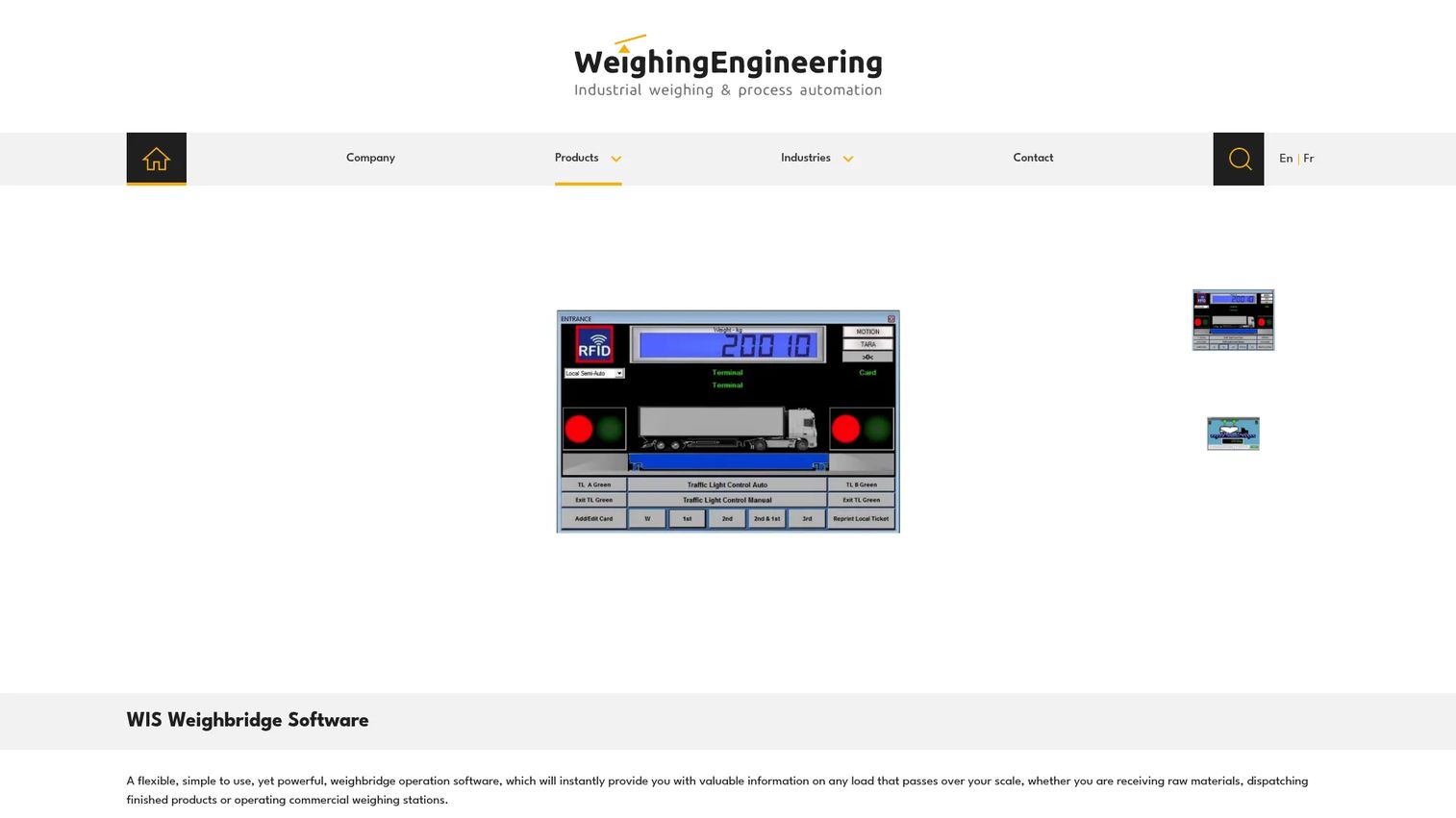
WIS Weighbridge Software is a Windows-based package built to record, display, and register weighing data from a truck scale. It handles the fundamentals cleanly: capture a weight off the indicator, tie it to a vehicle, product, and customer, and print a ticket. For operations that want a dependable system of record without a long implementation cycle, it covers the core weighbridge management job without asking you to configure features you will never use.
Best for: businesses that need a straightforward weighbridge transaction and ticketing workflow on Windows.
Key strengths
- Weighing data capture: collects, displays, and registers weights directly from the scale, removing the manual transcription step.
- Master data management: structured vehicle, product, and customer records so every weighment resolves to a real entity.
- User-defined reporting: ticket printing and configurable reports that finance and operations can shape to their own formats.
Why choose WIS Weighbridge Software: the appeal here is focus. If you do not need RFID gates, PLC automation, or a multi-site rollup, a leaner Windows package means fewer moving parts to maintain and a shorter path to a working gatehouse. It fits single-site operators who want accurate gross tare net weight capture and clean tickets, not a platform they have to grow into.
WIS Weighbridge Software pricing: the product page confirms the feature set but does not publish pricing, so cost is quote-based through the vendor. No public tiers or free trial were listed at the time of writing. Contact the vendor for a quote scoped to your site count and hardware.
2. SmartBridge
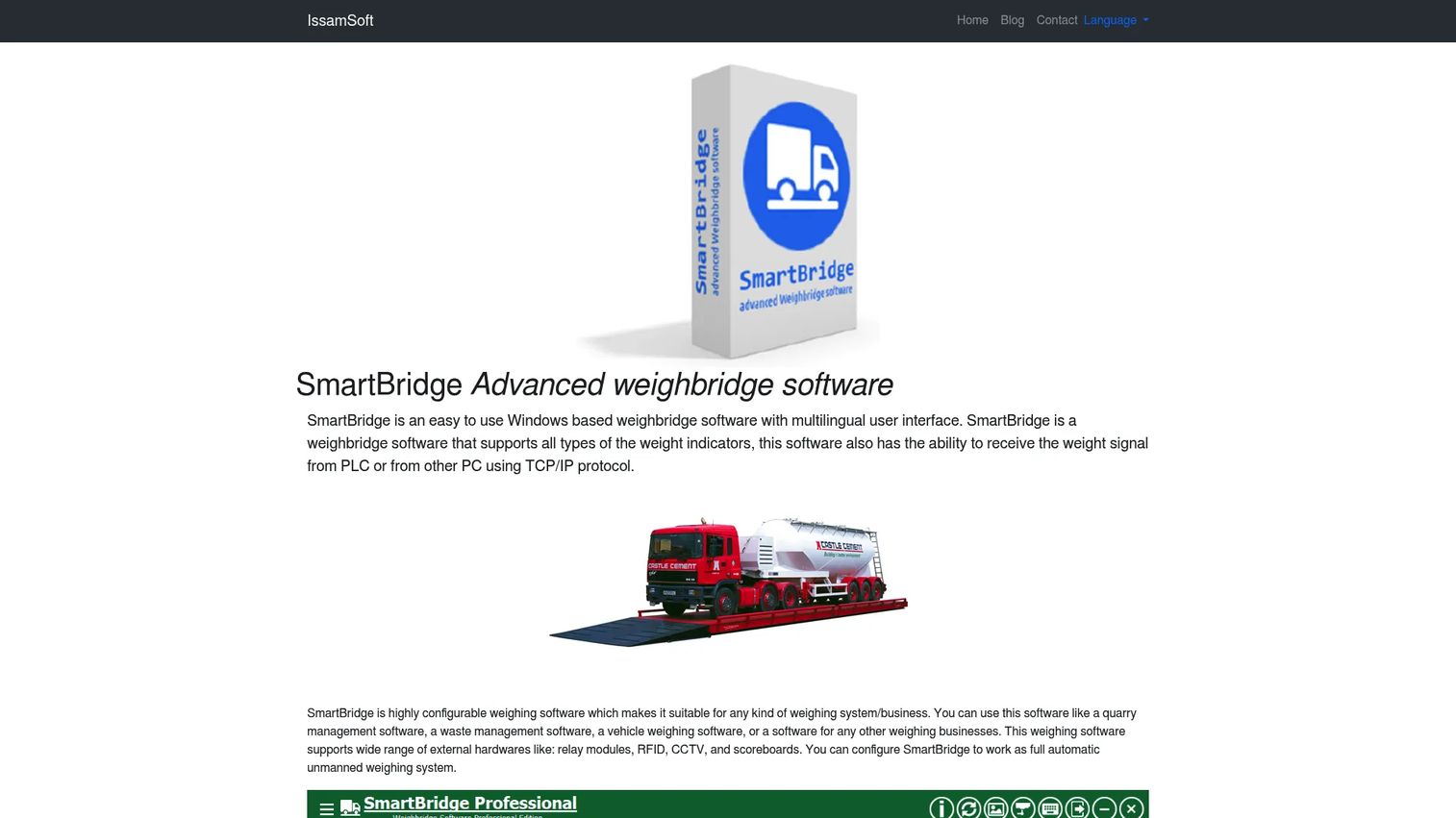
SmartBridge is the most hardware-rich entry on this list. It is a Windows-based weighbridge automation system with a multilingual interface, support for multiple weight indicators, and PLC/TCP-IP input for tighter integration with site equipment. The Professional edition layers on LAN and client-server operation, CCTV, RFID, ANPR, a ticket designer, and reporting, which makes it a strong fit for sites where the physical infrastructure around the scale is as important as the software.
Best for: operations that need configurable weighbridge software wired into indicators, cameras, and access-control hardware.
Key strengths
- Broad indicator and PLC support: connects to multiple weight indicators and PLC/TCP-IP feeds so the software matches your existing scale hardware.
- RFID and ANPR integration: recognized vehicles trigger weighments automatically, cutting operator involvement on repeat loads.
- Ticket designer and reporting: a customizable ticket layout plus reporting and exports, with CCTV linkage for a visual record of each weighment.
Why choose SmartBridge: if your bottleneck is throughput and your site already runs cameras, barriers, and readers, SmartBridge is built to talk to all of it. The split between a Standard and Professional edition lets a smaller site start with the essentials and step up to client-server, RFID weighbridge, and ANPR weighbridge automation as volume grows.
SmartBridge pricing: the vendor confirms a free trial is available but does not publish numeric pricing; cost is quote-based. Request a quote for the edition and hardware modules your site needs. The free trial is a useful way to validate indicator compatibility before committing.
3. WeightBridge
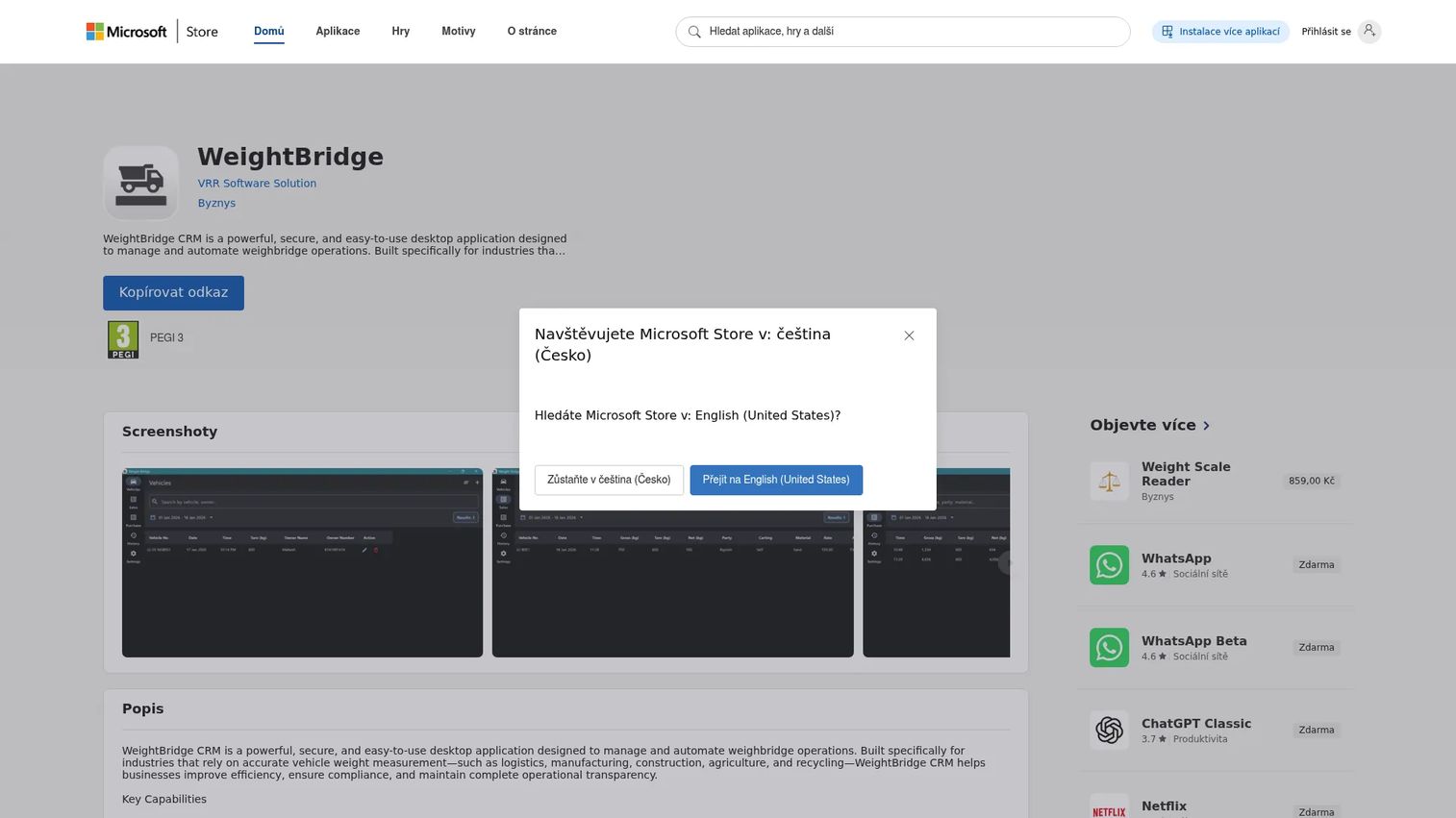
WeightBridge is positioned for operators who want to monitor weighbridge activity remotely rather than sit at the gatehouse all day. It supports multi-location weighbridge management with live weight-entry alerts pushed through Telegram, SMS, and email, plus real-time analytical reports and cloud storage. For managers overseeing several sites who want to know the moment a weighment happens, that alerting model is the differentiator.
Best for: businesses managing remote or multi-location weighbridge operations who want live activity alerts.
Key strengths
- Multi-location management: one view across several weighbridge sites rather than isolated per-gatehouse installs.
- Live weight alerts: real-time notifications via Telegram, SMS, and email when a weighment is entered.
- Cloud reporting: real-time analytical reports and cloud storage so data is accessible off-site.
Why choose WeightBridge: the standout is the notification layer. If your concern is oversight rather than heavy on-site automation, getting an alert the instant a weight is logged, from anywhere, changes how a distributed operation is supervised. It leans toward monitoring and reporting over deep hardware control.
WeightBridge pricing: the listing and associated site do not display public pricing, so cost is quote-based through the vendor. No public tiers were confirmed at the time of writing. Verify the exact product and platform requirements with the vendor before committing, since naming in this space overlaps across similar apps.
4. TruckFlow
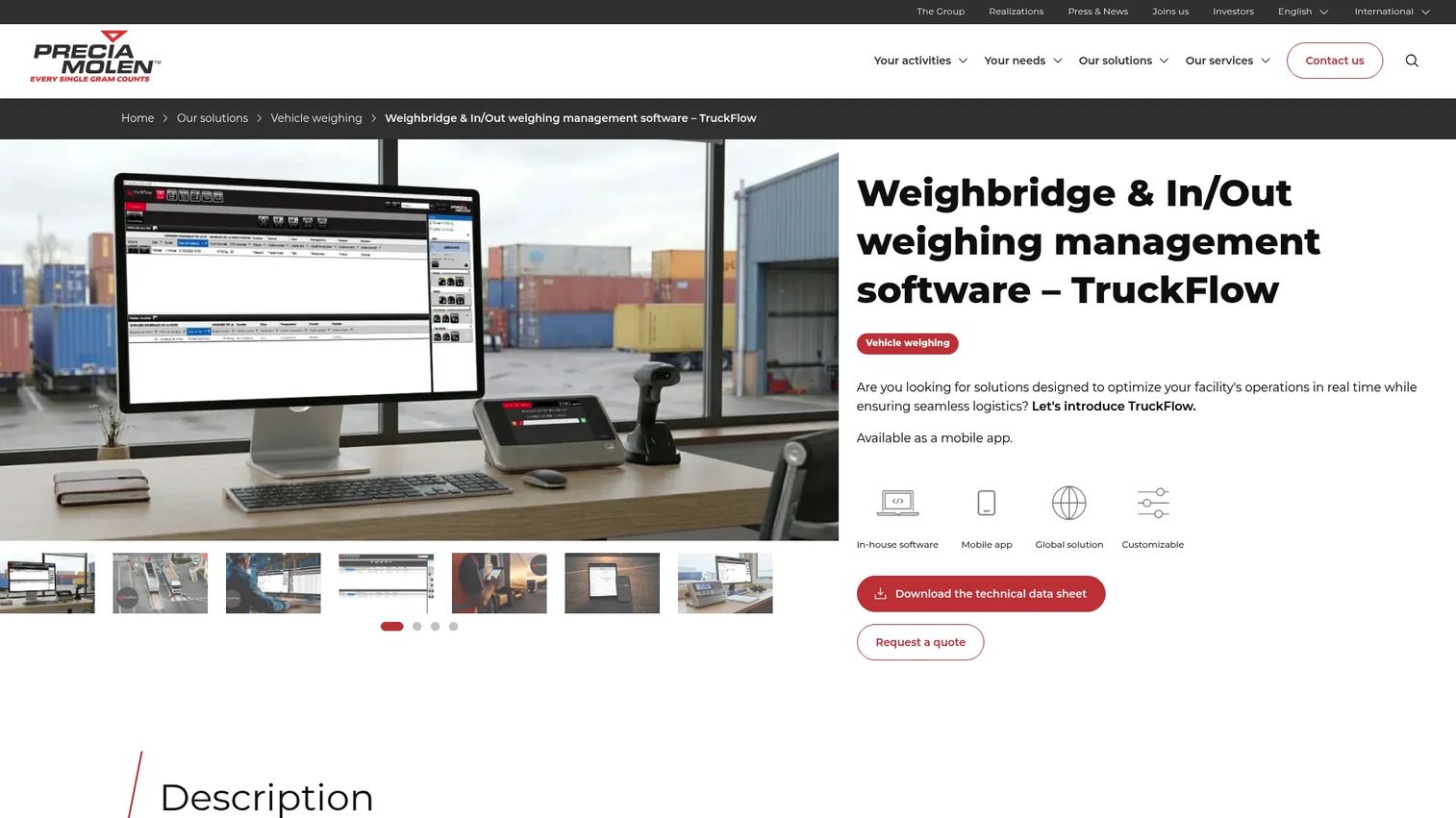
TruckFlow is weighbridge and in/out weighing management software built around vehicle flow. It is designed to simplify the operator's job, manage multiple weighbridges and sites, and control the peripheral devices that keep traffic moving. With badge-based identification, ANPR, customizable screens, and a mobile app, it fits waste management, logistics, and industrial sites where the priority is moving trucks through the facility without friction.
Best for: waste, logistics, and industrial sites that need weighbridge flow control across multiple scales.
Key strengths
- In/out weighing management: structured first-and-second-weight flow that keeps high-traffic sites moving.
- Badge and ANPR identification: recognized vehicles and driver badges speed up repeat weighments and reduce manual entry.
- Multi-site and peripheral control: manages multiple weighbridges and the barriers, lights, and displays around them, with a mobile app for field use.
Why choose TruckFlow: the design bias is toward throughput. If your operational metric is trucks per hour and your pain is queues at the scale, TruckFlow's flow control, customizable operator screens, and multi-site weighbridge management are aimed squarely at that problem. The mobile app extends visibility beyond the gatehouse.
TruckFlow pricing: the product page offers a "Request a quote" path and does not publish figures, so pricing is quote-based. No public tiers or free trial were listed. Scope your quote around site count, hardware peripherals, and whether you need the mobile component.
5. WIZE-B
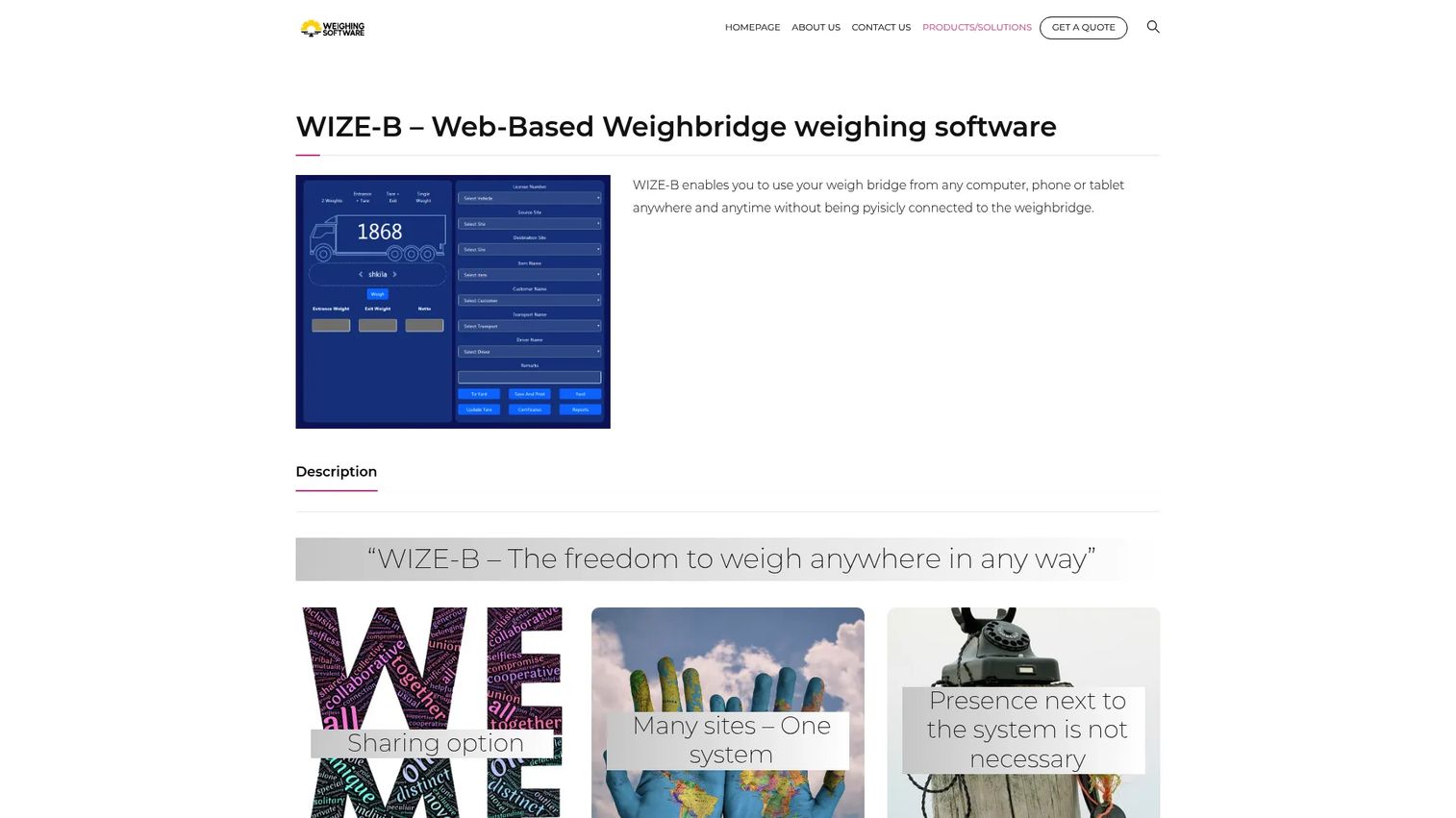
WIZE-B takes a browser-first approach. It lets users operate a weighbridge remotely from any computer, phone, or tablet, which removes the tie between the software and a single gatehouse PC. It supports shared weighbridge access across multiple companies or branches, runs behind an SSL-secured interface, and handles automatic backups. For distributed operations and anyone who needs to manage weighing without being physically at the scale, that web-native model is the draw.
Best for: organizations needing remote, multi-site weighbridge management from any device.
Key strengths
- Browser-based operation: run weighments from any computer, phone, or tablet with no local install to maintain per machine.
- Shared multi-site access: one system shared across multiple companies or branches for a genuine multi-site weighbridge setup.
- Security and backups: an SSL-secured interface with automatic backup so remote access does not mean fragile data.
Why choose WIZE-B: if your team is distributed or you want a manager to operate and monitor weighing from a phone, the web-based architecture is the whole point. Automatic backups and SSL address the obvious concerns that come with moving off a single-site desktop install, making it a practical fit for operators who value remote reach and shared access.
WIZE-B pricing: the site directs visitors to request a quote and does not publish a public price, so cost is quote-based. No public tiers or free trial were confirmed. Ask the vendor how pricing scales with the number of branches and concurrent users.
6. WZWeigh
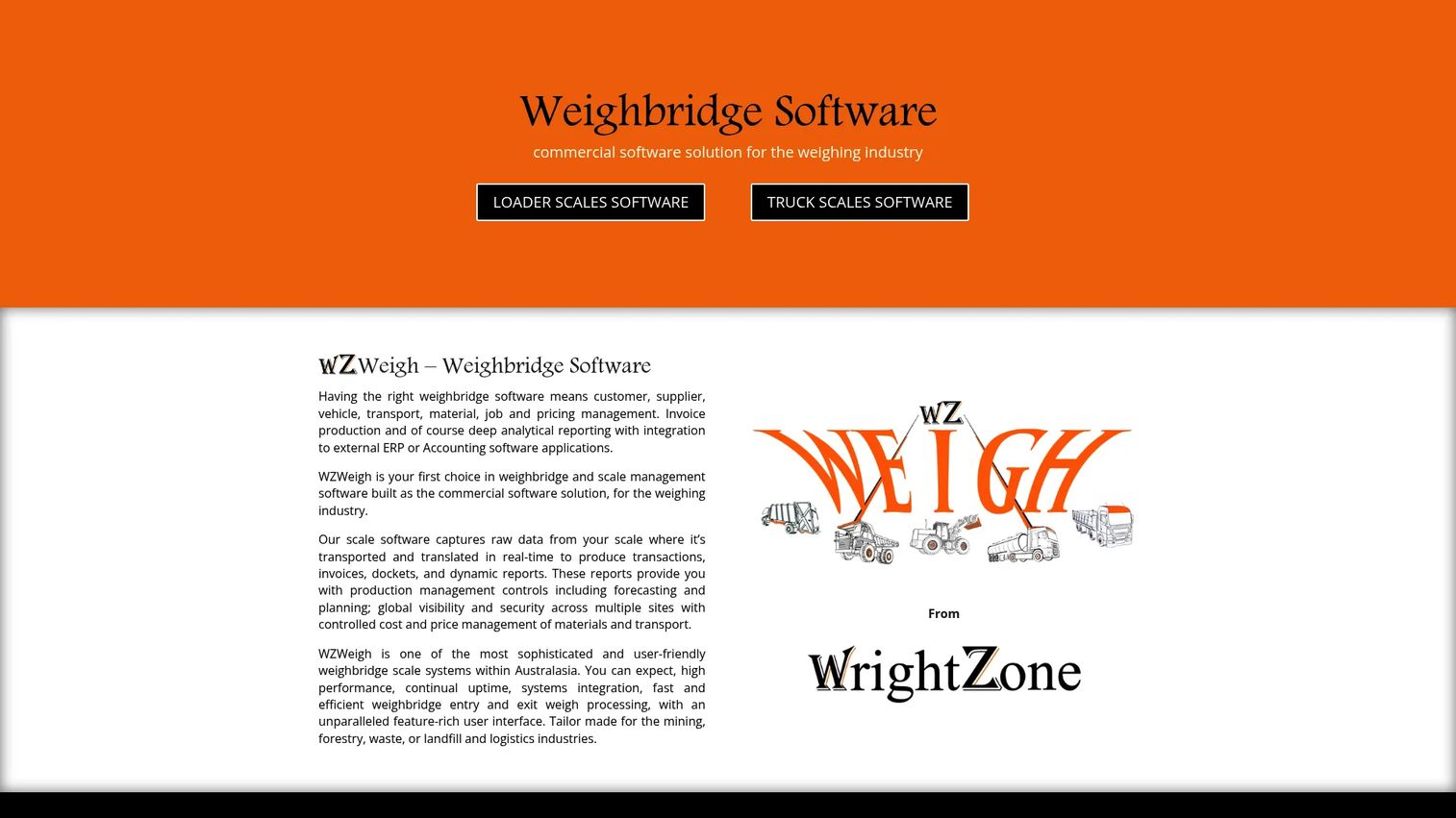
WZWeigh is the most enterprise-oriented entry, built for industries like mining, forestry, waste, logistics, and quarrying. Beyond weighbridge processing it handles loader-scale weighing, and its real strength is the business layer around the weighment: customer, supplier, vehicle, transport, material, job, and pricing management, plus analytics, invoicing, and ERP integration. For operations where a weighment is also a billable event, that financial depth matters.
Best for: multi-site industrial operators who need weighbridge and loader-scale workflows tied to invoicing and ERP.
Key strengths
- Weighbridge and loader-scale processing: handles both fixed-scale and loader-scale weighing in one system.
- Grid reporting and analytics: grid-based weighbridge reporting software with scheduled eReporting for recurring operational and financial summaries.
- ERP integration and invoicing: accounting integration and built-in invoicing so a weighment flows straight into the financial system.
Why choose WZWeigh: the differentiator is the connection between weighing and money. If your weighbridge is a revenue point, quarry sales, waste tipping fees, material dispatch, then master data for pricing and jobs, plus invoicing and ERP integration, removes a whole layer of downstream reconciliation. It suits operators who want operational and financial reporting from one source of truth.
WZWeigh pricing: no public pricing page or displayed price was found, so cost is quote-based through the vendor. No public tiers were confirmed at the time of writing. Given the ERP integration scope, expect pricing to reflect the number of sites, scales, and the accounting system you need to connect.
7. Feed Dynamics Weighbridge App
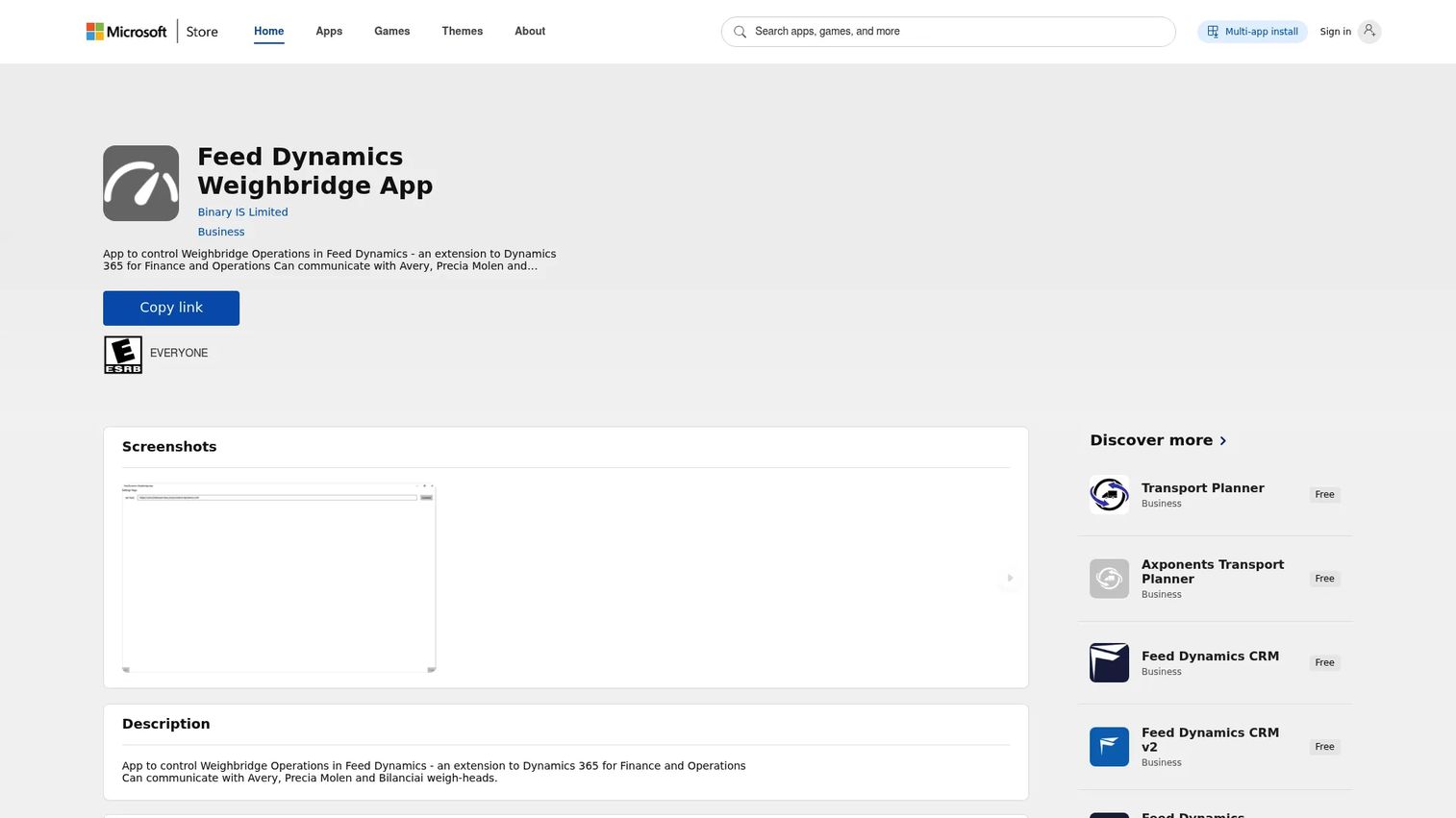
Feed Dynamics Weighbridge App is a Microsoft Store-listed weighbridge app associated with Binary's Feed Dynamics suite for feed and flour millers. It focuses on the essentials of a milling gatehouse: the weighbridge workflow itself, driver signature capture, and weighbridge ticketing. For feed and flour operations that already run inside the Feed Dynamics ecosystem, it fits the weighing step into a familiar suite rather than bolting on a separate system.
Best for: feed and flour mill operations needing weighbridge workflow support within the Feed Dynamics suite.
Key strengths
- Weighbridge workflow: core gross, tare, net weighment handling built for milling gatehouse operations.
- Driver signature capture: captures a driver signature against each weighment for a cleaner record and dispute trail.
- Ticket printing: produces weighbridge tickets as part of the standard workflow.
Why choose Feed Dynamics Weighbridge App: the fit is industry-specific. If you are a feed or flour miller already invested in Binary's Feed Dynamics tooling, keeping the weighbridge step inside that suite avoids running a disconnected system. It is the most narrowly targeted option here, and that focus is the point.
Feed Dynamics Weighbridge App pricing: a dedicated public pricing page for the Weighbridge App was not found, and the Microsoft Store listing did not expose readable pricing in a way that could be verified. Treat pricing as unconfirmed and contact Binary directly for details tied to the broader Feed Dynamics suite.
Considerations before you buy
Feature lists blur together fast in this category. These are the criteria that actually decide fit.
Hardware and indicator compatibility
The software has to talk to the scale you already own. Confirm weighbridge indicator integration for your specific indicator brands and models before anything else. If you run RFID readers, ANPR cameras, barriers, or PLC-driven equipment, verify each connection in a trial rather than trusting a feature checklist. A tool that cannot read your indicator is a non-starter regardless of how good the reporting looks.
Reporting and data export
Ask what a weighment turns into. You want configurable reports, a clean weighbridge audit trail, and reliable weighbridge export to Excel or your accounting system. If finance cannot pull consistent tonnage and billing data without manual cleanup, the software is still leaving a gap. Grid reporting and scheduled reports are worth prioritizing if you produce recurring summaries.
Multi-site and centralization
If you run more than one gatehouse now or plan to, decide early whether you need a true multi-site weighbridge system of record. Per-site installs with manual consolidation get painful fast. Look for centralized data, consistent master records across locations, and rollup reporting so finance sees one number, not five.
Automation depth and maintainability
Decide how much of the workflow you want unattended. Driver self-service, RFID and ANPR triggering, and unattended weighbridge modes cut operator load but add configuration to maintain. Weigh the throughput gain against the upkeep, and favor systems that stay stable as your site and hardware change.
Conclusion
The right weighbridge software depends less on feature count and more on operational shape. For a single gatehouse that needs accurate tickets and clean records, WIS Weighbridge Software and WeightBridge cover the core job without excess. When throughput and hardware automation dominate, SmartBridge and TruckFlow are built for RFID, ANPR, and multi-scale flow control. For distributed teams that need remote access, WIZE-B's browser-native model fits. And when a weighment is also a billable event, WZWeigh ties weighing to invoicing and ERP integration, while Feed Dynamics Weighbridge App serves feed and flour millers inside a familiar suite.
Your next step is short: list your indicator and hardware models, count your sites, and define what finance needs out of weighbridge reporting. Then run a trial against those exact requirements. The tool that reads your scale, standardizes your data, and produces the reports your business already depends on is the one worth buying, not the one with the longest feature list.
FAQs
Weighbridge software captures vehicle weights from a truck scale, calculates gross, tare, and net values, and records each transaction as a ticketed, reportable event. It ties every weighment to a vehicle, customer, and product, replaces paper logs and spreadsheets, and produces documentation for finance, compliance, and dispute resolution.
It reads the first weight (usually the loaded or empty vehicle) directly from the weight indicator, then reads the second weight on the return pass. Net is the difference between the two. For known vehicles, a stored tare value lets the software calculate net from a single weighment, so returning trucks clear the scale faster.
At minimum it should integrate with your weight indicator brand and model. Depending on your site, look for support for PLC/TCP-IP feeds, RFID readers, ANPR cameras, barriers and traffic lights, driver terminals, and CCTV. Always confirm your specific hardware in a trial rather than trusting a general compatibility claim.
Yes. Multi-site weighbridge systems provide one central system of record so every location writes to the same data model, with rollup reporting and consistent master data. Browser-based options let managers operate and monitor weighing remotely, while enterprise tools centralize data for finance and ERP integration.
Prioritize configurable and user-defined reports, a complete audit trail, reliable export to Excel or your accounting system, and scheduled reporting for recurring summaries. If a weighment is a billable event, look for invoicing and analytics that turn tonnage into finance-ready numbers without manual cleanup.
Unattended weighbridge software lets recognized vehicles weigh themselves without an operator, using RFID tags, ANPR cameras, driver terminals, and automated barriers or traffic lights. It reduces staffing at the gatehouse and clears high-volume traffic faster, with the operator handling only exceptions rather than every routine load.
Quarries and mines typically need pricing, job, and material master data, loader-scale support alongside fixed weighbridges, and strong financial reporting because most weighments are billable. Prioritize ERP integration, invoicing, and multi-site centralization, and confirm the software handles the specific hardware and dispatch workflow your operation runs.
It depends on your operation. Desktop or Windows-based software suits a single gatehouse that wants a stable local install with direct indicator control. Browser-based and cloud options suit distributed teams that need remote operation, shared multi-site access, and off-site reporting. Match the architecture to your site count, connectivity, and how remotely you need to manage weighing.