You approved a $12,000 vendor renewal last quarter. Or you think you did. The request came through Slack, got a thumbs-up in a thread, and the PO was cut from a spreadsheet nobody has opened since. Now finance is asking who signed off, and nobody has a clean answer.
That is the daily reality of manual purchasing at scale. Approvals live in email threads. Departments buy the same tools three separate times. Invoices show up disconnected from any purchase order, and spend visibility arrives a month too late to change anything. Purchasing software exists to close those gaps by moving requisitions, approvals, purchase orders, and payments into one governed system.
The stakes are getting bigger. The global procurement software market is projected to reach roughly USD 10.9 to 11.1 billion in 2026, up from about USD 10.1 billion in 2025, according to Grand View Research and Mordor Intelligence. Cloud deployment already accounts for around 68% of procurement software spend, per Mordor Intelligence (2025). The category is consolidating around cloud-based platforms that connect purchasing to the rest of the finance stack.
This guide compares nine purchasing tools through one lens: workflow maturity. Not just which vendor has the longest feature list, but which fits the way your team actually approves, tracks, and reconciles spend.
What's inside
This is a buyer's guide for finance leaders, procurement managers, operations teams, and product-minded operators who need control over spend without adding manual overhead. It is not a vendor landing page.
We built the shortlist by evaluating each tool against four criteria:
- Workflow coverage: how much of the requisition-to-payment lifecycle it handles natively.
- Approval controls and audit trail: how cleanly it routes approvals and records who did what.
- Supplier management and catalog controls: how it onboards vendors and standardizes buying.
- Integration depth and reporting: how well it syncs with your ERP, accounting, and finance stack, and how clearly it surfaces spend.
Tools are ordered by relevance to core purchasing workflows, from broad platforms to enterprise source-to-pay suites.
TL;DR
- Best for teams that want purchasing inside a broader operations system: Rippling, which ties spend to HR, payroll, and IT.
- Best for core procurement workflows in one place: Tradogram, with requisitions, POs, approvals, and budgets on a free-to-start plan.
- Best when purchasing is tightly linked to payables: Tipalti, for AP automation and global payments.
- Best for enterprise spend governance: Coupa, for centralized control and compliance at scale.
- Best for mid-market spend visibility: Procurify, for approvals and budget tracking finance teams actually use.
- Best for complex, high-volume source-to-pay: SAP Ariba, GEP SMART, Ivalua, and Jaggaer, each built for enterprise sourcing and supplier depth.
What is purchasing software?
Purchasing software is a cloud-based platform that manages the buying lifecycle, from requisition and approval to purchase order, receiving, invoicing, and payment, in one connected system. It is often used interchangeably with procurement software and procurement management software, though procurement can extend further into sourcing and supplier strategy.
The category exists to replace scattered spreadsheets, email approvals, and disconnected accounting entries with a governed workflow. Instead of reconstructing what happened after the fact, teams get a live record of every purchase and who approved it.
Core capabilities most purchasing platforms share:
- Requisition and approval workflows with rules-based routing by amount, department, or category.
- Purchase order creation and matching against invoices and receipts (2-way and 3-way match).
- Supplier onboarding and catalog controls to standardize who you buy from and at what price.
- Budget tracking and spend analytics so overspend is visible before it happens, not after.
- ERP and accounting integrations that sync purchase data into your finance stack.
- Audit trails and compliance controls that record every action for review.
Procure-to-pay vs source-to-pay
Two terms come up constantly, and they mark the boundary of what a tool covers.
Procure-to-pay (P2P) covers the operational buying cycle: requisition, approval, purchase order, receiving, invoice matching, and payment. This is the day-to-day purchasing job.
Source-to-pay (S2P) wraps P2P inside the earlier strategic work: sourcing, RFQs, supplier discovery, contract management, and negotiation. Enterprise suites like SAP Ariba, GEP SMART, Ivalua, and Jaggaer live here.
If your team mostly needs to control approvals and track spend, a P2P-focused tool is the right fit. If you run competitive sourcing events and manage hundreds of suppliers, source-to-pay depth matters more.
When to use purchasing software
Not every team needs a dedicated platform on day one. Here is when the switch pays off.
Replace email-based approvals
When approvals bounce between Slack, email, and hallway conversations, two things break: cycle time and auditability. Nobody knows where a request is stuck, and finance cannot prove who signed off. Purchasing software routes each request by rules you set, records every decision, and gives finance a clean audit trail. Approval routing that used to take days collapses into hours.
Standardize spend across teams
When marketing, engineering, and operations all buy independently, you get duplicate subscriptions, off-catalog purchases, and no leverage with vendors. A shared platform enforces catalogs, budgets, and spend policy across departments. Everyone buys through the same governed flow, so spend is consistent and negotiable.
Connect procurement to finance systems
When invoices arrive disconnected from purchase orders, month-end becomes a reconciliation slog. Invoice matching, ERP sync, and automated payment workflows keep purchasing data consistent with your accounting system. That means faster close, fewer errors, and reporting you can trust. Organizations using advanced procurement platforms report 15 to 20% cost savings and about 40% faster cycle times versus manual processes, according to Tradogram (2026).
What to look for in purchasing software
Before comparing vendors, score your own needs against these factors:
- Workflow depth: Does it cover only POs, or the full requisition-to-payment cycle?
- Approval flexibility: Can you route by amount, department, project, and vendor without engineering help?
- Supplier and catalog controls: Can you lock buying to approved vendors and negotiated prices?
- Integration fit: Does it connect to your specific ERP and accounting stack, not just a generic one?
- Reporting and visibility: Can non-finance stakeholders see budget status without pulling a report?
- Compliance and security: Does it maintain audit trails, enforce policy, and meet your security review?
The right tool matches your workflow maturity. A 30-person team and a 3,000-person enterprise need very different things from the same category.
Comparison table
The table below sorts tools by relevance to core purchasing workflows. Read the Intent column as the primary buying motion each tool is built for: broad operations, core procurement, payables-led purchasing, or enterprise source-to-pay. Pricing and ratings reflect verified values where publicly available; several enterprise suites use sales-led pricing.
| # | Product | Intent | Key use case | Pricing | G2 rating |
|---|---|---|---|---|---|
| 1 | Rippling | Operations-led spend | Purchasing inside unified HR, IT, and finance | From $8/user/mo plus $40/mo base | 4.8/5 |
| 2 | Tradogram | Core procurement | Requisitions, POs, approvals, budgets | Free tier; Pro from $225/mo | Not listed |
| 3 | Tipalti | Payables-led purchasing | AP automation and global payments | From $99/mo | 4.5/5 |
| 4 | Coupa | Enterprise spend management | Centralized spend control and compliance | Custom pricing | 4.2/5 |
| 5 | Procurify | Mid-market spend control | Approvals, budgets, spend visibility | Custom pricing | 4.6/5 |
| 6 | SAP Ariba | Enterprise source-to-pay | Sourcing, buying, supplier network | Custom pricing | 4.1/5 |
| 7 | GEP SMART | Enterprise source-to-pay | Unified source-to-pay automation | Custom pricing | 4.3/5 |
| 8 | Ivalua | Enterprise source-to-pay | Configurable procurement workflows | Custom pricing | 4.3/5 |
| 9 | Jaggaer | Enterprise source-to-pay | Sourcing and supplier collaboration | Custom pricing | 4.3/5 |
1. Rippling
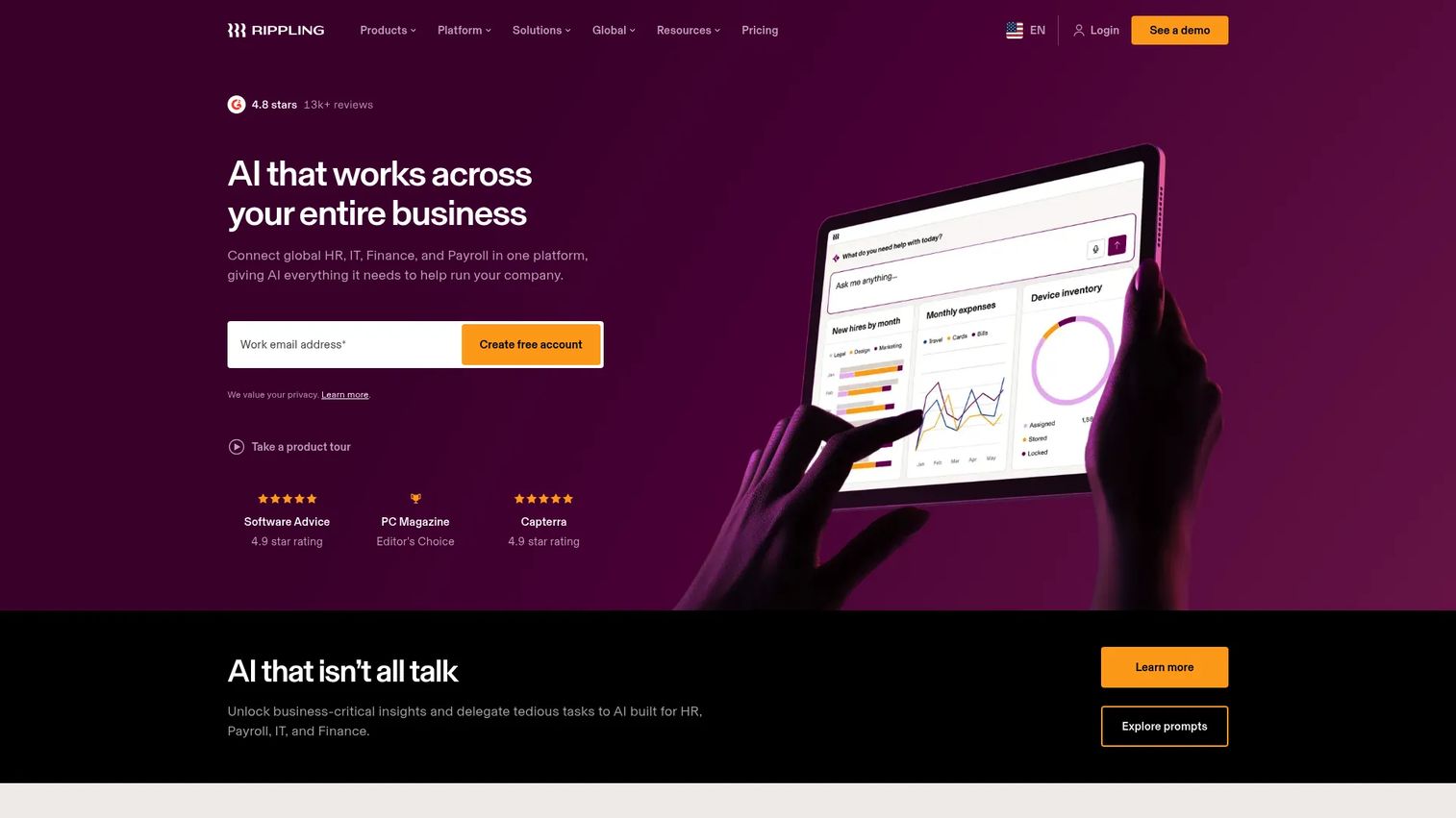
Rippling is a unified platform for HR, payroll, IT, and finance, with spend management built into the same system that manages your people and devices. That framing matters for purchasing: the same approval logic that provisions a new hire's laptop can govern the software they buy. For teams tired of stitching purchasing onto a separate finance tool, Rippling collapses the whole operating layer into one admin surface.
Best for: Growing businesses that want one system for HR, payroll, IT, and spend management rather than a standalone procurement point solution.
Key strengths
- Unified admin: Manage payroll, HRIS, and benefits administration alongside spend, so approvals and policy live in one place.
- Cross-system coordination: Purchase approvals connect to the same employee and department records that drive the rest of the business.
- Rules-based automation: Policy triggers route requests without manual chasing across email or Slack.
Why choose Rippling: If your pain is tool sprawl, not just purchasing, Rippling is the consolidation play. It suits teams that would rather run spend, headcount, and IT provisioning from one system than integrate three. It is less specialized than a pure source-to-pay suite, so buyers running complex sourcing events should weigh that against the consolidation benefit.
Rippling pricing: Rippling bills per employee, per month. The small-business page shows pricing starting at $8 per user per month plus a $40 monthly base fee, with most products billed modularly. There is no free tier. Because packaging is modular and page-specific, confirm the exact bundle for spend management with their team.
2. Tradogram
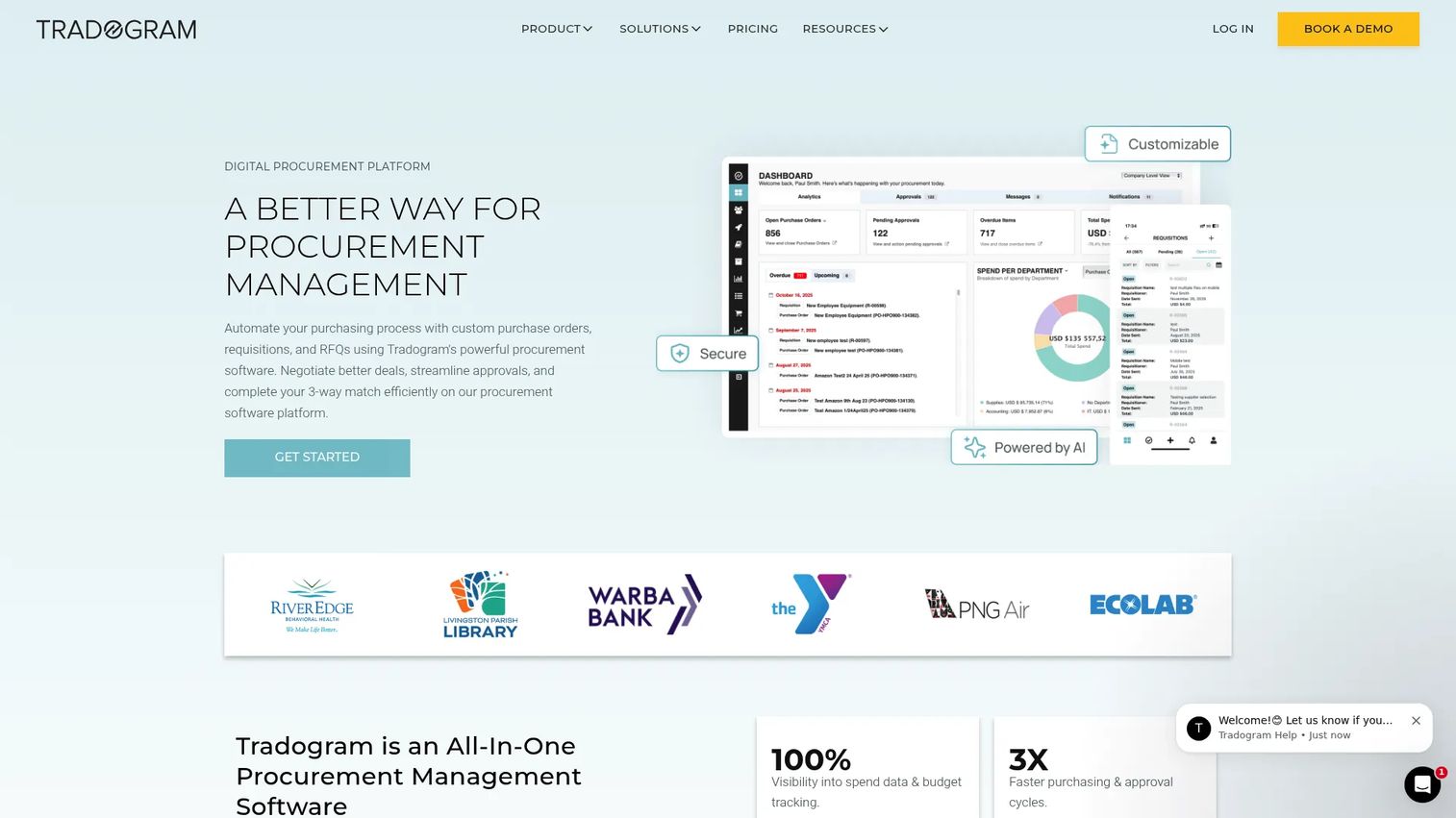
Tradogram is cloud procurement software focused on the core purchasing workflow: requisitions, purchase orders, sourcing, receiving, invoices, expenses, and contracts, all in one place. It is one of the few tools on this list with a genuine free entry tier, which makes it a practical starting point for teams moving off spreadsheets without committing to an enterprise contract.
Best for: Teams that need configurable source-to-pay workflows and want a free tier to start before scaling up.
Key strengths
- End-to-end procurement flow: Requisitions, purchase orders, sourcing, receiving, invoices, expenses, and contracts in a single system.
- Control layer: Supplier lists, items catalogs, approvals, budgets, inventory, and reporting keep spend standardized.
- Stack fit: Integrations with ERP and accounting tools, plus SSO and API options for teams that need to connect it in.
Why choose Tradogram: The pricing model rewards teams that want to start small and grow. You can run core purchase management on the free tier, then scale into Pro and Premium as approval routing and budget tracking get more complex. For mid-market operations teams, it hits the sweet spot between spreadsheet chaos and enterprise overhead.
Tradogram pricing: A Free Basic plan is available. Pro starts at $225 per month (billed annually) for one user, Premium at $425 per month starting at 10 users, and Enterprise is a custom quote starting at 20 users.
3. Tipalti
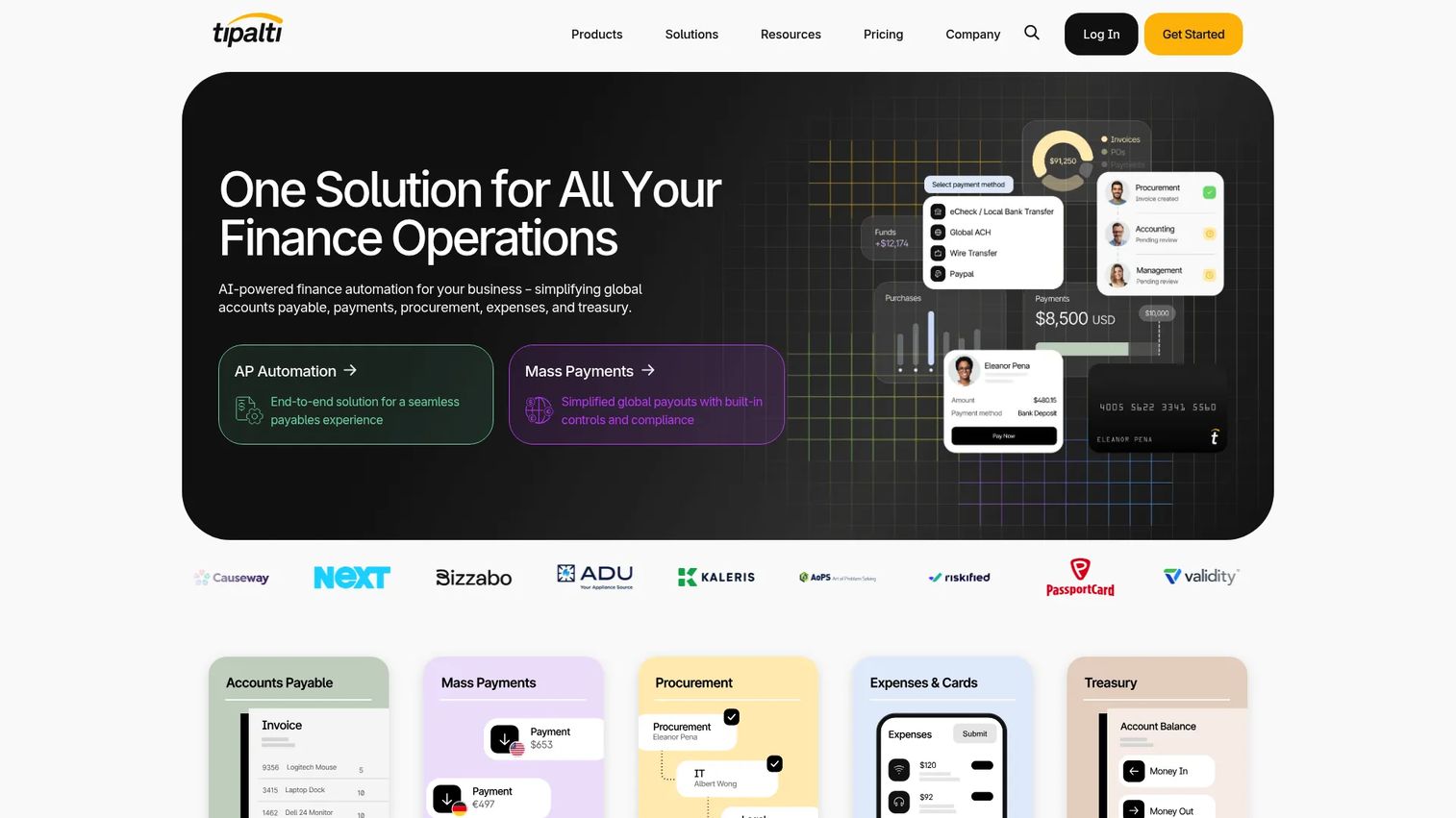
Tipalti is a finance automation platform built around accounts payable, mass payments, procurement, and expense management. Where other tools start with the purchase order, Tipalti starts with the payment. That makes it the right choice when your purchasing pain lives on the payables side: reconciling invoices, paying global suppliers, and staying compliant across jurisdictions.
Best for: Mid-market teams that need global AP and payout automation with compliance controls tightly linked to purchasing.
Key strengths
- Accounts payable automation: Invoice capture, matching, and approval routing reduce manual AP work.
- Mass payments and global payouts: Pay suppliers across countries and currencies from one system.
- Procurement and expense management: Purchasing and expenses feed the same payables engine, keeping data consistent.
Why choose Tipalti: If invoices and payments are where your process breaks, Tipalti solves the back half of purchasing better than a PO-first tool. It fits finance teams with international suppliers and real compliance requirements. Teams whose primary need is upstream approval routing may find its center of gravity sits more on payables than on requisitions.
Tipalti pricing: The Select plan starts at $99 per month and Advanced at $199 per month, both billed monthly. Higher tiers (Elevate, Accelerate, and Plus) use custom pricing based on usage and feature needs. There is no free tier.
4. Coupa
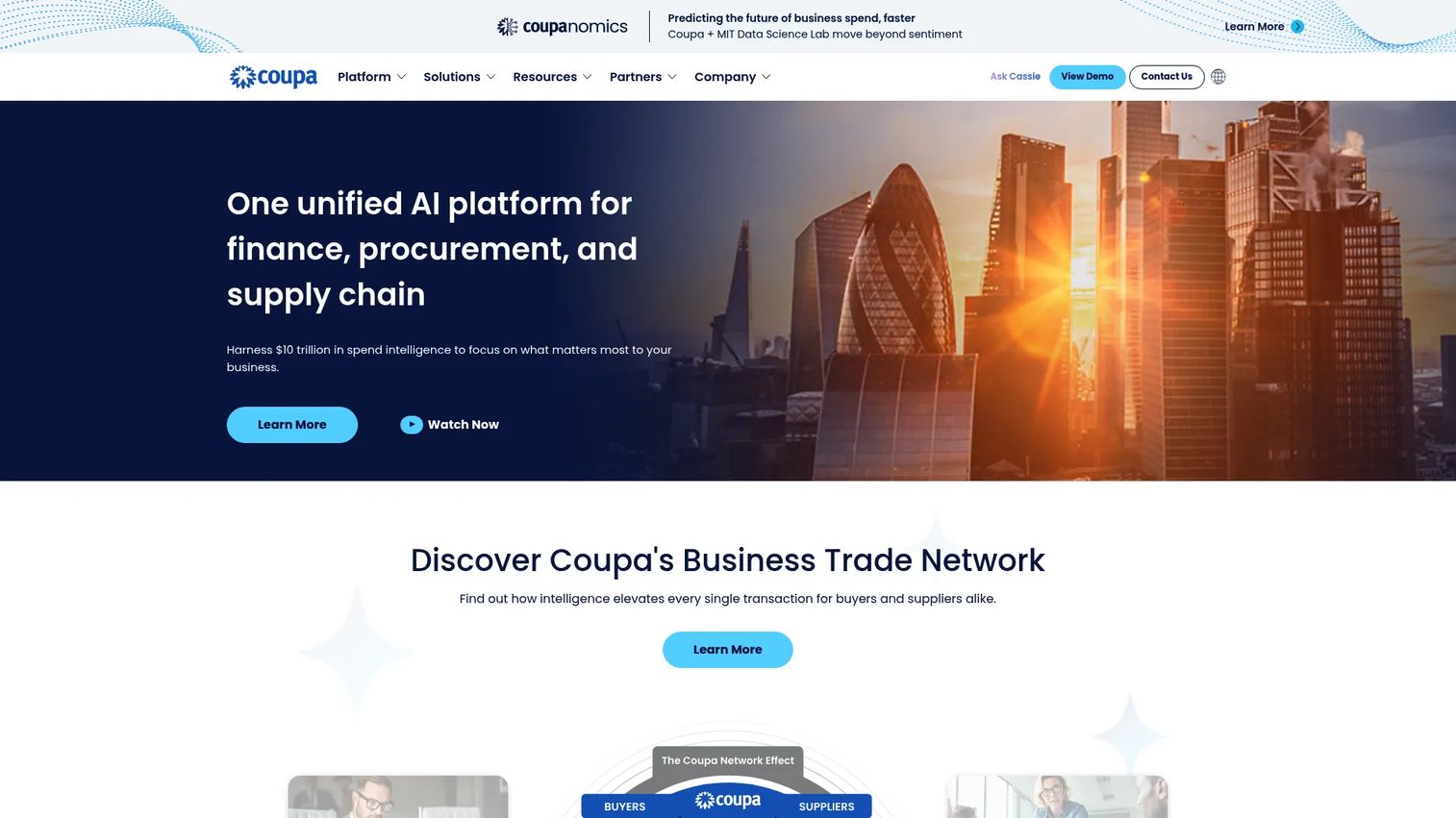
Coupa is a cloud-based business spend management platform covering procurement, invoicing, expenses, and the broader spend workflow. It is built for organizations that treat spend as a governance problem: visibility across every category, policy enforced at the point of purchase, and compliance baked into the flow rather than audited after.
Best for: Mid-market to enterprise teams that need centralized spend management and control across every spending category.
Key strengths
- Source-to-pay workflows: Procurement, sourcing, and buying handled in one platform with approval discipline.
- Invoicing and payments automation: Invoice matching and payment workflows reduce leakage and manual reconciliation.
- Spend visibility and control: A single view of business spend supports budget tracking and compliance across the org.
Why choose Coupa: Coupa suits mature procurement teams that need governance at scale and can commit to a platform-level rollout. Its strength is breadth of spend control, not lightweight setup, so it fits organizations with a dedicated procurement function rather than a two-person operations team.
Coupa pricing: Coupa does not publish list pricing on its own site; pricing is sales-led. Expect a custom quote based on modules, spend volume, and organization size. Reach out to their team for a scoped proposal.
5. Procurify
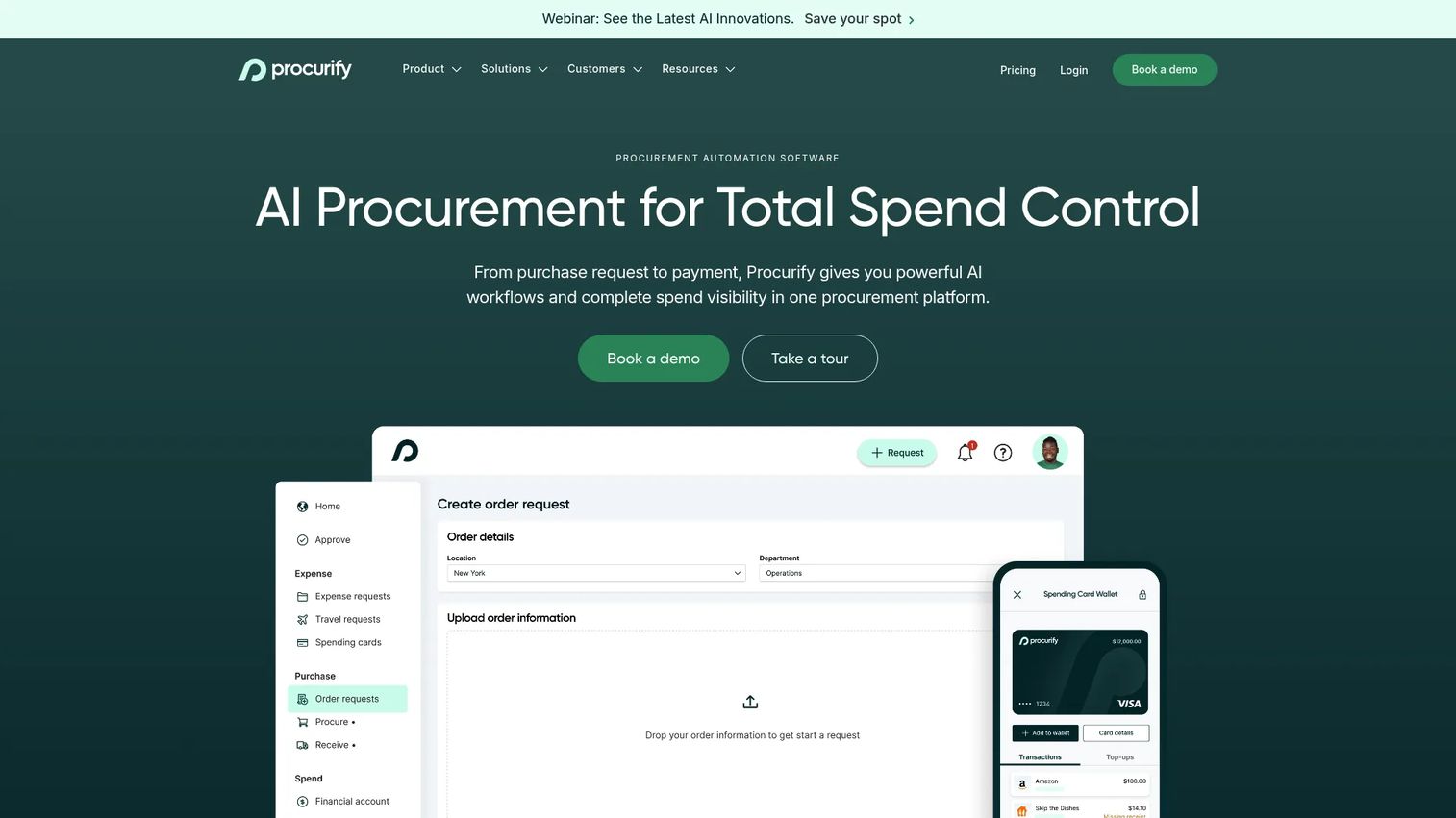
Procurify is an AI-powered procure-to-pay and spend management platform aimed squarely at mid-market organizations. Its reputation is built on approachability: finance and operations teams can roll it out and get non-finance stakeholders using it without a heavy change-management program. That matters, because a purchasing tool nobody adopts is just a more expensive spreadsheet.
Best for: Mid-market teams that need centralized procurement, AP, expense, and spend control that people actually use.
Key strengths
- Purchase-to-receiving flow: Purchase requests, approvals, purchase orders, and receiving in a clean, usable interface.
- AP automation: Invoice processing, matching, and bill payments connect purchasing to payables.
- Expense and card controls: Expense management plus virtual and physical spending cards bring more spend into policy.
Why choose Procurify: Procurify wins on usability and spend visibility for the mid-market. It suits finance leaders who want budget tracking and approval discipline without the implementation weight of an enterprise suite. If your priority is adoption across departments, it is a strong fit.
Procurify pricing: Procurify does not display public pricing; the site directs buyers to request a quote. Pricing is described as flexible and scoped to your team, so contact them for numbers tied to your headcount and module needs.
6. SAP Ariba
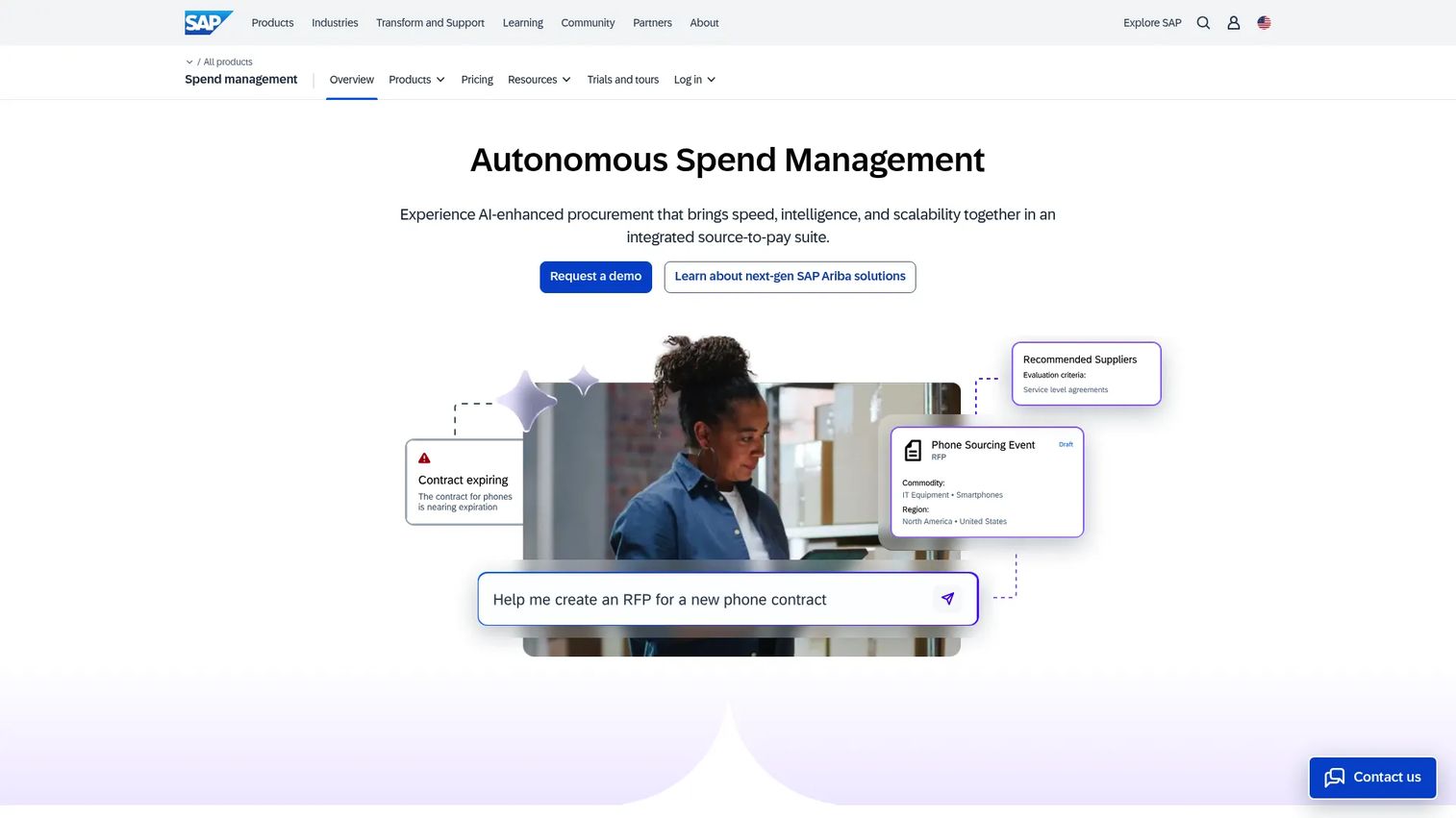
SAP Ariba is SAP's cloud spend-management and procurement suite, spanning sourcing, buying, invoicing, and supplier management. Its defining asset is the Ariba supplier network, which connects buyers to a large ecosystem of vetted suppliers. For organizations that already run SAP, Ariba extends procurement into the same data backbone.
Best for: Enterprises that need a global procurement suite with deep supplier network collaboration.
Key strengths
- Guided buying and procure-to-pay: Structured buying workflows keep purchasing on policy across a large org.
- Supplier lifecycle management: Onboarding, qualification, and performance management for a large supplier base.
- AI-assisted sourcing and compliance: Sourcing analytics and compliance controls support strategic procurement.
Why choose SAP Ariba: Ariba fits enterprises with complex procurement needs and a global supplier footprint, especially existing SAP customers. Its rigor and supplier network are the draw. It is built for organizations with a formal procurement function, so smaller teams should weigh that scope against their actual needs.
SAP Ariba pricing: SAP does not publish list pricing on the pages reviewed; buyers request a demo and a scoped quote. A free trial exists for SAP Ariba Buying and Invoicing specifically, but the broader suite is sales-led. Confirm current terms directly with SAP.
7. GEP SMART

GEP SMART is an AI-powered source-to-pay procurement platform that unifies strategic sourcing and procure-to-pay in one system. It is designed for procurement-heavy operations that need both the upstream sourcing work (e-auctions, contracts) and the downstream buying and invoicing under one roof, with rules-based workflows connecting them.
Best for: Large enterprises that need an end-to-end source-to-pay suite rather than separate sourcing and purchasing tools.
Key strengths
- Unified source-to-pay: Sourcing and procure-to-pay live on one platform, reducing handoffs between systems.
- Strategic sourcing depth: E-auctions, contracts, and procure-to-pay automation support high-volume category management.
- Rules-based workflows: Approvals and process triggers keep complex purchasing consistent at scale.
Why choose GEP SMART: GEP SMART fits enterprises that want sourcing and purchasing genuinely unified, not integrated after the fact. Its breadth suits procurement organizations managing many categories and suppliers. As with other enterprise suites, it is built for complexity, so match it to a mature procurement function.
GEP SMART pricing: GEP does not publish readable list pricing on its product page; pricing is sales-led. Expect a custom quote scoped to your sourcing and procurement volume. Contact GEP for a proposal.
8. Ivalua
Ivalua is an enterprise AI platform for procurement and source-to-pay management, known for the configurability of its workflows. Rather than forcing a fixed process, Ivalua lets large organizations model their own procurement logic, which matters when your buying process does not fit an out-of-the-box template.
Best for: Large enterprises that need a configurable source-to-pay suite for complex, non-standard procurement processes.
Key strengths
- Configurable workflows: Model your own procurement logic without building a platform from scratch.
- Supplier management: Onboarding, qualification, and collaboration across a large supplier base.
- Procure-to-pay automation: Requisitions, purchase orders, and invoicing connected inside the source-to-pay flow.
Why choose Ivalua: Ivalua is the pick when your procurement process is genuinely complex and you need to configure rather than compromise. It suits organizations that have outgrown rigid tools but do not want to build custom software. That flexibility is its differentiator against more prescriptive suites.
Ivalua pricing: Ivalua does not publish pricing publicly; the site directs buyers to contact sales. Pricing is scoped to your requirements and organization size, so request a quote for numbers tied to your process.
9. Jaggaer
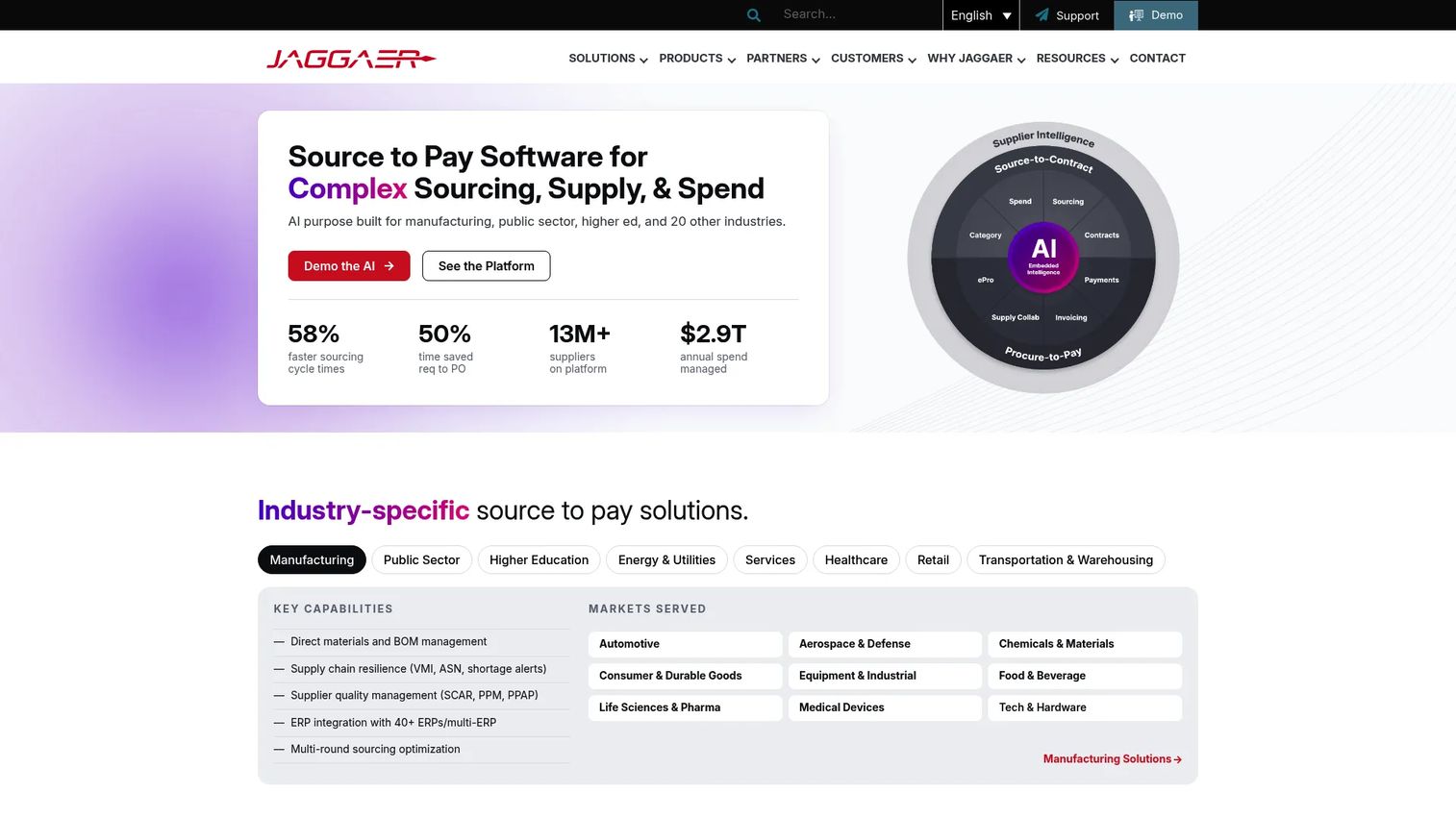
Jaggaer is enterprise source-to-pay procurement software built for complex organizations with high-volume, multi-category buying. It combines strategic sourcing, contracts, procure-to-pay, supplier collaboration, and spend analytics into an integrated suite, with depth in the sourcing and supplier-management side of the lifecycle.
Best for: Large organizations that need an integrated source-to-pay platform with strong sourcing and supplier collaboration.
Key strengths
- Source-to-pay automation: Sourcing, contracts, and procure-to-pay workflows in one integrated platform.
- Supplier collaboration: Tools to onboard, manage, and work with suppliers across categories.
- Spend analytics: eProcurement and invoicing automation feed reporting that surfaces spend patterns.
Why choose Jaggaer: Jaggaer suits higher-complexity buying environments where sourcing and supplier management carry real weight. Its category coverage and workflow depth fit enterprises running formal procurement operations. For teams whose needs are mostly operational purchasing, a lighter P2P tool may be a closer match.
Jaggaer pricing: Jaggaer does not list public pricing; the site directs buyers to contact sales or request a demo. Pricing is scoped to your procurement scale, so reach out for a tailored quote.
Considerations before you buy
The demo will look great. What matters is how the tool behaves in your actual workflow. Verify these before you commit.
Workflow coverage
Map your real purchasing lifecycle, then check what the tool handles natively versus what needs a workaround. A PO tool that does not do receiving or invoice matching will leave gaps you fill manually. Match coverage to your process, not to the vendor's feature list.
Approval controls and audit trail
Confirm you can route approvals by amount, department, project, and vendor without engineering help. Then check the audit trail: every action should be timestamped and attributable. If finance cannot answer "who approved this and when" in one click, the tool is not doing its job.
Integrations and data sync
The tool must connect to your specific ERP and accounting system, not just a generic list of "integrations." Ask about sync frequency, field mapping, and what happens when data conflicts. A weak sync creates reconciliation work that cancels out the time savings.
Supplier management
Check how vendors get onboarded and whether you can enforce catalogs and negotiated pricing. For teams with many suppliers, onboarding speed and self-service supplier portals matter. For smaller teams, a lightweight supplier list may be plenty.
Reporting and visibility
Non-finance stakeholders should see budget status without asking finance to run a report. Test whether dashboards are usable by a department head, not just an analyst. Real-time spend visibility is the difference between preventing overspend and explaining it later.
Security and compliance
Confirm audit trails, role-based access, and policy enforcement meet your requirements. If you run a formal security review, ask for SOC 2 or equivalent documentation early. Compliance controls that satisfy your auditors save real pain at close and renewal.
Conclusion
The best purchasing software is the one that matches your workflow maturity, not the one with the longest feature list. Start by scoring your needs against four things: how much of the lifecycle you need covered, how strict your approval and audit requirements are, how deeply it must integrate with your finance stack, and how much governance you need across teams.
If you want purchasing folded into a broader operations system, Rippling is the consolidation play. For core procurement workflows with a free starting point, Tradogram fits well. When payables are the pain, Tipalti leads. For mid-market spend visibility that teams adopt, Procurify is strong. And for enterprise source-to-pay depth, Coupa, SAP Ariba, GEP SMART, Ivalua, and Jaggaer each bring sourcing and supplier rigor at scale.
Your next step: shortlist two or three tools that match your intent, then run a hands-on evaluation against your real approval and invoice-matching workflow before you sign anything.
If your team also builds software and needs to show it clearly to buyers and users, Guideflow helps you create interactive product demos and sandboxes in minutes. Start your journey with Guideflow today!
FAQs
Purchasing software manages the buying lifecycle from requisition and approval to purchase order, receiving, invoicing, and payment. It replaces email approvals and spreadsheets with a governed workflow, giving teams spend visibility, an audit trail, and control over who buys what. It also standardizes purchasing across departments and connects that data to your finance systems.
The terms are often used interchangeably, and most tools cover both jobs. Purchasing software emphasizes the operational buying cycle: requisitions, purchase orders, receiving, and payment. Procurement software often extends further into strategic work like sourcing, RFQs, contract management, and supplier strategy. In practice, choose based on how far upstream your process reaches, not the label.
Prioritize approval routing you can configure without engineering, a clean audit trail, and purchase order matching (2-way and 3-way match). Then weigh supplier and catalog controls, ERP and accounting integration depth, and real-time spend visibility. The right feature set depends on your workflow maturity: a small team needs fewer capabilities than an enterprise running competitive sourcing.
Yes. Approval routing is one of the core reasons teams adopt it. You set rules by amount, department, project, or vendor, and the system routes each request automatically while recording every decision. Budget tracking runs alongside, so overspend surfaces before a purchase clears rather than at month-end.
Most cloud-based purchasing platforms integrate with common ERP and accounting systems to keep purchase, invoice, and payment data consistent. What varies is depth: confirm the tool supports your specific system, and ask about sync frequency and field mapping. A strong integration is what turns purchasing data into reliable financial reporting.
No. Options range from free and low-cost tiers for small teams to enterprise source-to-pay suites. Tools like Tradogram offer a free entry point, while Procurify targets the mid-market and platforms like Coupa and SAP Ariba serve large organizations. The category scales with your needs, so match the tool to your size and workflow complexity.
Procure-to-pay (P2P) covers the operational buying cycle: requisition, approval, purchase order, receiving, invoice matching, and payment. Source-to-pay (S2P) includes all of that plus the upstream strategic work: sourcing, RFQs, supplier discovery, and contract management. Enterprises running competitive sourcing need S2P; teams focused on controlling spend often need only P2P.
Start by mapping your actual purchasing workflow and scoring tools against four criteria: workflow coverage, approval and audit controls, integration fit with your finance stack, and reporting visibility. Shortlist two or three that match your intent, then run a hands-on test against your real approval and invoice-matching process. Match the tool to your workflow maturity rather than buying the most features you can find.