Your team meeting starts in 60 seconds. Eight people are on the call, six cameras are off, and the first agenda item is a Q3 kickoff that requires genuine energy and input. You know what usually happens next: Silence, obligatory pleasantries, then a presenter who carries the whole session while everyone else waits to be dismissed.
Icebreaker software exists to break that pattern before it starts. A well-chosen tool gives facilitators a repeatable warm-up ritual, not a one-off game. It builds the psychological safety that makes people speak up in training, onboarding, and strategy sessions - not just in happy hours. According to Coherent Market Insights (2026), the global icebreakers market is valued at USD 1.54 billion in 2026, projected to grow at a 5.1% CAGR through 2033. Remote and hybrid adoption is accelerating that demand: 22.6% of U.S. workers teleworked as of March 2026, according to the U.S. Bureau of Labor Statistics.
Most tools reviewed elsewhere are either too playful to use in a VP-attended training session or too rigid to work across onboarding, weekly standups, and workshop facilitation. This guide cuts through that to show you what actually gets used.
What's inside
This guide is for team leaders, sales enablement managers, and L&D practitioners who need icebreaker software that gets adopted, not just installed. Items were selected based on four criteria:
- Repeatability: Does the tool support ongoing use, not just a one-off activity?
- Meeting fit: Does it work for remote, hybrid, and in-person contexts?
- Ease of setup: Can a facilitator run it without a lengthy admin process?
- Variety of activities: Does the tool offer enough range to avoid repetition fatigue?
Both app-based tools and template-based software are included, covering quick warm-ups through structured workshop facilitation.
TL;DR
- Best for structured team pairing: Icebreaker Bot pairs coworkers weekly for 1:1 meetups inside Microsoft Teams, with no ongoing admin effort required
- Best for meeting warm-ups and workshops: Klaxoon offers 200+ templates, interactive questions, and AI-assisted facilitation for remote and hybrid sessions
- Best for quick app-based activities: Icebreakers is a mobile-first option for fast, low-effort session starters
- Best free Teams integration: Icebreaker App Template is an open-source bot that runs inside your existing Teams environment at no cost
- Best for mood-based check-ins: Team Mood runs lightweight sentiment check-ins that double as a meeting warm-up
- Best for creative workshops: One, Two, Three and The Adventurers are Klaxoon templates built for energy and collective decision-making
What is icebreaker software
Icebreaker software is a category of digital tools that helps teams start meetings, onboarding sessions, workshops, and events with structured warm-up activities that reduce awkwardness and build connection.
These tools go beyond sharing a fun question in Slack. Purpose-built icebreaker software gives facilitators a reusable system: A library of activities they can pick from, a way to run those activities live, and often a mechanism for recurring rituals like weekly peer pairings or mood check-ins.
Common features to look for:
- Random pairing: Automatically matches team members for 1:1 meetups or conversation prompts
- Reusable templates: Libraries of activities organized by outcome, group size, or session type
- Live facilitation tools: Timers, voting, question prompts, and idea boards that run during a session
- Mood or sentiment check-ins: Pre-meeting pulse surveys that surface how people are feeling before the agenda starts
- Async and sync support: Activities that work in real time or can be completed before a session
- Admin controls: Settings for team size, frequency, and activity selection to keep things manageable at scale
The category spans everything from standalone apps to templates inside collaboration platforms like Microsoft Teams or whiteboarding tools. The right choice depends on whether you need a lightweight ritual or a full facilitation platform.
When to use
Start remote meetings with less awkwardness
A remote meeting that opens with an agenda slide loses the room before anyone has spoken. A structured two-minute warm-up - a quick question, a mood check, or a timed creative prompt - gives people a reason to turn cameras on and say something before the hard work begins. Tools with built-in timers and live prompts make this easy to facilitate without preparation.
Warm up onboarding and new hire cohorts
New hires don't know their colleagues, their team's communication style, or where they fit. An icebreaker activity at the start of each onboarding session gives people a low-stakes way to contribute before they're expected to perform. Recurring weekly pairings, like those offered by bot-based tools, extend that connection beyond the first week without requiring facilitator time.
Run workshops, training sessions, and team events
A training session that starts cold rarely recovers. Facilitators who open with a structured icebreaker see better participation throughout because people are already in the habit of speaking. Creative prompts, group decision-making activities, and idea-sharing exercises also serve as cognitive warm-ups that prime participants for the actual workshop content.
Icebreaker software comparison
Each tool below was evaluated against the selection criteria above. Pricing reflects figures verified from vendor sources as of August 2026. G2 ratings reflect current listings where available.
| # | Product | Best for | Key differentiator | Pricing | G2 rating |
|---|---|---|---|---|---|
| 1 | Icebreaker App Template | Teams-based employee networking | Open-source Teams bot with weekly pairings | Free (open-source) | N/A |
| 2 | Klaxoon | Workshop facilitation and meeting warm-ups | 200+ templates, voting, and AI summarization | Free / $24.90/host/mo | 4.7/5 |
| 3 | Icebreakers | Quick mobile-first session starters | Fast activity selection by type and group size | Free / from $0.99/wk | N/A |
| 4 | Icebreaker Bot | Recurring peer connection in Microsoft Teams | Weekly random pairings with calendar sync | Free (open-source) | N/A |
| 5 | Team Mood | Mood-based pre-meeting check-ins | Emoji and GIF-based sentiment tracking | Free / £24/mo | N/A |
| 6 | The Adventurers | Structured decision-making icebreakers | Staged group decision activity in Klaxoon | Free / $24.90/host/mo | 4.7/5 |
| 7 | One, Two, Three | Creativity-focused workshop openers | Idea-sharing with text, images, and drawings | Free / $24.90/host/mo | 4.7/5 |
Best 7 icebreaker software tools for 2026
1. Icebreaker App Template
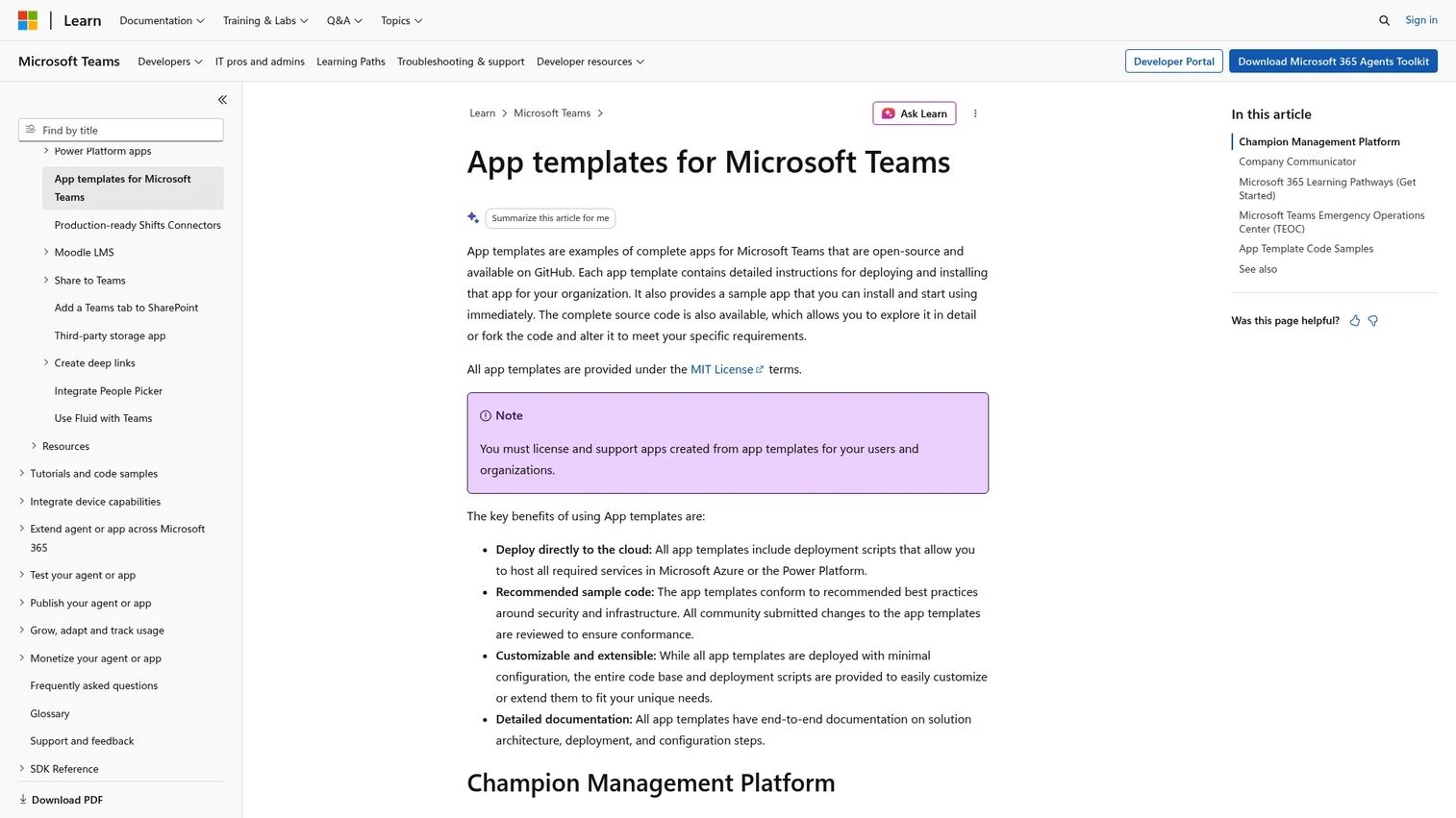
Icebreaker App Template is an open-source Microsoft Teams bot template designed to help organizations build internal connections at scale. Each week, the bot pairs two random team members and suggests mutually free meeting times using Office 365 calendar availability. It also supports interest-based communities within Teams, allowing people to connect around shared topics beyond their immediate team.
Best for: Organizations running Microsoft Teams that want a low-maintenance, recurring connection ritual without facilitated sessions.
Key features
- Automatic weekly random pairings across the team
- Calendar sync to suggest mutually free meeting slots
- Interest-based community support within Teams
- Open-source code base for admin customization
Why choose Icebreaker App Template: This is the right pick for enablement managers who want to build team cohesion as a background process rather than a facilitated event. It runs on its own once configured, making it a genuinely low-effort habit. The trade-off is that it requires a developer or admin to deploy, and it doesn't offer activity variety beyond the pairing mechanism.
Icebreaker App Template pricing: The template is open-source and free to deploy. Costs depend on your existing Microsoft 365 licensing and any developer time needed for setup. No subscription fee applies to the template itself.
G2 rating: Not currently listed on G2.
2. Klaxoon
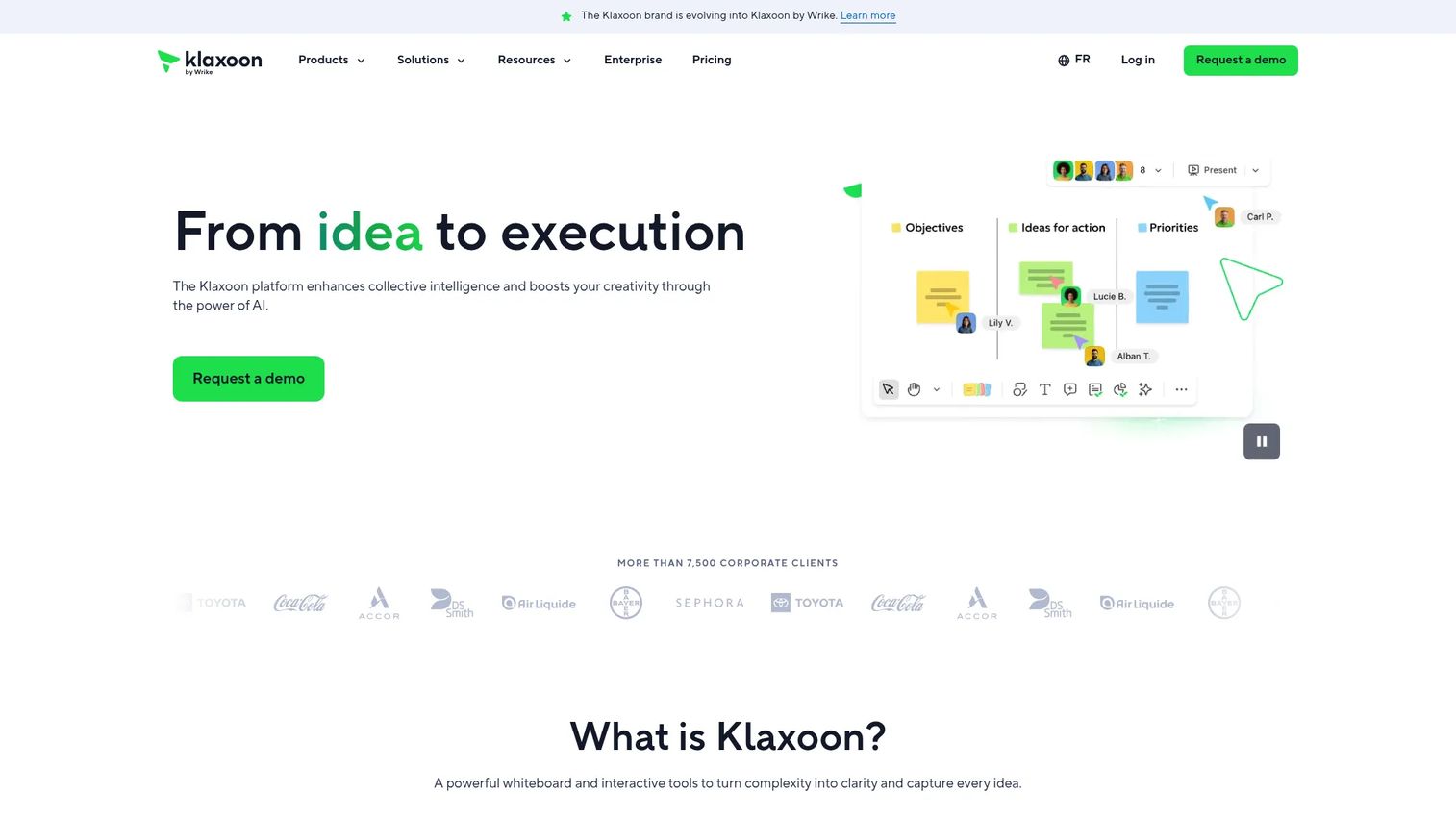
Klaxoon is a visual collaboration platform built for meetings, workshops, and team engagement. Its infinite whiteboard supports over 200 templates, including icebreakers, retrospectives, and brainstorming formats. Live facilitation tools - voting, timers, question prompts, and idea boards - make it easy to run structured activities in both synchronous and asynchronous settings. AI-assisted features include summarization, categorization, translation, and action plan generation.
Best for: Facilitators running remote or hybrid workshops, training sessions, or recurring team meetings where activity variety matters.
Key features
- 200+ reusable templates for meetings and workshops
- Interactive questions, voting, and timed prompts
- Infinite whiteboard for visual collaboration
- AI-assisted summarization and action plan creation
Why choose Klaxoon: Klaxoon suits enablement managers who run regular training sessions or workshops and need a tool that does more than one thing. It handles icebreakers as one element within a broader facilitation toolkit, which means you're not switching apps between the warm-up and the main session. Teams that only need occasional icebreakers may find the platform broader than they require.
Klaxoon pricing: A free plan is available with limited access. The Starter plan runs $24.90 per host per month, billed annually. Enterprise pricing covers unlimited participants, SSO, admin controls, and AI features - contact Klaxoon for a quote.
G2 rating: 4.7/5 based on current G2 listings.
3. Icebreakers
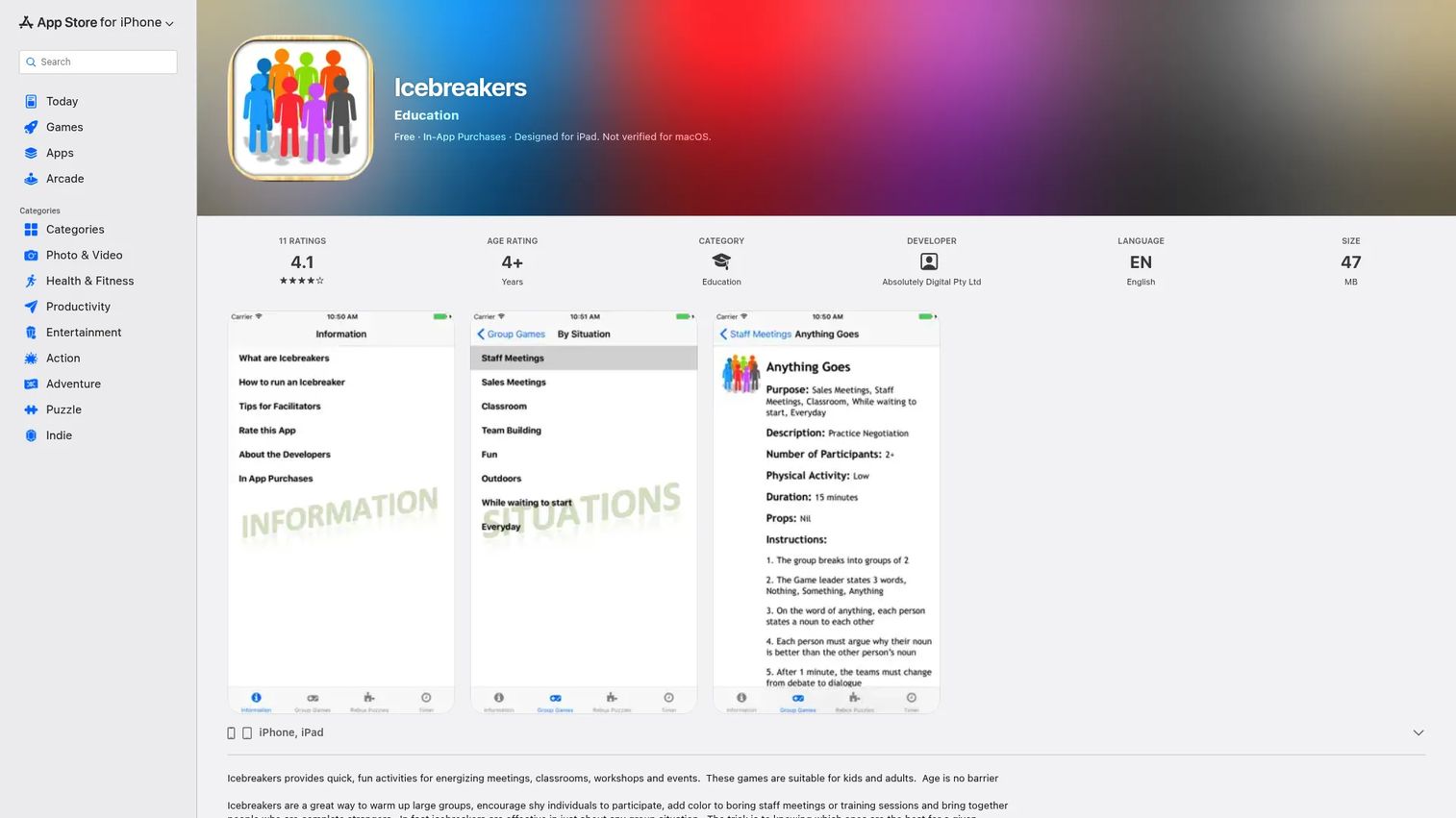
Icebreakers is a mobile app that offers a library of icebreaker activities organized by type, situation, and group size. It's built for quick access, so facilitators can pick an activity on the spot without preparation. The app suits in-person sessions as much as virtual ones, and its broad range of activity types makes it useful across different team sizes and contexts.
Best for: Facilitators who want a fast, portable reference for activity ideas without committing to a full facilitation platform.
Key features
- Activity library organized by type, situation, and group size
- Fast selection without account setup for basic use
- Broad range of activity formats for varied team contexts
- Mobile-first design for on-the-go facilitation
Why choose Icebreakers: This is a practical option for team leads or trainers who need icebreaker ideas quickly and don't want to manage a platform. It works well as a companion to your primary meeting tool rather than as a standalone system. It's less suited to teams looking for analytics, governance, or repeatable automated rituals.
Icebreakers pricing: The app is free to download. In-app subscription options include a Basic Monthly plan at $0.99 per week, Basic Monthly at $2.99 per month, Premium Weekly at $6.99, Premium Monthly at $14.99 per month, and Premium Yearly at $39.99 per year.
G2 rating: Not currently listed on G2.
4. Icebreaker Bot
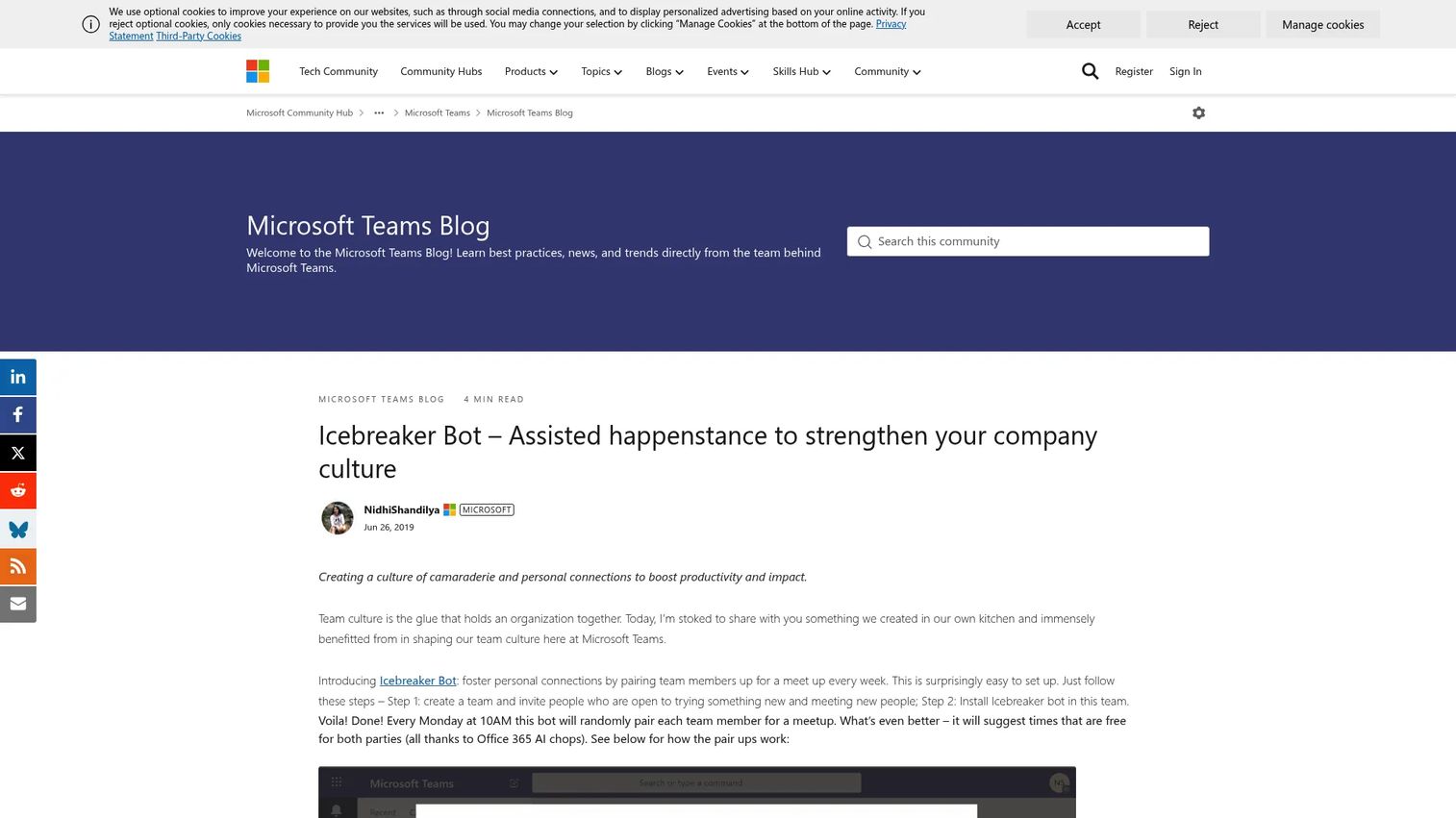
Icebreaker Bot is a Microsoft Teams bot that pairs coworkers for regular 1:1 meetups to encourage personal connections across the organization. Like the App Template, it uses Office 365 availability to suggest meeting times that work for both people. The bot was developed to address the "assisted happenstance" problem - creating the kinds of informal connections that happen naturally in a physical office but rarely occur in distributed teams without a deliberate nudge.
Best for: Teams-first organizations that want to automate peer networking and reduce the isolation that comes with remote or hybrid work.
Key features
- Weekly random coworker pairings via Microsoft Teams
- Calendar sync using Office 365 availability data
- Open-source and customizable for organizational needs
- Runs automatically after initial setup with minimal admin overhead
Why choose Icebreaker Bot: Icebreaker Bot is the right fit when the goal is cultural, not facilitated. It builds connection as a background habit rather than as a meeting feature. It shares similar positioning to the Icebreaker App Template; the main difference is that Icebreaker Bot has a documented deployment story from Microsoft's own team blog, which may provide more implementation confidence. Admin or developer involvement is still required for setup.
Icebreaker Bot pricing: The bot is open-source and free to use. Any costs relate to your Microsoft 365 environment and developer time for deployment.
G2 rating: Not currently listed on G2.
5. Team Mood
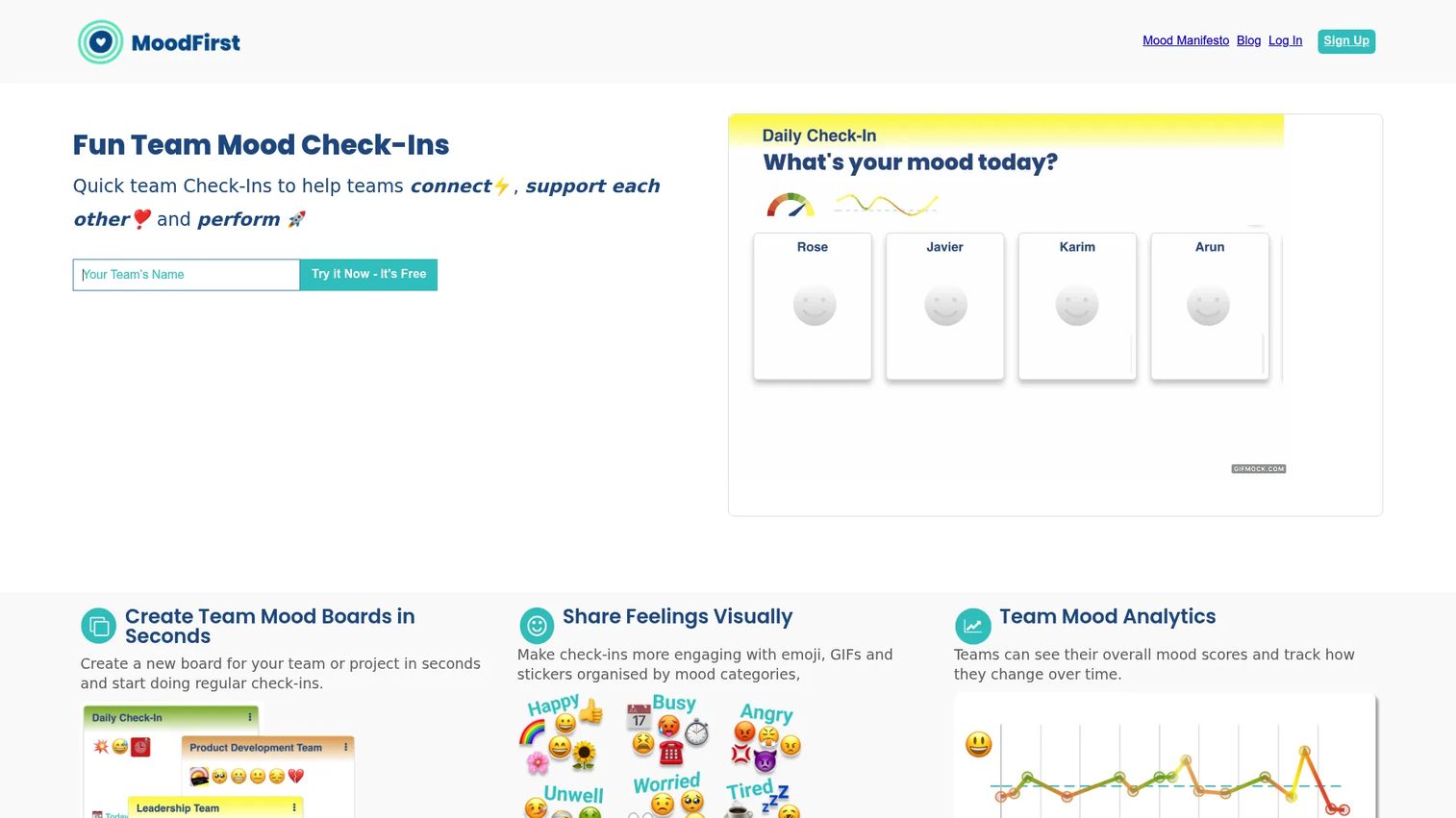
Team Mood is a mood check-in platform that lets teams create mood boards, collect emoji and GIF-based sentiment, and track mood scores over time. It operates at the intersection of psychological safety and meeting warm-ups: Instead of jumping straight into content, teams take a quick pulse of where everyone is before the session begins. The tracking layer means facilitators can spot patterns - recurring low energy on Mondays, tension during sprint reviews - and respond before those patterns affect team performance.
Best for: Team leads and enablement managers running recurring meetings where psychological safety and energy levels affect participation and outcomes.
Key features
- Team mood boards with emoji, GIF, and sticker input
- Mood score tracking over time for pattern visibility
- Fast setup with no complex configuration required
- Free Edition available for small teams
Why choose Team Mood: This is the right pick when the icebreaker objective is less about fun and more about awareness. Knowing that three people on the team are stressed before a training session changes how a facilitator runs that session. Team Mood gives facilitators that signal without requiring a lengthy activity. It's not suited for teams that want games or creative exercises rather than sentiment data.
Team Mood pricing: A free edition is available. The Team Success Edition runs £24 per month. Enterprise pricing requires direct contact for a quote. A monthly or annual billing option is shown on the platform's homepage.
G2 rating: Not currently listed on G2.
6. The Adventurers
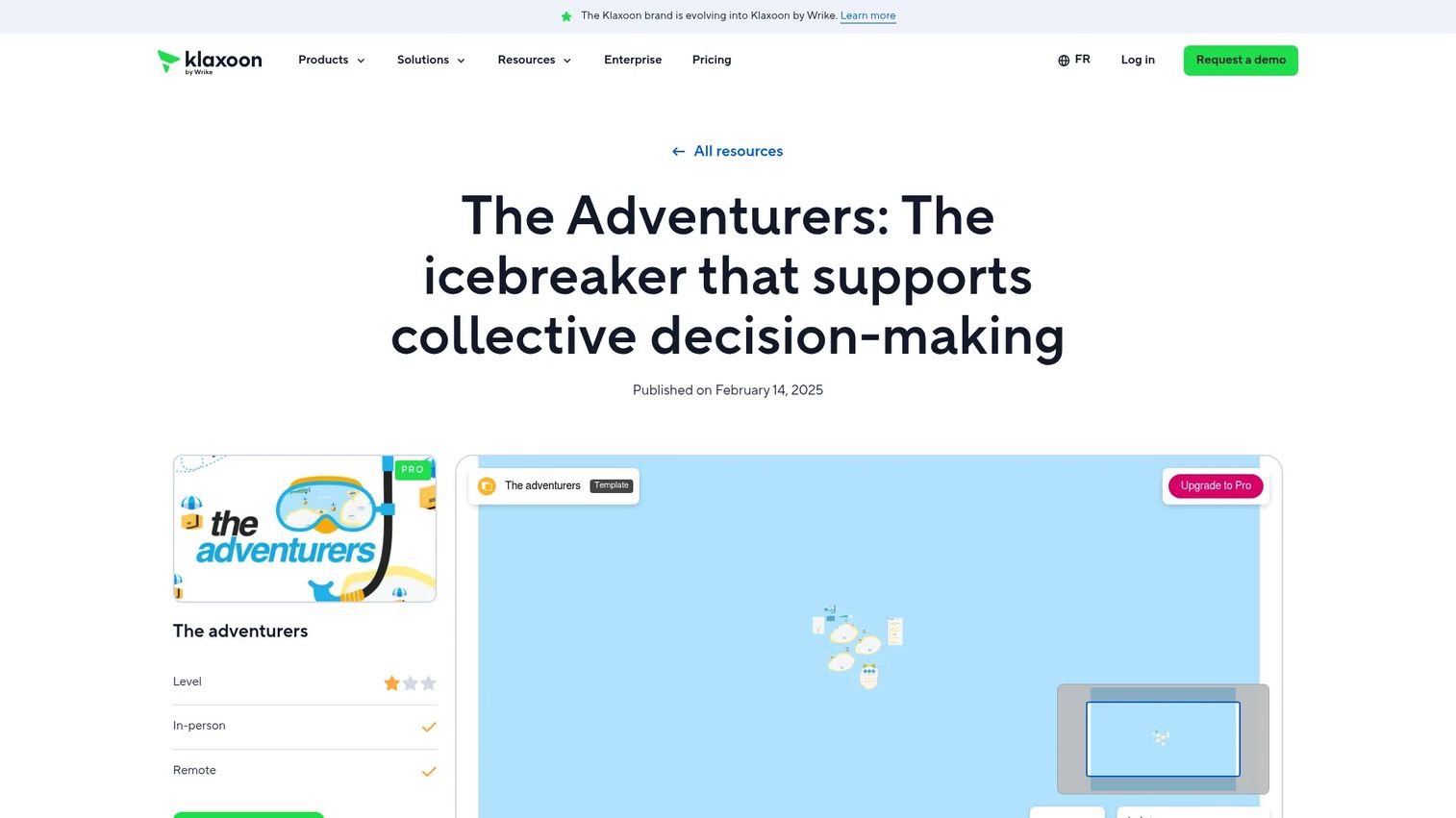
The Adventurers is a Klaxoon template designed as a structured icebreaker for team decision-making. Unlike simple question prompts, it walks participants through a staged process: Individual reflection, team-level discussion, and whole-group synthesis. It uses Klaxoon Board features including Timer, Like, Multiple Choice, and Question Storm to structure each stage. The activity works in-person and remotely, making it versatile across hybrid setups.
Best for: Facilitators who want an icebreaker that doubles as a decision-making warm-up, particularly for strategy workshops or cross-functional alignment sessions.
Key features
- Staged decision process: Individual, team, and full-group phases
- Uses Klaxoon Board tools (Timer, Like, Multiple Choice, Question Storm)
- Works for in-person and remote participants simultaneously
- Structured enough to surface meaningful input, not just casual responses
Why choose The Adventurers: This template suits enablement managers who facilitate sessions where the icebreaker should do real work, not just warm people up. The staged structure creates genuine participation and surfaces group thinking before the main agenda starts. It requires a Klaxoon account, so teams not already using the platform will need to factor in onboarding.
The Adventurers pricing: Accessible through Klaxoon. A free plan covers limited features. The Starter plan is $24.90 per host per month (billed annually). Enterprise pricing is available on request for teams needing unlimited participants and governance features.
G2 rating: 4.7/5 (Klaxoon platform rating on G2).
7. One, Two, Three
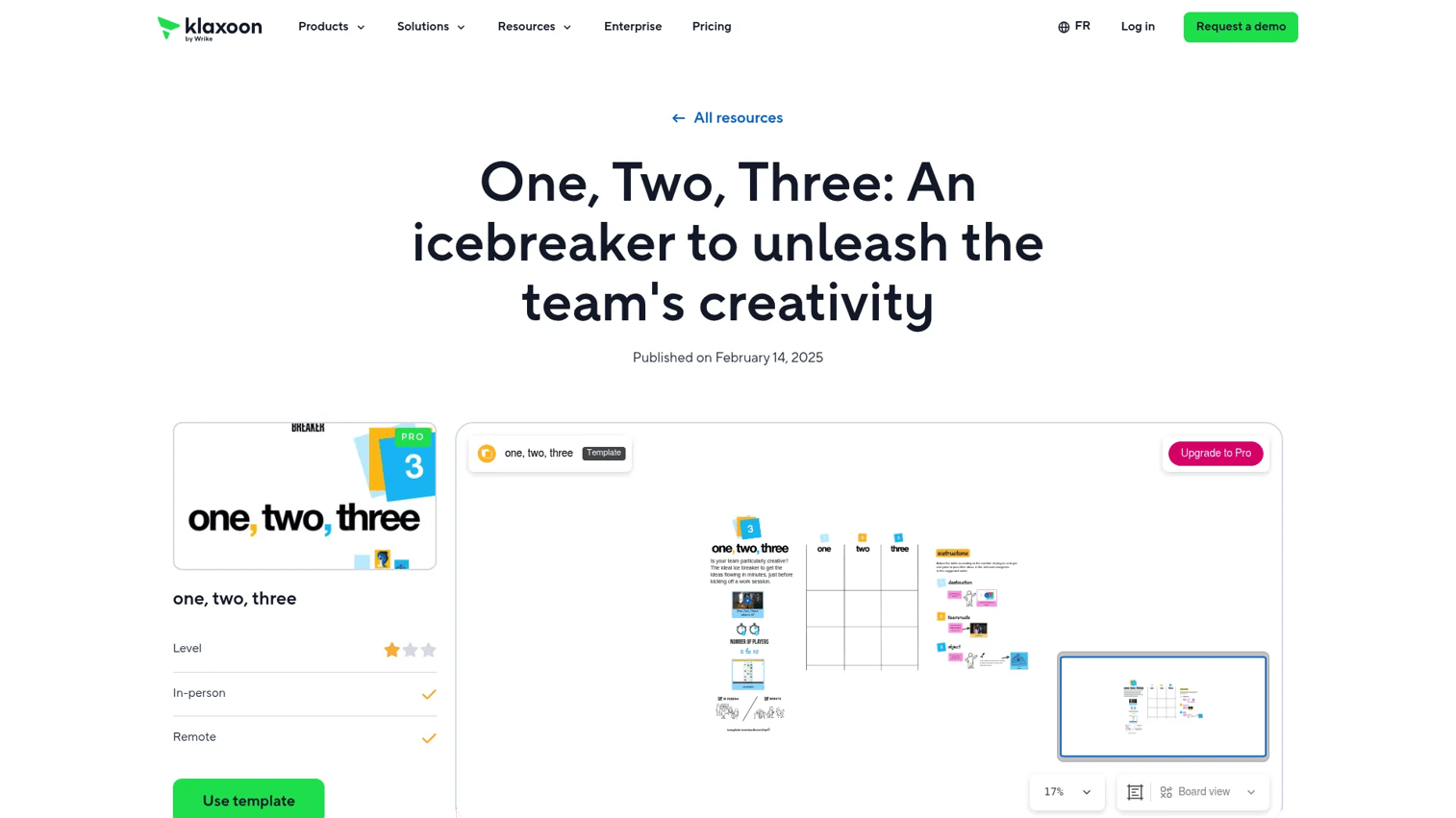
One, Two, Three is a Klaxoon template designed to spark creativity at the start of a workshop or meeting. Participants share ideas using text, images, photos, or drawings, which makes it more visually engaging than a verbal prompt round. It's designed to boost team dynamics and get people contributing before the session's main content begins.
Best for: Facilitators running creative workshops, brainstorming sessions, or training days where energy and participation levels need a jump-start.
Key features
- Multi-format idea sharing: Text, images, photos, and drawings
- Structured for fast facilitation with minimal setup
- Designed for both remote and in-person groups
- Part of the Klaxoon template library for easy reuse
Why choose One, Two, Three: This template works when a verbal icebreaker feels flat or when participants are more likely to engage through visual or creative input. It's a good option for diverse teams where not everyone is comfortable speaking first. Like The Adventurers, it requires a Klaxoon account and is best for teams already within that environment.
One, Two, Three pricing: Available through Klaxoon. Free plan included. Starter runs $24.90 per host per month, billed annually. Enterprise pricing requires contacting Klaxoon directly.
G2 rating: 4.7/5 (Klaxoon platform rating on G2).
Start your journey with Guideflow today!
Considerations
Before choosing an icebreaker tool, run it through the checklist below. Each criterion maps to a real reason tools get abandoned after the first few uses.
Ease of setup and repeat use
The best icebreaker tool is the one your team actually runs every week, not the one with the most features. Check whether the tool requires admin configuration before each session or whether it can be scheduled and forgotten. Bot-based tools like Icebreaker App Template and Icebreaker Bot score well here because they run automatically. Facilitation platforms like Klaxoon require more preparation but offer more flexibility.
Fit for remote, hybrid, or in-person meetings
Some tools are built for synchronous digital sessions; others work equally well in a room. Confirm that your chosen tool handles the specific format your team uses most often. Teams running hybrid sessions need a tool that doesn't create a two-tier experience where in-person participants get more out of the activity than remote ones.
Variety of activities and templates
A single icebreaker question gets old fast. Look for a tool with enough range to rotate across different session types: Quick warm-ups, creative openers, mood checks, and structured decision activities. A team that runs weekly training sessions needs at least four or five distinct activity formats to avoid repetition fatigue within a month.
Team size and scalability
Some tools work well for teams of 10 but break down at 50 or 100 participants. Check whether the tool's live facilitation features, pairing logic, or template structures hold up at the group size you actually run. Enterprise tiers for platforms like Klaxoon include unlimited participants, which matters for org-wide onboarding events.
Analytics, admin control, and governance
If you're deploying an icebreaker tool as part of a structured enablement program, you'll want some visibility into usage. Can you see which activities ran, how often, and for how many participants? Tools with admin dashboards or sentiment tracking (like Team Mood) give enablement managers data to act on rather than just anecdotal feedback.
Conclusion
The right icebreaker tool depends on what you actually need it to do, not on which one has the most impressive feature list.
For recurring, automatic peer connection inside Microsoft Teams, start with Icebreaker Bot or Icebreaker App Template. Both are free, open-source, and run without ongoing facilitation effort once deployed. For meeting warm-ups, workshop facilitation, and a library of structured activities, Klaxoon is the strongest full-platform option at $24.90 per host per month on the Starter plan. The Adventurers and One, Two, Three templates both fit within that plan and give facilitators purposeful activities rather than generic prompts.
If the goal is pre-meeting awareness rather than active facilitation, Team Mood fills a distinct niche: It surfaces how people are feeling before the agenda starts, which changes how a skilled facilitator runs the session.
For low-commitment, on-the-go activity selection, Icebreakers works as a portable reference tool without requiring platform adoption.
Pick one tool that fits your most frequent use case and run it consistently for a month before evaluating. Adoption beats variety every time.
Start your journey with Guideflow today!
FAQs
Icebreaker software helps teams start meetings, workshops, onboarding sessions, and events with structured activities that reduce awkwardness and build participation. It gives facilitators a repeatable warm-up system rather than relying on improvised prompts. Many tools also support recurring connection rituals, like weekly peer pairings, that run without active facilitation.
The best option depends on your meeting format and how much setup you want to manage. For structured meeting facilitation with template variety, Klaxoon is the strongest full-platform choice. For automatic, ongoing peer connection within Microsoft Teams, Icebreaker Bot requires the least ongoing effort once deployed.
Match the activity to the session goal. A quick mood check works for a weekly standup. A staged decision-making activity like The Adventurers suits a strategy workshop. A creative prompt like One, Two, Three fits a brainstorm or training opener. The key question is whether the icebreaker helps participants show up ready for the actual session content.
Yes, and this is one of the strongest use cases for the category. Remote teams miss the informal hallway conversations that build familiarity over time. Bot-based tools like Icebreaker Bot recreate that through weekly random pairings. Live facilitation platforms like Klaxoon run structured activities in real time across distributed participants.
It's particularly useful in the first few weeks of onboarding, when new hires don't yet know their colleagues or how communication works on the team. A structured warm-up activity at the start of each onboarding session gives new people a low-stakes way to contribute before they're expected to perform. Recurring peer pairings extend that connection beyond the first day.
A good icebreaker is short, inclusive, and relevant to the session context. It should give everyone a reason to contribute without requiring extensive preparation or putting anyone on the spot. The best activities create a moment of shared participation that carries energy into the rest of the session, rather than feeling like an obligation before the "real" meeting starts.
For most meetings, two to five minutes is enough. A longer warm-up risks eating into session time and losing momentum rather than building it. Structured workshop activities, like The Adventurers, can run ten to fifteen minutes because they're doing substantive work alongside the warm-up function. Match the length to your session's overall duration: A 30-minute standup needs a 90-second opener, not a ten-minute activity.