When an incident hits, the clock starts. Severe weather rolls in. A threat enters a building. An IT outage knocks out the systems your on-site staff depend on. A facility needs to evacuate.
The gap between "something happened" and "everyone knows what to do" gets measured in minutes. That gap is where harm and liability live.
Most teams discover their notification process is broken at the worst possible moment. A phone tree that nobody updated. An email blast half the staff never opens. A group text that misses the night shift. The problem isn't intent. It's infrastructure.
Emergency notification software closes that gap. It sends urgent alerts across every channel at once, confirms who received them, and lets people respond. The category is no longer a nice-to-have. FEMA reports that more than 1,700 federal, state, local, tribal, and territorial authorities now use the Integrated Public Alert and Warning System (IPAWS) to push emergency messages to phones, radio, and TV. OSHA's emergency action plan standard (29 CFR 1910.38) requires many employers to have procedures for alerting employees during an emergency. Both push organizations toward automated systems.
The market reflects that pull. The global mass notification systems market was valued at roughly $12 billion to $13 billion in 2023 and is projected to reach $26 billion to $27 billion by 2028, a mid-teens compound annual growth rate.
This guide cuts through the vendor noise. Most search results for emergency notification software are landing pages that bury pricing and crown themselves the winner. This one ranks 10 real platforms, names the trade-offs, and gives you a checklist to shortlist fast.
What's inside
This guide is for the people who own the alert when things go wrong: operations leaders, IT directors, facilities and security managers, HR and people-ops leads, school and district safety officers, healthcare operations, and business-continuity owners across business, healthcare, education, and government.
We compared platforms on the factors that decide real incidents:
- Multi-channel reach: SMS, voice, email, push, desktop, paging, signage.
- Two-way and confirmation: delivery tracking and recipient response.
- Speed and reliability at scale: throughput when thousands of messages fire at once.
- Integrations: HRIS, Slack, MS Teams, ITSM, IPAWS.
- Compliance and security: SOC 2, FedRAMP, HIPAA, sector rules.
- Pricing transparency: what you can actually learn before a sales call.
TL;DR
Short on time? Here are the decision shortcuts by use case.
- Best for enterprise critical event management: Everbridge, built for large-scale resilience and incident coordination.
- Best for fast setup and ease of use: AlertMedia, a clean platform with built-in threat intelligence.
- Best for unified emergency and day-to-day comms: Regroup Mass Notification, one tool for alerts and routine updates.
- Best for schools and on-site alerting: Singlewire InformaCast, strong with IP speakers, paging, and panic buttons.
- Best for government and public sector: BlackBerry AtHoc, secure crisis communications built for agencies.
- Best transparent, lower-cost entry point: RedFlag, with published pricing starting at $378 per month.
What is emergency notification software?
Emergency notification software (also called a mass notification system) is a platform that sends urgent, multi-channel alerts to large groups of people during emergencies and critical events, with delivery tracking and two-way response.
It replaces the phone trees, email blasts, and manual call lists that fall apart under pressure. Instead of one channel and one direction, a modern emergency notification system reaches everyone everywhere at once, then tells you who got the message and who needs help.
The terms overlap. People say mass notification system, emergency notification system, mass notification software, and alert notification software to describe roughly the same category. "Mass notification" leans on scale and reach. "Emergency notification" leans on the crisis use case. Some teams also call it mass communication software when routine updates ride the same platform.
Key capabilities to expect:
- Multi-channel delivery: SMS, voice, email, push, desktop, paging, digital signage, and social.
- Group and geo-targeting: segment by team, location, role, or map radius.
- Two-way communication: delivery confirmation, polling, and recipient response.
- Templates and playbooks: pre-built scenarios you can fire in one click.
- Integrations: HRIS, CRM, ITSM, Slack, MS Teams, and IPAWS for public alerting. Connecting your existing stack matters, so check the platform's integration options before you commit.
- Incident management: coordinated response, task assignment, and escalation.
- Analytics and reporting: after-action review on who received what, and when.
The strongest platforms tie these together. A severe weather alert can fire across SMS, voice, and desktop, geo-targeted to one campus, with a two-way "are you safe?" poll and a real-time map of responses, all from a saved template. That is the difference between an alert tool and an emergency notification system for business that holds up when it counts.
When to use emergency notification software
Not every org needs the same thing. Here are the three triggers that send buyers looking.
Reach a distributed workforce during a crisis
Your people are not in one place anymore. Some are on-site, some remote, some traveling. When severe weather forces an office closure or an IT and security incident hits, you need to reach all of them on whatever channel they actually check. An emergency notification system for business sends the same message across SMS, email, push, and desktop at once, so nobody misses it because they ignore one inbox.
Coordinate incident response across teams
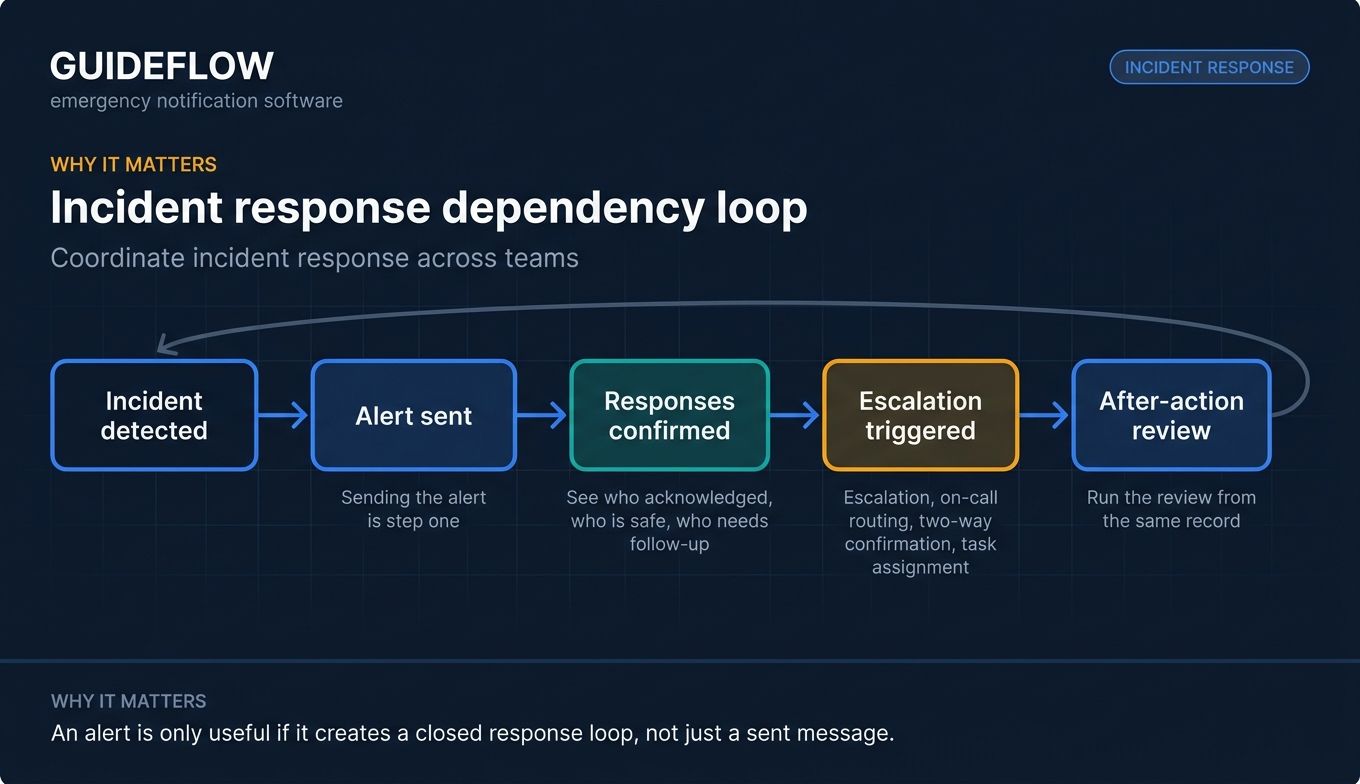
Sending the alert is step one. The harder part is the response. Good platforms handle escalation, on-call routing, two-way confirmation, and task assignment. When an incident unfolds, you can see who acknowledged, who is safe, and who needs follow-up, then run an after-action review from the same record.
Meet duty-of-care and compliance obligations
Employee safety is a legal obligation, not just a courtesy. Regulated industries raise the bar further. Healthcare carries HIPAA compliance for healthcare communications considerations. Schools in several states face Alyssa's Law panic-alert requirements. Government and public-safety agencies rely on IPAWS for public alerting. A documented, auditable notification system helps you meet those obligations and prove you did. For teams evaluating vendor trust, reviewing security and compliance standards is a smart early step.
The 10 best emergency notification software tools for 2026
The table below ranks the field. We sorted by relevance to the broad set of buyers searching for mass notification software, then dug into each tool in its own section. Most vendors gate pricing behind a sales call, so we report public figures where they exist and note what's included otherwise.
#ProductIntentKey use casePricingG2 rating1EverbridgeEnterprise CEMLarge-scale resilience and incident commsCustom4.5/52AlertMediaEase of useThreat intelligence plus notificationCustom4.7/53Regroup Mass NotificationUnified commsEmergency and day-to-day messagingCustom4.7/54Singlewire InformaCastOn-site alertingSchools, healthcare, IP pagingCustom4.5/55BlackBerry AtHocGovernment-gradeSecure crisis communicationsCustom4.0/56Rave AlertEducation and public safetyMultimodal alerting at scaleCustom4.7/5 (Capterra)7OnSolve One Call NowVoice-first broadcastSimple group messagingCustom4.4/58OmnilertThreat detectionAI gun detection plus alertingCustom4.5/59RedFlagTransparent pricingTwo-way SMB and mid-market alertsFrom $378/mo4.8/510Crises ControlIncident responseWorkflows plus mass notificationCustom4.7/5
1. Everbridge
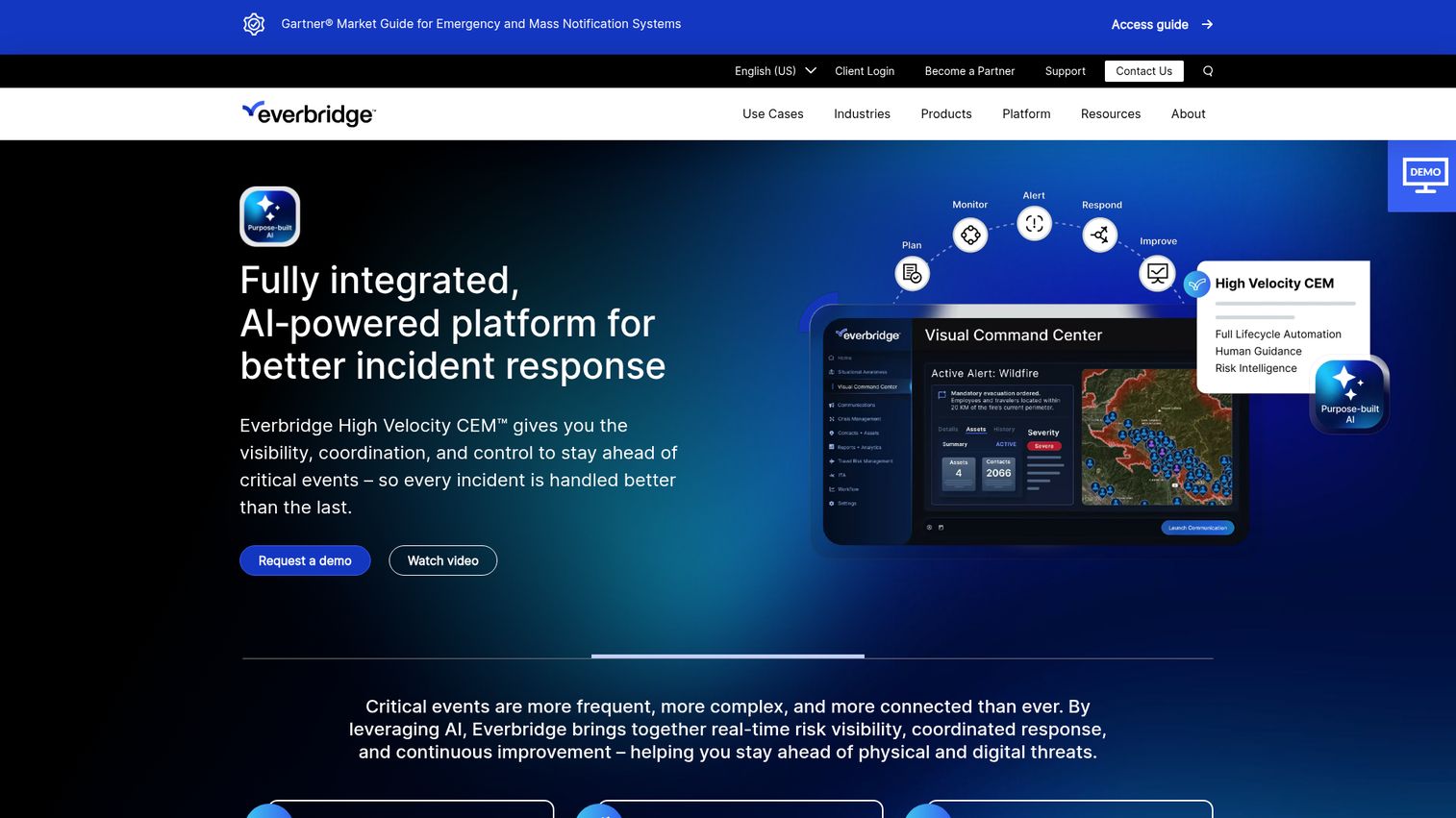
Everbridge is the enterprise heavyweight in this category. It runs a full Critical Event Management (CEM) platform that pairs mass notification with risk intelligence, automation, and coordinated response. For large organizations and government bodies, the everbridge emergency notification system is often the default starting point when scale and resilience are non-negotiable.
Best for: Large enterprises and public-sector organizations that need critical-event management, not just alerts.
Key strengths
- Reliability at scale: Built to send mass notifications across SMS, voice, email, mobile push, desktop, and digital signage when thousands of messages fire at once.
- Multi-channel and geo-targeting: Two-way acknowledgments, geo-targeted alerts, and situational awareness from one console.
- Deep integrations: Connects with HR and directory systems, ITSM tools, Microsoft Teams, Slack, and social media.
Why choose Everbridge: Choose it when you need an enterprise-grade resilience platform, not a single-purpose alert tool. The everbridge notification system shines for global organizations managing risk across many locations, where coordinated response and risk intelligence matter as much as the alert itself. Smaller teams may find the platform broader than they need.
Everbridge pricing: Everbridge uses custom pricing based on factors like the number of people, locations, and geographic areas covered. No public price or named tiers are listed on its site, so you'll request a quote. It holds a 4.5/5 rating on G2.
2. AlertMedia
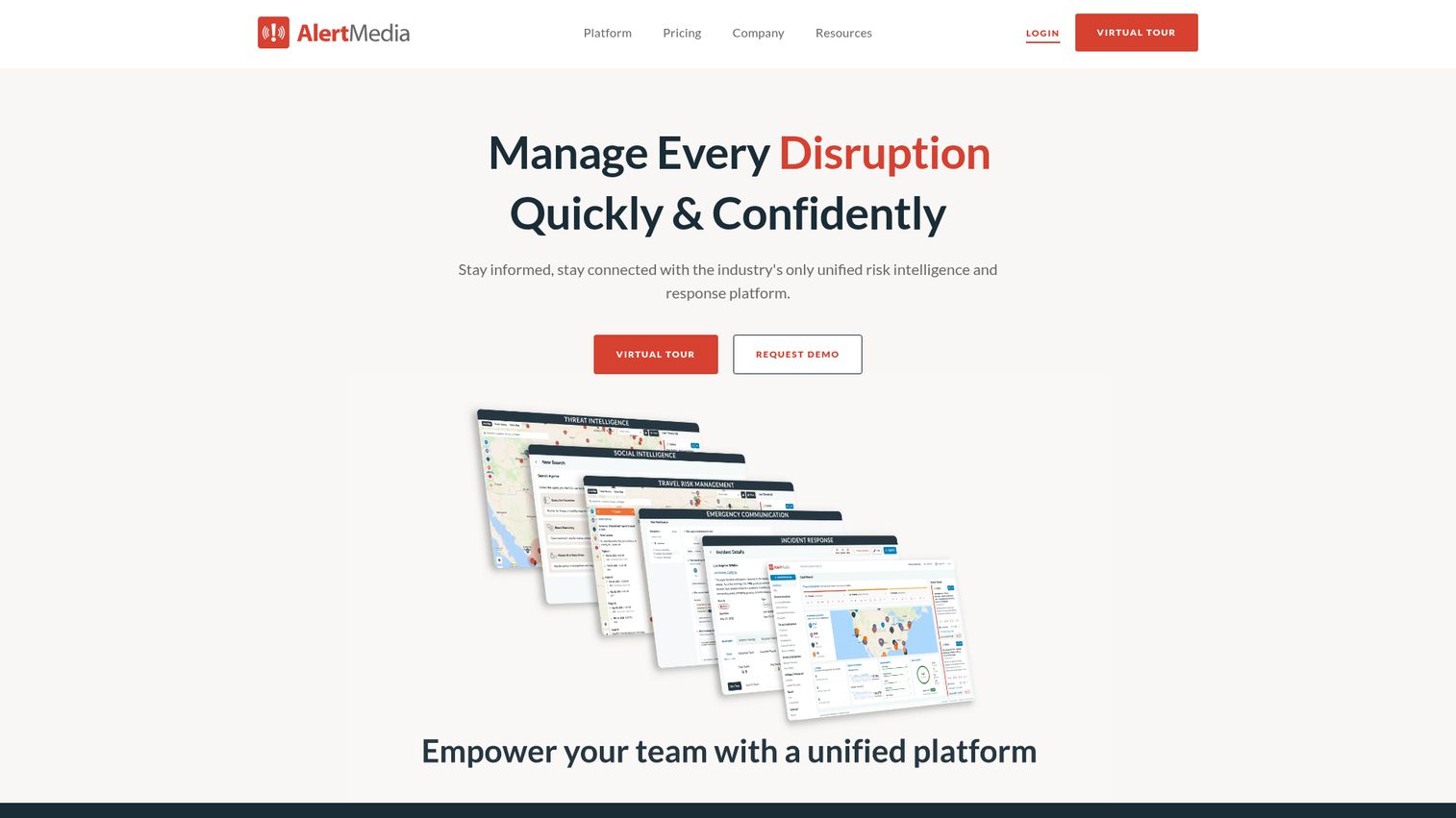
AlertMedia is a modern, unified risk intelligence and response platform. It pairs emergency communication with built-in threat monitoring, so teams spot emerging risks and notify the right people in the same workflow. The clean interface and fast onboarding make it a favorite for organizations that want speed-to-value over a heavy implementation. Vendors that invest in a smooth onboarding flow often rely on interactive product walkthroughs to get admins productive fast.
Best for: Companies that want a clean UI, fast setup, and threat awareness baked in.
Key strengths
- Ease of use: A streamlined platform that admins can learn and operate without a long ramp.
- Built-in threat intelligence: Travel risk management and employee safety monitoring sit alongside the alerting engine.
- Two-way multichannel: Targeted communication across SMS, email, voice, desktop, mobile app, Microsoft Teams, and Slack, using geofencing and people-system data.
Why choose AlertMedia: Choose it when speed and admin simplicity lead the decision. It's a strong fit for distributed companies that want monitoring and notification in one place without a long deployment. The threat intelligence layer adds context most pure alert tools skip.
AlertMedia pricing: AlertMedia uses custom, customizable packaging. Pricing is requested through a form or sales contact, with no public figures on its site. It carries one of the higher scores in the category at 4.7/5 on G2 from more than 500 reviews.
3. Regroup Mass Notification
Regroup Mass Notification is a cloud-based platform built for both emergency alerts and routine communications. That dual purpose is its calling card. Instead of one tool for crises and another for day-to-day announcements, Regroup handles both, which means the system stays in regular use and the contact data stays current.
Best for: Organizations that want one platform for emergencies and everyday mass communication.
Key strengths
- Unified emergency and daily comms: Send critical alerts and routine updates from the same system.
- Multi-channel delivery: Notifications via SMS, phone, email, desktop alerts, digital signage, and push notifications.
- Two-way and geofencing: Real-time recipient feedback plus location-targeted alerts.
Why choose Regroup: Choose it when you want one tool to replace several scattered comms channels. Because staff use it for everyday messaging, the emergency muscle memory is already there when a real incident hits. That consistency is harder to build with an emergency-only system that sits idle most of the year.
Regroup pricing: Regroup uses flexible, custom pricing based on organization size, communication needs, and integrations. The site provides a quote request form rather than public tiers. It holds a 4.7/5 rating on G2.
4. Singlewire InformaCast
Singlewire InformaCast is the choice when physical-site alerting matters. The platform spans on-premises and cloud, and it integrates deeply with the hardware that lives inside schools, hospitals, and manufacturing floors: IP speakers, IP phones, overhead paging, panic buttons, and digital signage. When you need an alert to fill a hallway with sound, not just buzz a phone, this is the category leader.
Best for: Schools, healthcare facilities, campuses, and manufacturers with on-site hardware to drive.
Key strengths
- On-prem device integration: Audio, text, and visual alerts to IP phones, IP speakers, overhead paging, digital signage, tablets, and two-way radios.
- Panic buttons and broad triggers: Alerts initiate from mobile and desktop apps, panic buttons, IP phones, emergency calls, severe weather, fire systems, and gunshot detection.
- 911 and active-shooter alerting: Incident response tools for lockdown or evacuation workflows, individual accounting, live camera feeds, maps, and all-clear messages.
Why choose Singlewire: Choose it when on-site alerting and hardware integration are the priority. For a campus where reaching people physically present matters as much as their phones, the singlewire software ecosystem covers ground that phone-only tools cannot. The single wire approach of unifying facility and mobile channels is its core strength.
Singlewire pricing: InformaCast Advanced is licensed by IP endpoints in bundles of 50, 250, 1,000, 2,500, and 5,000, available as either a perpetual or subscription license. No public price is listed, so request a quote. It holds a 4.5/5 rating on G2.
5. BlackBerry AtHoc
BlackBerry AtHoc is a secure, government-grade critical event management and crisis communications platform. It's built for environments where security clearance and interoperable crisis comms are non-negotiable: defense, federal agencies, public safety, and critical infrastructure. Accountability and personnel safety visibility sit at the core.
Best for: Government, public safety, healthcare, education, and large enterprises with strict security requirements.
Key strengths
- Secure crisis communications: Built for the security and compliance demands of public-sector and defense organizations.
- Personnel accountability: Real-time safety visibility and check-in across an organization.
- Coordinated response: Cross-organization collaboration, situational awareness from field personnel, and end-to-end event management workflows.
Why choose BlackBerry AtHoc: Choose it when security and public-sector compliance lead the decision. Agencies that need interoperable communication across departments and rigorous accountability lean on AtHoc for exactly that. It's a focused fit for regulated, high-security environments rather than a general-purpose business tool.
BlackBerry AtHoc pricing: BlackBerry does not publish pricing for AtHoc. Its pages direct buyers to request a demo or contact sales for a tailored quote. It holds a 4.0/5 rating on G2 from a small review base.
6. Rave Alert
Rave Alert, part of Motorola Solutions, is a FedRAMP Moderate mass notification system with deep roots in education and public safety. It sends multimodal alerts from a single launch point and is widely used across K-12 districts, higher ed campuses, and municipal agencies that need reliable reach at scale.
Best for: Education, local government, and public-safety organizations needing enterprise-grade alerting.
Key strengths
- Fast multimodal send: Messages go out simultaneously via text, email, voice calls, social media, digital signage, and sirens from one launch point.
- Smart follow-up: Follow-up alerting based on responses, location, or a subset of the previously notified audience.
- Real-time polling: Live location and follow-up messages based on recipient answers.
Why choose Rave Alert: Choose it for K-12, higher ed, and municipal alerting where a public-safety pedigree matters. The Motorola Solutions backing and FedRAMP Moderate status give public-sector buyers the security posture they need. The response-driven follow-up alerting helps teams narrow in on who still needs help.
Rave Alert pricing: Motorola Solutions lists "Contact sales" for Rave Alert with no public pricing, plan names, or billing terms. Request a quote for figures. It holds a 4.7/5 rating on Capterra from 95 reviews.
7. OnSolve One Call Now
OnSolve One Call Now is a voice-first mass messaging product built for simplicity. It sends communications through automated phone calls, mass texts, emails, and push notifications, with targeted group lists. Schools, churches, nonprofits, and small businesses use it when they need straightforward broadcast without enterprise complexity.
Best for: Schools, churches, nonprofits, and small to medium businesses needing simple, reliable broadcast.
Key strengths
- Simple voice broadcast: Automated phone calls, mass texts, emails, and push notifications from one place.
- Easy group lists: Targeted group messaging with unlimited contact lists.
- Delivery visibility: Real-time delivery tracking and response visibility.
Why choose OnSolve One Call Now: Choose it when you need reliable broadcast without a steep learning curve. It's a practical fit for smaller organizations and volunteer-run groups that want to reach a community fast, especially via voice. It trades the deep incident-management features of enterprise suites for accessibility and ease.
OnSolve One Call Now pricing: One Call Now offers customizable, scalable plans with unlimited texts, push notifications, emails, or calls, but no public numeric pricing is shown. A free trial is advertised. Request tailored pricing through the site. It holds a 4.4/5 rating on G2.
8. Omnilert
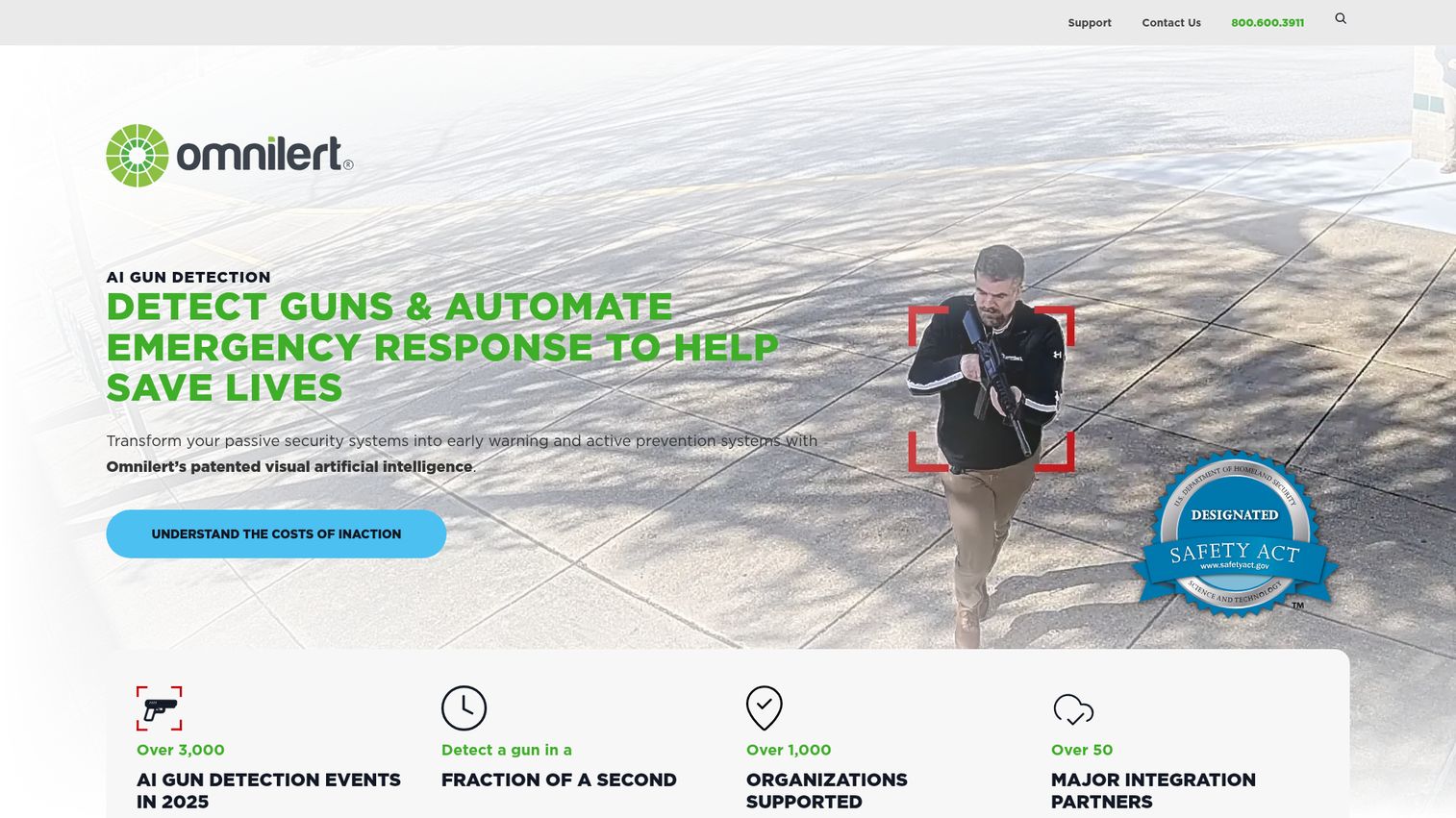
Omnilert combines emergency notification with AI gun detection. It uses existing security cameras to spot a firearm, then triggers automated mass notifications and response workflows. For schools and enterprises prioritizing physical-threat detection, Omnilert pairs the alert with the trigger that fires it.
Best for: Schools and enterprises that want threat detection and alerting in one automated system.
Key strengths
- AI gun detection: Detects firearms using existing security cameras, no new hardware required.
- Multi-channel alerting: Mass notifications via SMS, email, voice, mobile, and desktop.
- Automated response: Lockdowns, alarms, first-responder alerts, and integrations with cameras and access control.
Why choose Omnilert: Choose it when physical-threat detection automation is a priority alongside notification. The value is in collapsing the time between threat and alert, since the system detects and notifies without waiting for a human to dial. It's a specialized fit for active-shooter and facility-security scenarios.
Omnilert pricing: Omnilert does not publish pricing. Its pages direct buyers to contact sales for a quote. It holds a 4.5/5 rating on G2 from a small review base.
9. RedFlag
RedFlag stands out for one reason most competitors don't: it publishes its pricing. The platform sends real-time, multi-channel alerts to employees, tenants, vendors, and other groups, with two-way messaging at its core. For SMB and mid-market buyers who want straightforward alerts without a sales gauntlet, RedFlag is the transparent option.
Best for: SMBs and mid-market organizations that want straightforward two-way alerts with published pricing.
Key strengths
- Multi-channel alerts: SMS text, email, voice calls, app notifications, Microsoft Teams, and optional desktop alerts.
- Targeted messaging: Audience segmentation and geotargeted, location-based alerts.
- Two-way engagement: Acknowledgement, polling, two-way chat, real-time analytics, and reporting.
Why choose RedFlag: Choose it when budget clarity and simplicity lead the decision. You can see what you'll pay before you talk to anyone, which is rare in this category. The Starter plan covers unlimited emergency messages across core channels, making it a clean entry point for teams that don't need enterprise CEM.
RedFlag pricing: RedFlag publishes three tiers, billed annually. Starter is $378 per month ($4,536 per year) with unlimited emergency messages, text, email, and voice channels, Microsoft Teams integration, segmentation, polling, and dedicated account management. Business is $470 per month ($5,636 per year) and adds SFTP, API, Azure AD data management, geofencing, and multi-language. Enterprise is $657 per month ($7,886 per year) and adds informational use cases, desktop notifications, and SSO. There's no free plan, though limited free trials are offered. It holds a 4.8/5 rating on G2, the highest on this list.
10. Crises Control
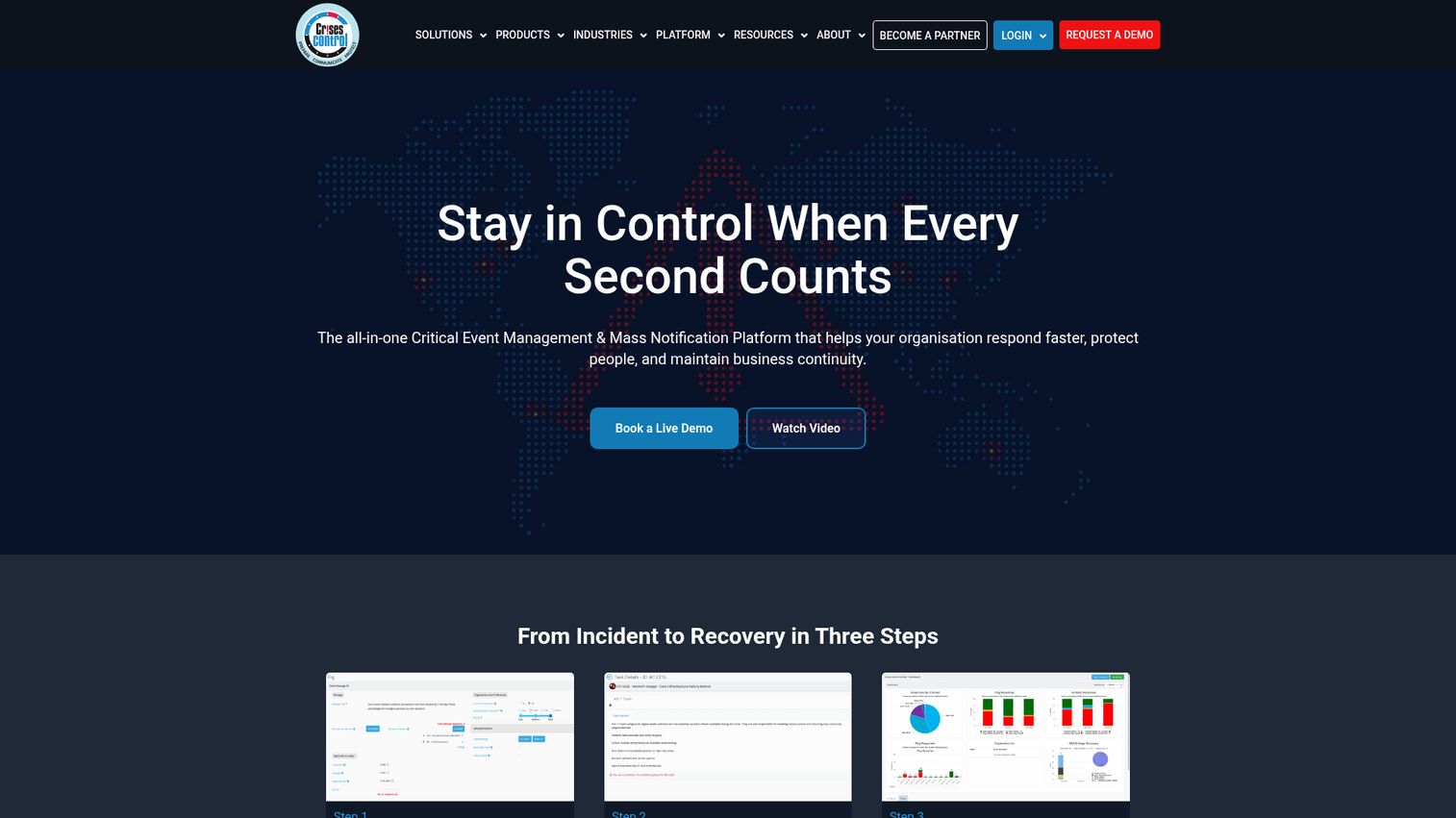
Crises Control is a critical event management and mass notification platform built around the full incident lifecycle: plan, alert, coordinate, and document. It's the pick when the response workflow matters as much as the alert, with task coordination and auditable records baked in for business continuity teams.
Best for: Business continuity and incident-response teams that need workflows alongside alerts.
Key strengths
- Multi-channel mass notification: Alerts across SMS, email, push notifications, voice calls, and web alerts.
- Incident management workflows: Task coordination, role assignments, real-time status updates, and configurable dashboards.
- Audit and compliance: Incident audit trails, reporting, analytics, and compliance documentation.
Why choose Crises Control: Choose it when incident response and business-continuity orchestration weigh as heavily as the notification itself. The task assignment, escalation, and audit-trail features support teams that have to coordinate a response and prove what happened afterward. It's more than a broadcast tool; it's a response system.
Crises Control pricing: Crises Control uses flexible, tailored pricing based on organization size and usage, with annual or monthly billing. SMS and phone usage fees depend on the agreed package. No public numeric price is listed, so request a quote. It holds a 4.7/5 rating on G2.
How to choose emergency notification software: a buyer's checklist
The right tool depends on your org type, risk profile, and stack. Run every shortlist candidate through these five criteria before you commit.
Channel coverage and reach
Confirm the platform covers the channels your audience actually uses: SMS, voice, email, push, desktop, paging, and signage. A great tool that misses your night shift's preferred channel is a failed alert waiting to happen. For on-site environments, verify hardware integration like IP speakers and paging. If SMS is core to your reach, it's worth reviewing the best SMS marketing software to understand carrier and throughput considerations.
Speed, reliability, and scale
The whole point is reaching everyone fast. Ask about uptime SLAs, redundancy, and message throughput when thousands of alerts fire at once. A system that crawls under peak load is the one that fails on your worst day. Press vendors for real performance numbers, not marketing copy.
Integrations and stack fit
Check how cleanly the platform slots into what you already run: HRIS for accurate contact data, Slack and MS Teams for reach, ITSM for incident workflows, and IPAWS for public alerting. Tight HRIS sync matters most, since stale contact lists are the quiet killer of notification accuracy. The faster it works on day one, the sooner you're protected.
Compliance and security
Match the platform to your obligations: data residency, SOC 2, FedRAMP for government, HIPAA for healthcare, Alyssa's Law for schools, and IPAWS for public safety. In regulated industries, these are gates, not preferences. Confirm certifications directly rather than trusting a logo on a page.
Pricing model and total cost
Understand whether you pay per-contact, per-user, or flat, and whether hardware and multi-year contracts apply. Most vendors quote custom, so get multiple quotes to compare apples to apples. Watch for usage fees on SMS and voice that don't show up in the headline number.
Conclusion
The best emergency notification software is the one your team can fire fast, under pressure, without thinking. That choice depends on who you are.
For large enterprises and government needing critical-event management at scale, Everbridge leads. If ease of use and fast setup matter most, AlertMedia is the clean pick. Teams that want one tool for emergencies and everyday comms should look at Regroup. For schools and on-site alerting with IP speakers and paging, Singlewire InformaCast is purpose-built. Government and public-safety buyers lean on BlackBerry AtHoc. And if you want transparent pricing you can see before a sales call, RedFlag starts at $378 per month.
Don't buy on a feature list alone. Shortlist three, request a demo or trial from each, and run a live scenario test with real recipients across real channels. Watch how fast the alert lands and how clearly people respond. When you're evaluating each vendor's demo, an interactive live demo experience tells you far more about ease of use than a static feature list. Teams onboarding new tools fast also lean on the best user onboarding software to ramp admins quickly.
Shortlist three, run a live drill, and pick the one your team can fire in under two minutes under pressure.
FAQs
What is emergency notification software?
Emergency notification software is a platform that sends urgent, multi-channel alerts to large groups of people during emergencies and critical events. It delivers messages across SMS, voice, email, push, and desktop at once, tracks who received them, and supports two-way response. It replaces phone trees and manual call lists that fall apart under pressure.
What's the difference between emergency notification software and a mass notification system?
The two terms are largely synonymous and describe the same category. "Mass notification" emphasizes scale and reach, sending to large groups across many channels. "Emergency notification" emphasizes the crisis use case, focusing on urgent alerts during incidents. Most vendors and buyers use the terms interchangeably, and the same platform usually does both jobs.
How much does emergency notification software cost in 2026?
Most enterprise vendors use custom pricing tied to the number of contacts, locations, channels, and add-on modules, so you request a quote rather than see a price. Some tools publish figures. RedFlag, for example, lists plans starting at $378 per month billed annually. Entry tiers exist for smaller organizations, but you should gather several quotes to compare.
What channels should an emergency notification system support?
At minimum, look for SMS, voice calls, email, push notifications, and desktop alerts. For on-site environments, add paging, IP speakers, and digital signage. Public-sector buyers often need IPAWS and social media. The key is redundancy: reaching people across multiple channels at once so a single point of failure never blocks the message.
What's the best emergency notification software for business?
For most companies, the leaders on ease of use and integration are the strongest fit. AlertMedia stands out for fast setup and built-in threat intelligence, while Regroup unifies emergency and day-to-day comms. RedFlag offers transparent pricing for SMB and mid-market teams. Prioritize HRIS, Slack, and MS Teams integrations so contact data stays accurate.
What's the best emergency notification software for schools?
Education-focused tools lead here. Singlewire InformaCast is strong for on-site alerting with IP speakers, paging, and panic buttons, plus 911 and active-shooter workflows. Rave Alert has deep roots in K-12 and higher ed. Omnilert adds AI gun detection. Check for Alyssa's Law compliance and direct law-enforcement notification where your state requires it.
Does emergency notification software integrate with Slack, MS Teams, and HRIS?
Yes, most enterprise platforms integrate with HR and directory systems plus collaboration tools like Slack and Microsoft Teams. HRIS sync matters most because it keeps contact lists current, which directly affects reach accuracy. Slack and Teams integrations help you reach people where they already work, alongside SMS, voice, and email.
How fast can emergency notification software send an alert?
Most systems initiate alerts in seconds and deliver across channels over the next few seconds to minutes. Actual speed depends on channel type, carrier network performance, and message volume. Pre-built templates and one-click scenario playbooks shave critical time, letting you fire a configured alert without composing it from scratch during an incident.