Two teams book the same room for 2pm. One walks in, sits down, starts a call. The other stands in the doorway, laptop open, waiting. Nobody's wrong. The shared calendar just didn't stop it.
That's the small, expensive failure that repeats across hybrid offices every week. A meeting-room double-booking wastes ten minutes of six people's time, and it happens because a calendar invite is not [the same thing as a reservation system. It has no check-in, no auto-release when nobody shows, no floor plan, no visibility into which rooms actually get used.
The market has caught up to the problem. The meeting room booking system software market is projected to grow from USD 1.445 billion in 2025 to USD 3.623 billion by 2035, a 9.63% CAGR, according to Market Research Future (2024).](https://www.marketresearchfuture.com/reports/meeting-room-booking-system-software-market-27711) As of 2025, roughly 65% of global enterprises have implemented or plan to implement smart conference room booking systems as part of hybrid work infrastructure, per Marketintelo (2025).
For a sales enablement or workplace lead, this is not abstract. Unreliable room booking breaks demo prep, manager coaching sessions, pipeline reviews, and every cross-functional meeting on the calendar. This guide gives you the practical detail to shortlist the right tool.
What's inside
This guide is for anyone evaluating conference room scheduling software for an office that runs hybrid, in-person, or somewhere between. We looked at eight tools people actually deploy, not a keyword-stuffed longlist.
Each tool was assessed on the criteria that separate a real room reservation system from a glorified calendar:
- Calendar sync with Google Workspace, Microsoft 365, and Outlook
- Check-in and auto-release to kill no-shows and ghost meetings
- Booking channels including web, mobile, room displays, Slack, and Teams
- Admin controls, analytics, and pricing transparency by room, user, or device
TL;DR
- Best for enterprise workplace management: OfficeSpace, deep space planning plus room reservations and reporting.
- Best for Slack and Teams-first booking: deskbird, in-app booking through Teams, Slack, and calendar.
- Best for room displays and hardware: Roomzilla, strong display and QR booking with fast setup.
- Best for SMB or fast setup: Roomzilla and Tactic, clean UX and quick rollout.
- Best for clear pricing: Archie and YAROOMS, transparent published tiers.
- Best for analytics and utilization: deskbird and OfficeSpace, workplace intelligence and space optimization.
What is conference room scheduling software
Conference room scheduling software is a system that lets employees reserve meeting rooms in real time, sync those bookings to shared calendars, and enforce rules like check-in and auto-release to keep room availability accurate.
It replaces the shared calendar and the paper sign-up sheet with a single source of truth for who has which room, when, and whether they actually showed up. Most modern platforms sit inside a broader workplace management layer that also handles desk booking, visitor management, and space analytics.
Core features to expect:
- Real-time availability across every room and location
- Recurring reservations for standing meetings without manual re-booking
- Calendar sync with Google Calendar, Outlook, and Microsoft 365
- Booking approval or rules to gate premium rooms or cap durations
- Check-in and auto-release so unclaimed rooms free up automatically
- Room displays and mobile access for booking at the door or on the go
- Utilization reporting to see which rooms are overbooked or ignored
- Admin permissions for multi-location, multi-team governance
More than 72% of large organizations use centralized meeting scheduling platforms, and around 58% of employees use mobile booking apps for room reservations, according to Global Growth Insights (2025). Mobile and display access are no longer nice-to-haves.
When to use
Reduce double-bookings and room conflict
A shared calendar shows a room as free until two people book it in the same minute. A room reservation system locks the slot the moment someone reserves it and reflects that everywhere at once. Two-way calendar sync means a booking made in Outlook shows up on the room display and in the mobile app instantly, so nobody claims a room that's already gone.
Prevent no-shows and ghost meetings
Ghost meetings are the quiet killer of room availability. Someone books a room for a recurring standup that stopped happening months ago, and it sits blocked every week. Check-in reminders ask the organizer to confirm they're using the room, usually via a room display, mobile tap, or Slack prompt. If no one checks in within a set window, auto-release opens the room back up. Meeting ownership policies make sure a real person is accountable for each booking.
Manage hybrid office space at scale
When attendance swings 40% week to week, static assumptions about room demand break. Utilization analytics show which rooms are chronically overbooked and which never get touched. Floor plans give employees a visual map instead of a dropdown list. Multi-location controls let a workplace team set different rules per office without managing eight separate tools.
Comparison table
Read this table by pricing model first, then fit. Some tools charge per room or per space, others per user or per active employee, and a few price by module or quote. Per-space pricing is predictable when you have many employees and few rooms. Per-user pricing scales with headcount. Match the model to your office shape before you compare features.
| # | Product | Best for | Key differentiator | Pricing | G2 rating |
|---|---|---|---|---|---|
| 1 | Envoy | Visitor management plus workplace operations | Broad onsite workflow suite | Free tier; Premium $362/location/mo billed annually | 4.8/5 |
| 2 | Roomzilla | Fast setup and room displays | Simple booking with QR and display support | Not publicly listed | - |
| 3 | Archie | Desk, room, and visitor in one platform | Transparent per-desk pricing | From $2.8/desk/mo, min. $159/mo | 4.9/5 |
| 4 | Skedda | Flexible space and room booking | Interactive floor plans plus booking rules | From $99/mo per space, billed annually | 4.8/5 |
| 5 | deskbird | Slack and Teams-first hybrid offices | In-app booking plus workplace analytics | From €2.75/user/mo billed annually | 4.5/5 |
| 6 | Tactic | Clean UX for hybrid teams | Modular workplace experience software | From $3,600–$4,800/year (Engage setup) | 4.6/5 |
| 7 | OfficeSpace | Enterprise space and facilities | Space planning plus room and asset management | Quote-based | 4.7/5 |
| 8 | YAROOMS | Balanced booking plus workplace ops | Room, desk, and visitor with published tiers | From $99/mo | 4.3/5 |
Best conference room scheduling software for 2026
1. Envoy
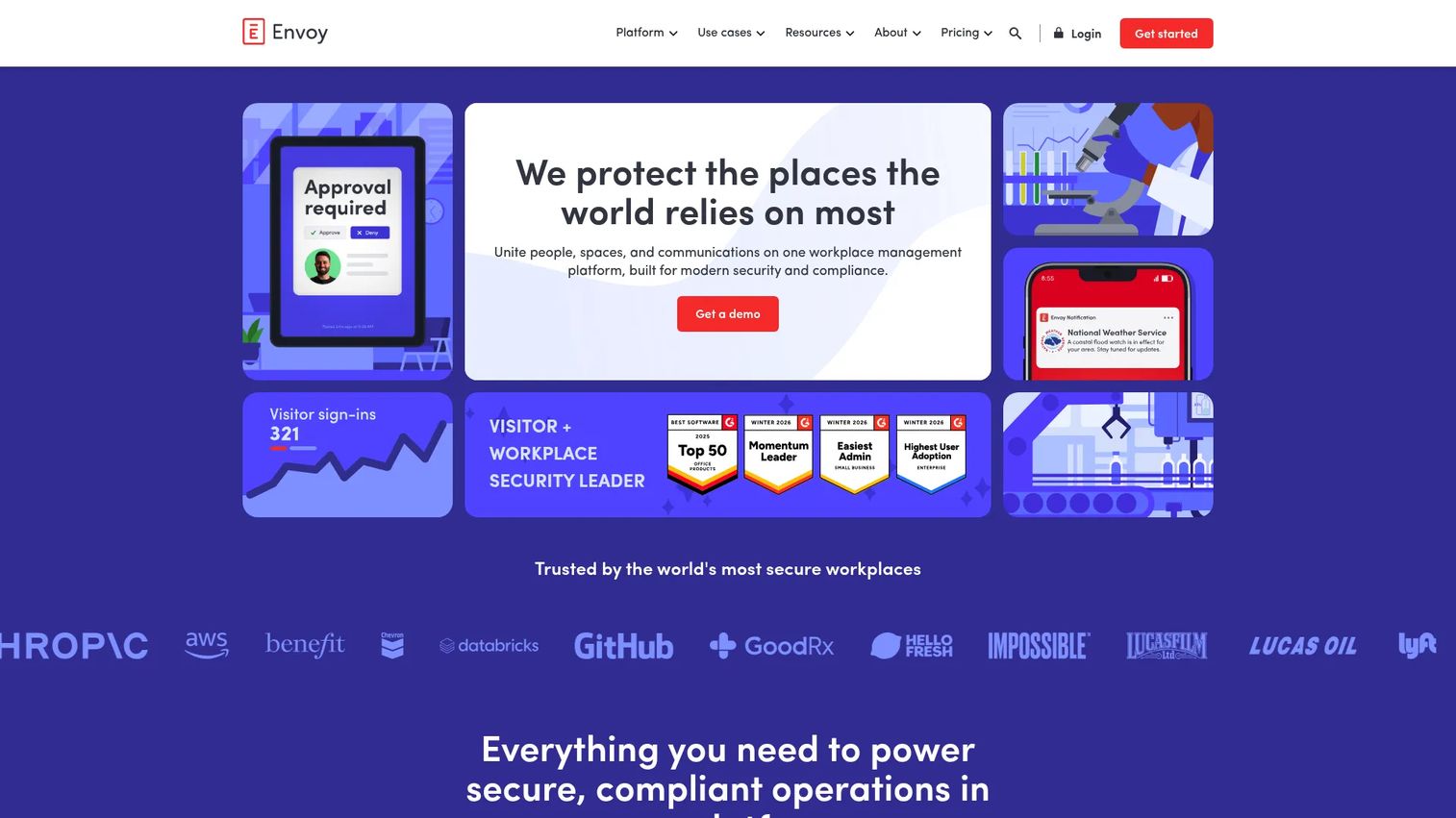
Envoy started in visitor management and grew into a full workplace platform covering visitors, spaces, communications, and onsite workflows. Room booking sits inside that broader stack, which is the point: if you already run Envoy for front-desk sign-in and desk reservations, adding meeting rooms keeps everything in one system. Bookings tie into check-in behavior and end-meeting logic so unused rooms don't stay blocked, and room visibility runs across web and mobile.
Best for: Companies that want conference room booking tied into a wider workplace operations suite rather than a standalone scheduler.
Key strengths
- Visitor sign-in and host notifications
- Badge printing, ID scanning, and blocklist scanning
- Emergency notifications, reservations, screens, and deliveries
Why choose Envoy: If your priority is consolidating visitor management, desk booking, and room scheduling under one vendor, Envoy fits the operations-heavy office. Teams buying room booking alone may find the suite broader than they need.
Envoy pricing: Basic is free with limited features. Premium runs $362 per location per month billed annually. Enterprise is custom pricing, and the pricing page lists separate module charges for emergency notifications, reservations, screens, and deliveries.
2. Roomzilla
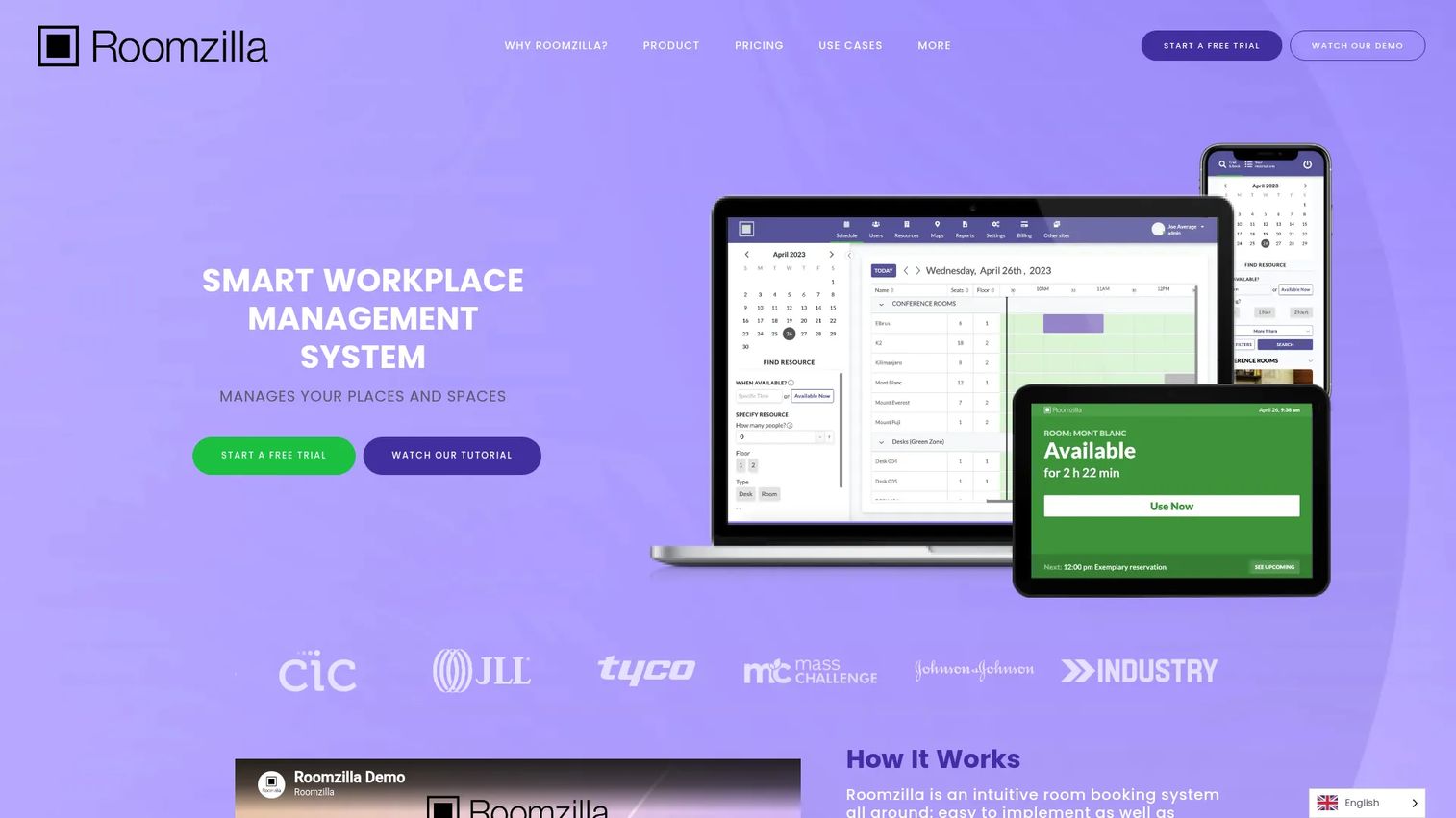
Roomzilla is built for teams that want a room reservation system running the same day they sign up. The booking workflow is deliberately simple: reserve from web or mobile, confirm at the door on a room display, or scan a QR code to grab an open room on the spot. Auto-cancellation clears reservations nobody claims, which keeps availability honest without an admin policing the calendar.
Best for: SMBs and mid-sized offices that value fast adoption and a low learning curve over deep configuration.
Key strengths
- Room display support for at-the-door booking
- QR code booking for walk-up reservations
- Auto-cancellation for unclaimed rooms
- Mobile reservations across devices
Why choose Roomzilla: When you want a meeting room booking system that employees understand in one demo and IT can roll out without a project plan, Roomzilla's simplicity is the draw.
Roomzilla pricing: Roomzilla does not publish plan pricing on its site. Contact the vendor for a current quote based on your room count and locations.
3. Archie
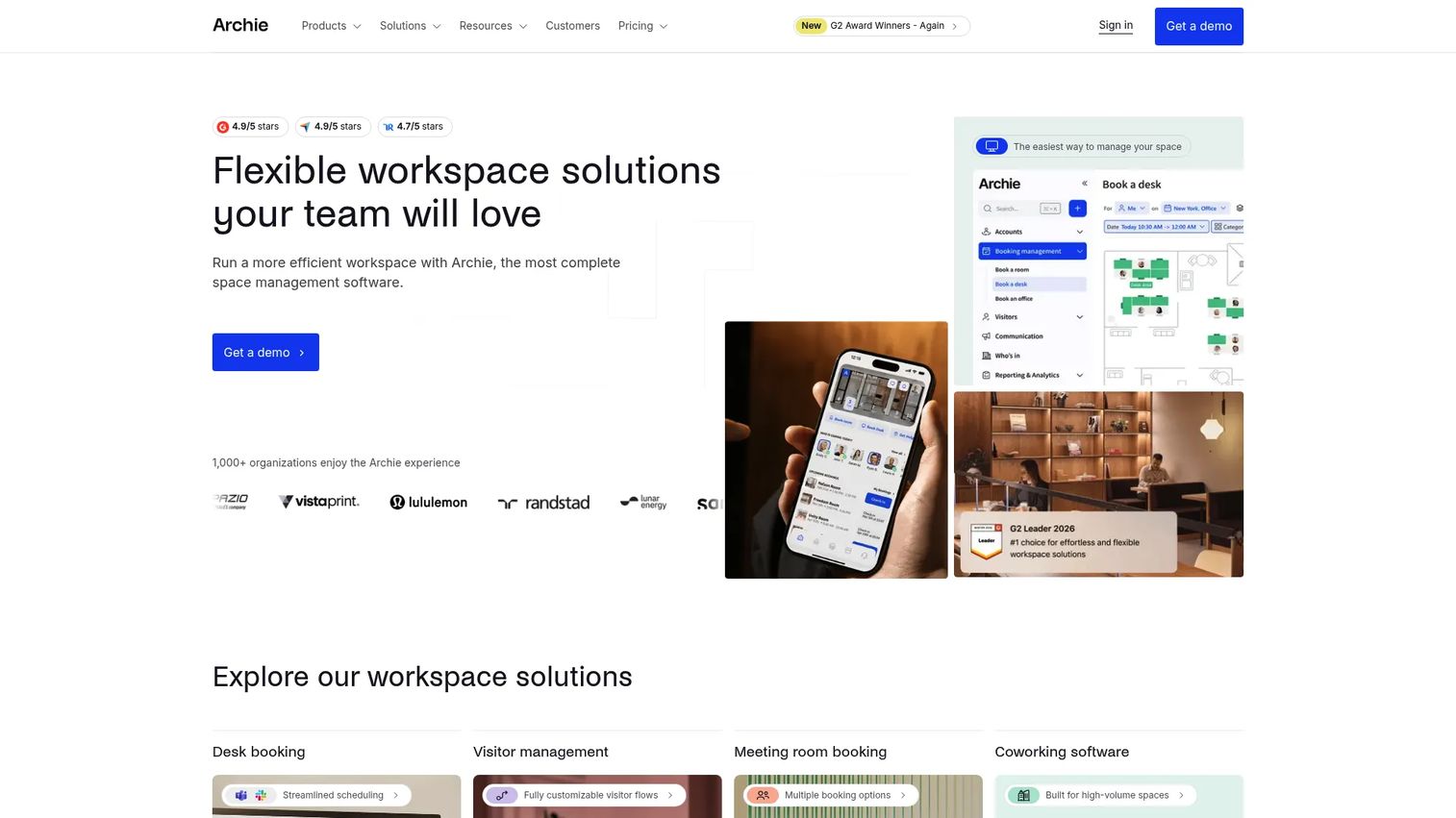
Archie combines desk booking, room scheduling, and visitor management in one workspace platform, with live floor plans and check-ins at the center. For mid-sized and larger offices, the floor-plan view matters: employees see room availability spatially instead of scrolling a list, and admins get real controls over booking policies and permissions. Room scheduling integrates with the calendars your team already runs.
Best for: Companies that want desk, room, and visitor management unified, with transparent pricing they can budget against.
Key strengths
- Desk booking with live floor plans and check-ins
- Room scheduling with calendar booking integrations
- Visitor management and coworking operations
- Admin controls for booking policies
Why choose Archie: Archie's published per-desk pricing removes the quote-then-negotiate friction, which suits workplace leads who need a defensible number before rollout.
Archie pricing: Starter is $2.8 per desk per month with a $159 monthly minimum. Pro is $3.5 per desk per month with a $249 monthly minimum. Enterprise is custom. All tiers are priced transparently on the site.
4. Skedda
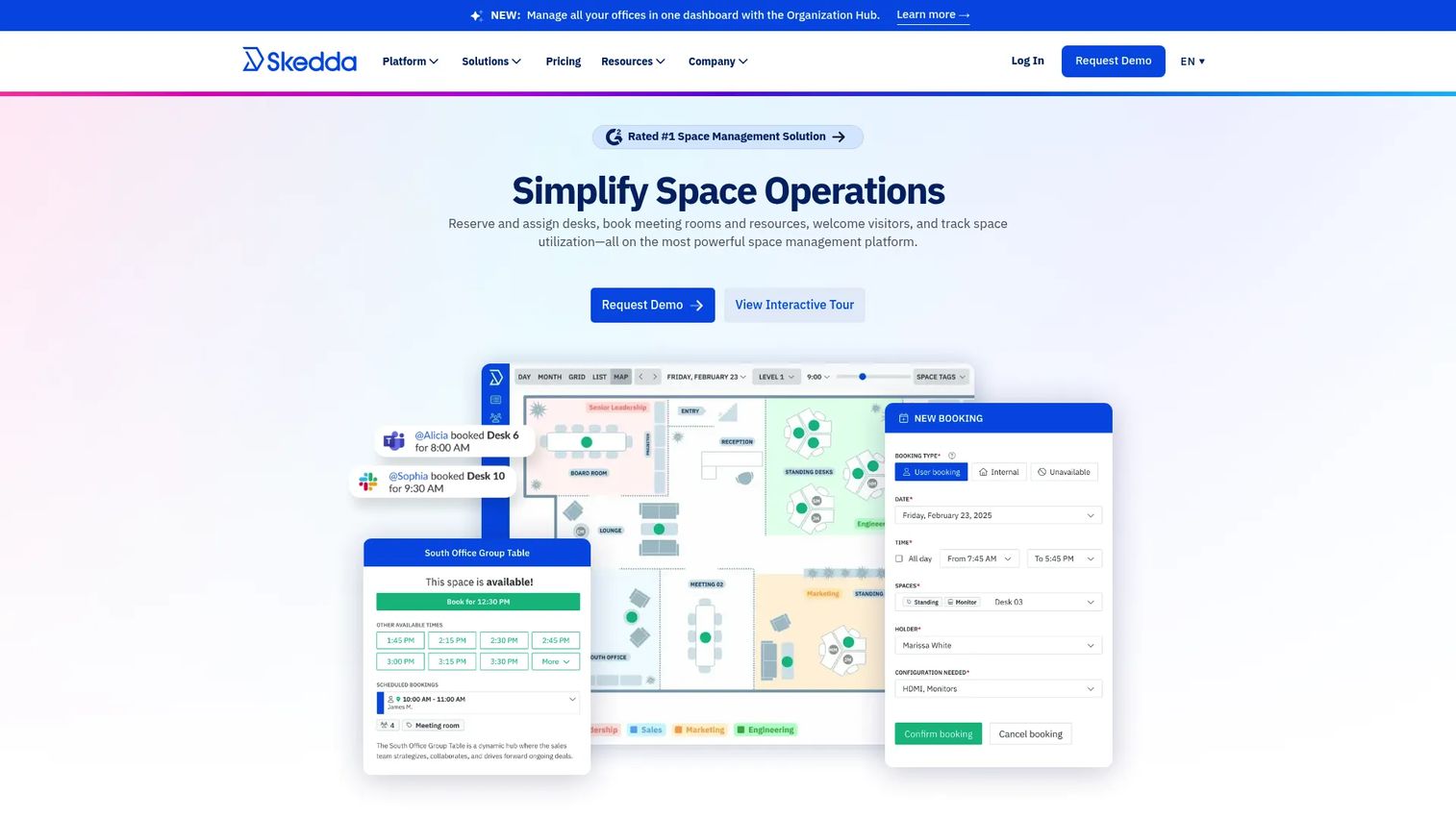
Skedda is space booking software that flexes across desks, meeting rooms, and any other managed space. Its strength is rules: custom booking rules and roles let you cap durations, gate premium rooms, and set who can book what. Interactive floor plans show real-time availability, recurring reservations handle standing meetings, and two-way calendar sync connects Microsoft 365, Outlook, and Google.
Best for: Teams that need flexible room and resource management with granular control over booking behavior.
Key strengths
- Interactive floor plans with real-time availability
- Custom rules and roles for booking control
- Two-way calendar sync with Microsoft 365, Outlook, and Google
- Recurring reservations for standing meetings
Why choose Skedda: If your rooms and resources need different rules by team, tier, or time of day, Skedda's rule engine handles that without workarounds.
Skedda pricing: Starter is $99 per month per space, billed annually. Plus is $149 per month and Premier is $199 per month, both billed annually. Enterprise and AllBooked plans are quote-based. A 30-day trial is available.
5. deskbird

deskbird is a workplace management platform where room booking sits alongside desk, parking, and workplace intelligence. Its edge for hybrid teams is where booking happens: native mobile apps plus in-app booking through Microsoft Teams, Slack, and calendar integrations. Employees reserve a room from the tool they already have open, which drives adoption. Workplace analytics track utilization and office attendance so workplace leads can right-size space.
Best for: Hybrid and flexible offices where rooms are one piece of a broader workplace management motion, and where Slack or Teams is the daily hub.
Key strengths
- Desk, room, and parking booking
- In-app booking via Microsoft Teams, Slack, and calendar
- Native mobile apps for iOS and Android
- Workplace intelligence for utilization and attendance
Why choose deskbird: When adoption depends on meeting employees inside Slack or Teams rather than asking them to open another app, deskbird's in-app booking is the differentiator.
deskbird pricing: Business is €2.75 per active user per month billed annually, or €3.50 billed monthly. Professional and Enterprise are custom pricing. A free trial is offered, with a Starter plan limited to 15 users after the trial. The site shows equivalents in USD, GBP, and other currencies.
6. Tactic
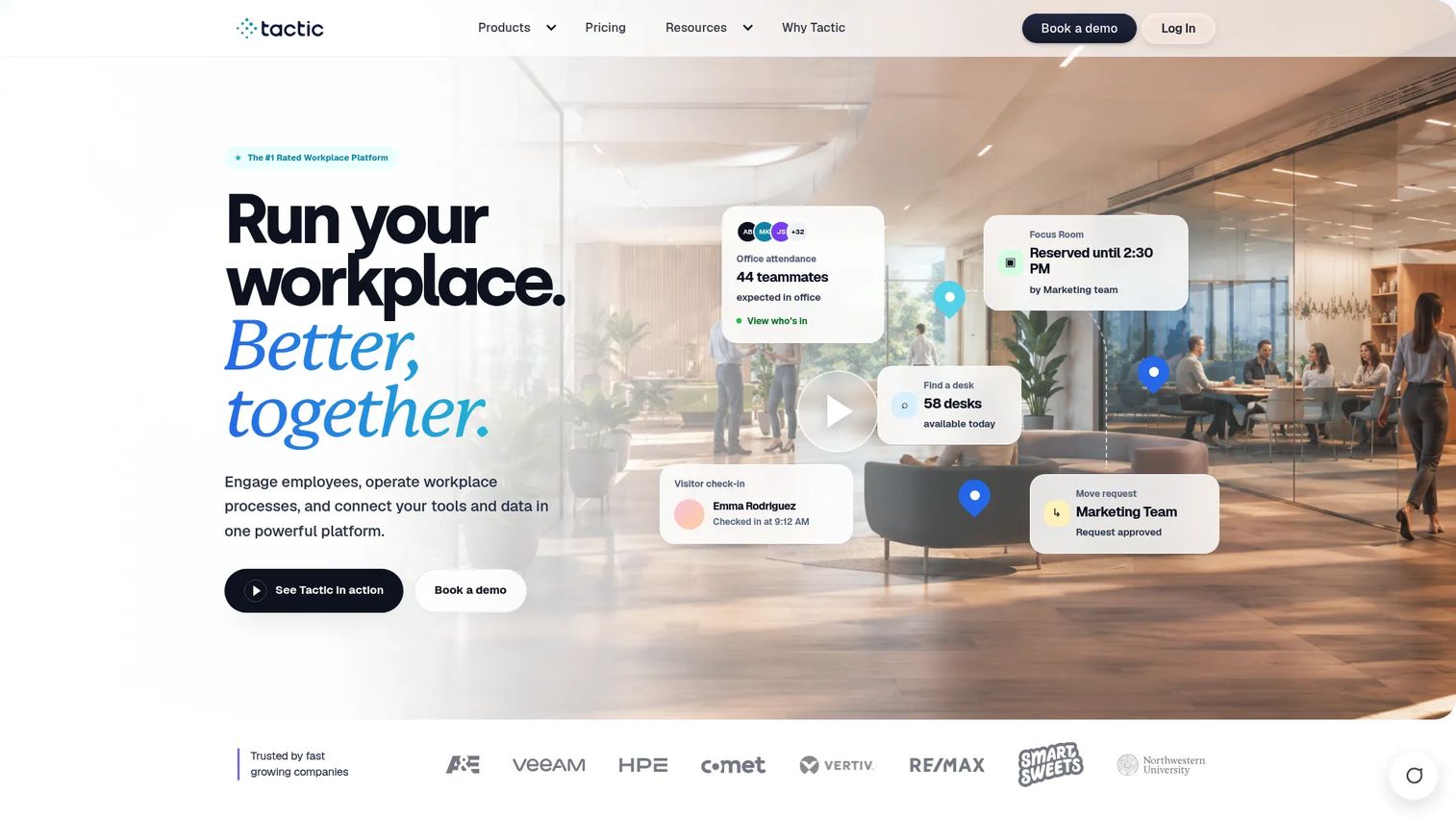
Tactic is workplace experience software for hybrid teams, covering desk booking, room booking, and visitor management with a clean interface that employees pick up fast. Room visibility and check-in keep availability accurate, and the product groups its capabilities into modules so you pay for the workflows you actually run. The design leans toward the modern hybrid office that wants a polished user experience without heavy admin overhead.
Best for: Hybrid offices that prioritize a clean, low-friction user experience and want to scope the product to their needs.
Key strengths
- Room booking with check-in
- Desk booking for hybrid schedules
- Visitor management
- Modular product groupings
Why choose Tactic: Tactic suits teams that want workplace booking to feel effortless for employees and want to buy only the modules they need rather than a full suite.
Tactic pricing: Pricing is modular across product groupings like Engage, Operate, and Connect, based on selected products, office footprint, and rollout support. The site shows a rough annual estimate of $3,600 to $4,800 per year for an Engage setup, with exact pricing quote-based.
7. OfficeSpace
OfficeSpace is AI workplace management software built for enterprise workplace, facilities, and real estate teams. Room reservations sit inside a suite that also handles space planning, moves and changes, asset management, and maintenance workflows. Floor planning is a first-class capability, and reporting runs deep, which is what large organizations need when they manage space across many floors and locations.
Best for: Enterprise teams that manage desks, rooms, space planning, and facilities together and need admin depth plus reporting.
Key strengths
- Desk booking and room booking
- Space planning and moves, adds, and changes
- Asset management and maintenance workflows
- Deep reporting and floor planning
Why choose OfficeSpace: When conference room scheduling is one requirement inside a bigger space and facilities mandate, OfficeSpace gives enterprise workplace teams the admin depth and analytics to run it all.
OfficeSpace pricing: OfficeSpace lists plan names, Essentials, Essentials Plus, Pro, and Pro Plus, but no public numeric pricing. It describes pricing as a fixed platform fee plus per-employee and per-feature charges, and directs buyers to contact sales.
8. YAROOMS
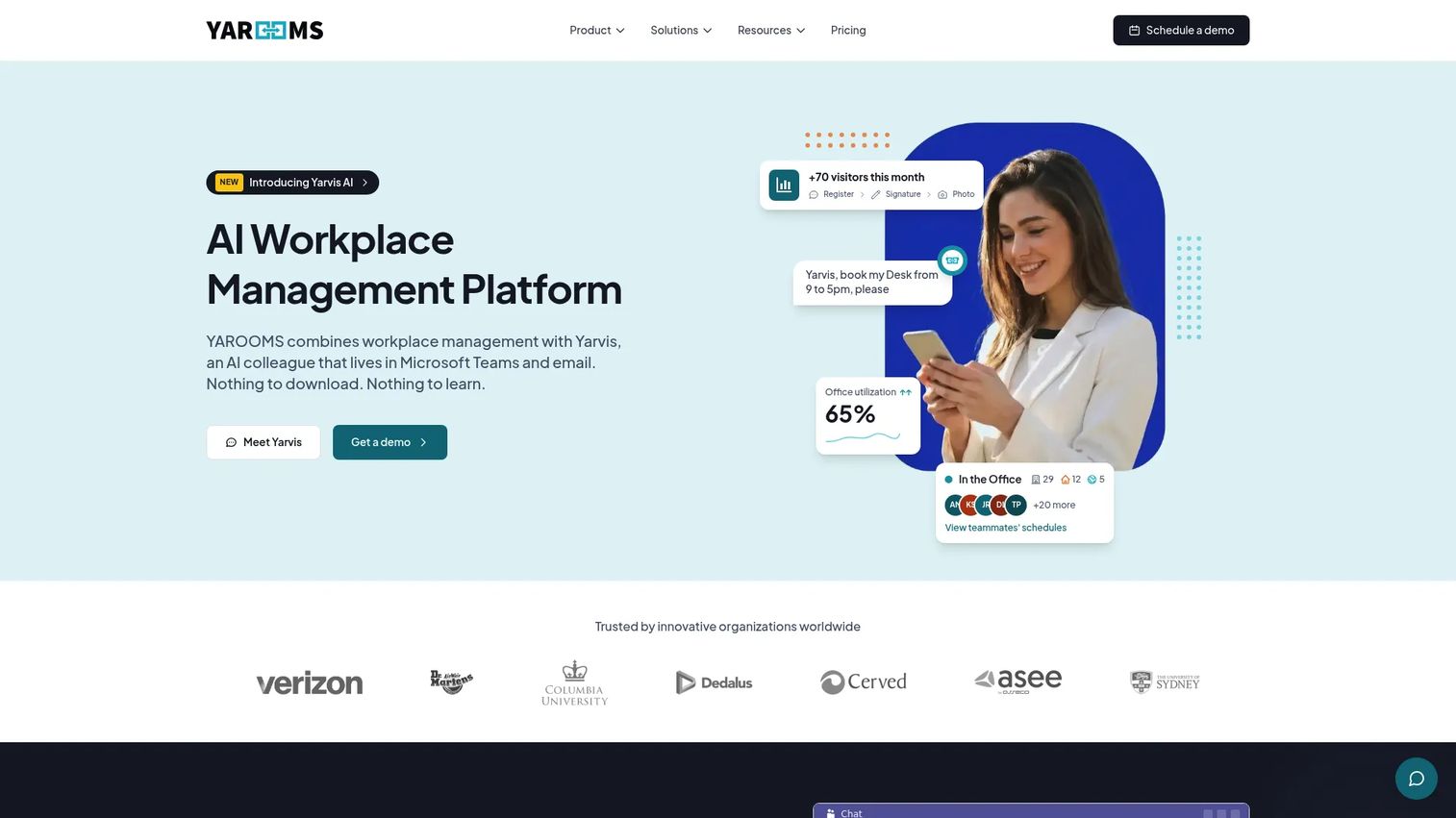
YAROOMS balances meeting room scheduling with hybrid workplace controls, desk and room booking, hybrid work scheduling, and visitor management in one platform. It adds an AI assistant for Microsoft Teams and email, and workplace analytics for reporting. The appeal is the mix: teams that want solid room scheduling plus broader workplace operations, with pricing published upfront so budgeting is straightforward.
Best for: Hybrid organizations that need workspace booking, hybrid scheduling, and visitor management together with transparent tiers.
Key strengths
- Desk booking and room booking
- Hybrid work scheduling and workplace analytics
- Visitor management
- Microsoft Teams and email AI assistant
Why choose YAROOMS: YAROOMS fits teams that want a balanced room-and-workplace platform with published monthly pricing rather than a quote-only process.
YAROOMS pricing: Starter is $99 per month, Business is $399 per month, and Enterprise is $899 per month. A Visitor Management System add-on is $99 per location per month. No free tier is shown.
Considerations
What calendar ecosystem do you run on
Before anything else, confirm the tool syncs cleanly with your calendar. Google Workspace, Microsoft 365, and Outlook each behave differently, and two-way sync matters more than one-way. If your org runs a mixed environment, check that the tool handles both without forcing everyone onto one calendar. A room reservation system that can't reflect bookings in the calendar people already live in will not get adopted.
How much admin time can you afford
Some tools deploy in an afternoon; others reward a policy setup that takes a few weeks but pays off in control. If you have no dedicated workplace admin, favor fast-setup options with sensible defaults. If you run many rooms across locations with different rules, a configurable platform saves headaches later. Be honest about who will own the system after launch.
Do you need room displays or hardware
Room displays and tablet schedulers matter most in busy offices where people book at the door. If walk-up booking and clear at-a-glance availability are common, digital signage earns its cost. Confirm hardware compatibility with schedulers like Logitech Tap, Crestron, or Poly before you commit. Smaller offices may skip displays entirely and run mobile plus web.
How important is utilization analytics
There's a difference between booking a room and optimizing your space. Basic tools confirm reservations. Analytics-focused tools show you which rooms are overbooked, which sit empty, and how attendance shifts week to week. If you're being asked to justify your real estate footprint or plan a hybrid layout, utilization reporting is not optional.
What pricing model fits your headcount
Per-room and per-space pricing is predictable when you have many employees and few rooms. Per-user pricing scales with headcount and can climb fast in large orgs. Per-device pricing applies when you deploy room displays widely. Enterprise and quote-based pricing fit complex multi-location setups. Map the model to your office shape, not the other way around.
Conclusion
The right conference room scheduling software depends on your office shape, not a ranking.
For enterprise workplace and facilities teams managing space, rooms, and assets together, OfficeSpace gives the deepest admin and reporting. For Slack and Teams-first hybrid offices that live inside chat, deskbird drives adoption by putting booking where employees already work. For fast setup with room displays and QR booking, Roomzilla gets you live quickly. For flexible booking rules across desks and rooms, Skedda's rule engine handles the edge cases. For transparent pricing you can budget against, Archie and YAROOMS publish their tiers. For a broad workplace operations suite anchored in visitor management, Envoy consolidates the stack, and Tactic delivers a clean modular experience.
Shortlist two tools, not five. Run a real booking through each: reserve a room, check in, let one lapse to test auto-release, then confirm the booking synced to your calendar and showed up in analytics. The tool that survives that test with your actual calendar and workflow is the one to buy.
FAQs
Conference room scheduling software is a system that lets employees reserve meeting rooms in real time, syncs those bookings to shared calendars, and enforces rules like check-in and auto-release. It replaces the shared calendar and paper sign-up sheet with a single source of truth for room availability, and usually adds room displays, mobile booking, and utilization analytics.
It locks a room the moment someone reserves it and reflects that everywhere at once through two-way calendar sync. A booking made in Outlook appears on the room display and in the mobile app instantly, so no one can claim a slot that's already taken. That real-time single source of truth is what a shared calendar can't reliably provide.
Room booking software focuses on reserving meeting rooms and keeping availability accurate. Workplace management software is broader, covering desk booking, visitor management, space planning, and analytics, with room booking as one module. Tools like OfficeSpace, deskbird, and Archie sit in the workplace management category, while lighter tools focus mainly on rooms.
Yes. Most tools offer two-way calendar sync with Google Workspace, Microsoft 365, and Outlook, so bookings made in either the app or the calendar stay in sync. Skedda, deskbird, and others support mixed environments. Always confirm the sync is two-way, not one-way, before you buy.
Check-in asks the meeting organizer to confirm they're using the room, usually via a room display, mobile tap, or Slack or Teams prompt. If no one checks in within a set window, auto-release opens the room back up for others. Together they eliminate ghost meetings where a room stays blocked for a meeting that isn't happening.
For a small office with two or three rooms, a shared calendar may hold up until conflicts start. Once you see repeated double-bookings, ghost meetings, or people hunting for open rooms, a lightweight tool like Roomzilla or Tactic pays for itself in recovered time. Look for fast setup and low per-room or per-user cost.
Per-room or per-space pricing is the most predictable when you have many employees and few rooms, because cost tracks room count, not headcount. Per-user pricing scales with employees and can climb in large orgs. Per-device pricing applies when you deploy room displays widely. Match the model to your office shape.
Confirm the software supports your chosen scheduler hardware, such as Logitech Tap, Crestron, or Poly, before you buy either. Look for clear at-a-glance availability, one-tap check-in, and the ability to book an open room directly from the display. If walk-up booking is common in your office, display hardware earns its cost quickly.