



You open the manuscript folder and there are nine files. "novel_final." "novel_final_v2." "novel_FINAL_use_this_one." Your editor is working off the wrong one. You just rewrote a chapter that already existed somewhere.
That is the real problem with writing a book. Not the writing. The version chaos, the split between where you draft and where you format, the moment a comment thread vanishes into a document nobody can find.
The creative writing software market sat at USD 1.7B in 2025 and is projected to hit USD 4.3B by 2034, per MarketIntelo (2025). More tools every year, and most of them solve one slice of the job while leaving the rest a mess.
If you evaluate software the way a founder evaluates a GTM tool, by workflow fit and switching cost rather than feature count, this guide maps the category the same way. Draft, plan, collaborate, format, export. Pick the tool that fits the stage that matters most to you.
What's inside
This guide is for anyone choosing book writing software by how they actually work, not by which tool has the longest feature list. Here is how each option was judged:
- Drafting and long-form organization: How well it holds a big manuscript together
- Planning and outlining: Whether it supports structure before you write
- Collaboration and editor feedback: How editors and co-authors get into the work
- Formatting and export: Output quality for print, ebook, and DOCX
- Pricing and platform fit: One-time versus subscription, and which devices run it
Seven tools, each strong at a different stage, with honest tradeoffs called out.
TL;DR
- Best overall drafting and organization: Scrivener, a one-time purchase built for long manuscripts
- Best for familiar collaboration: Microsoft Word or Google Docs, since your editor already knows both
- Best for cross-platform formatting: Atticus, one app for writing and publish-ready layout
- Best for browser-based planning and editing: Reedsy Studio, free at the core with optional outlining add-ons
- Best for minimalist writing on Apple devices: Ulysses, distraction-free with iCloud sync
- Best for subscription-friendly all-around writing: Novlr, with goal tracking and a writer-owned model
Most writers end up with a small stack, not one universal winner. Draft in one place, format in another.
What is book writing software?
Book writing software is a tool built to draft, organize, collaborate on, format, and export a long manuscript without the version chaos of loose documents. It handles the whole arc of a book project, not just typing.
Where a plain word processor treats your book as one flat file, dedicated book software treats it as a structured project: Chapters, scenes, research, and notes that live together and stay in sync. That structure is the point. It is what keeps a 90,000-word manuscript navigable.
The category covers a few distinct jobs, and most tools lean hard toward one or two:
- Drafting long manuscripts: Writing tens of thousands of words without losing your place
- Structuring chapters and scenes: Reordering, outlining, and moving parts without copy-paste
- Collaborating with editors or co-authors: Comments, track changes, and shared access
- Formatting for publication: Print layout, ebook styling, and typesetting
- Exporting to DOCX, EPUB, PDF, or print-ready files: Getting the manuscript out in the format your publisher or platform needs
Deployment matters more than it used to. Cloud-based tools now hold 62.8% of the creative writing software market, per MarketIntelo (2025), which tells you where the category is heading: Browser access, real-time sync, and collaboration by default.
Novel writing software, a book writing program, or a broader writing app can all live under this umbrella. The label matters less than the fit. A drafting specialist and a formatting specialist are both "book software," and they solve opposite ends of the same project. Knowing which end you are stuck on is the whole game.
When to use book writing software
Draft a long manuscript without losing structure
A single document works until it doesn't. Around 40,000 words, scrolling becomes the tax you pay to find anything. A long-form tool splits the manuscript into chapters and scenes you can reorder and jump between. Reach for one when the outline is real and the word count is climbing.
Collaborate with editors and co-authors
Sometimes the tool your editor already knows beats the one with better structure. If feedback loops matter more than binder organization, a familiar collaborative editor keeps everyone on the same version. Choose this when the manuscript is moving between people, not sitting with one writer.
Format and export for self-publishing
Drafting comfort and publishing output are different problems. When the writing is done and you need a print-ready PDF or a clean EPUB, formatting quality outweighs everything else. Pick a formatting-first tool at the stage where layout, not prose, is the bottleneck.
Comparison table
Sort by the stage you care about, not the overall "winner." A drafting specialist and a formatting specialist land in different rows for good reason. Pricing and ratings below reflect each vendor's current listing.
| # | Product | Best for | Key differentiator | Pricing | G2 rating |
|---|---|---|---|---|---|
| 1 | Scrivener | Deep drafting and organization | Binder structure for long manuscripts | $59.99 one-time (macOS/Windows) | 4.5/5 |
| 2 | Microsoft Word | Familiar editing and polish | Track changes everyone knows | Free web tier; $99.99/year Microsoft 365 Personal | 4.7/5 |
| 3 | Google Docs | Real-time collaboration | Browser co-editing from anywhere | Free with a Google Account; Workspace from $7/user/mo | 4.6/5 |
| 4 | Atticus | Cross-platform formatting | Writing plus publish-ready layout | $147 one-time | 3.0/5 |
| 5 | Reedsy Studio | Free browser-based writing | Free core writing and formatting | Free core; premium from $4.99/mo | 4.8/5 |
| 6 | Ulysses | Minimalist Apple-first writing | Distraction-free Markdown with iCloud sync | $5.99/mo or $39.99/year | 4.5/5 |
| 7 | Novlr | Subscription-friendly all-around | Goal tracking, writer-owned model | Free; Starter $8/mo billed yearly | Not yet rated |
Best book writing software for 2026
1. Scrivener
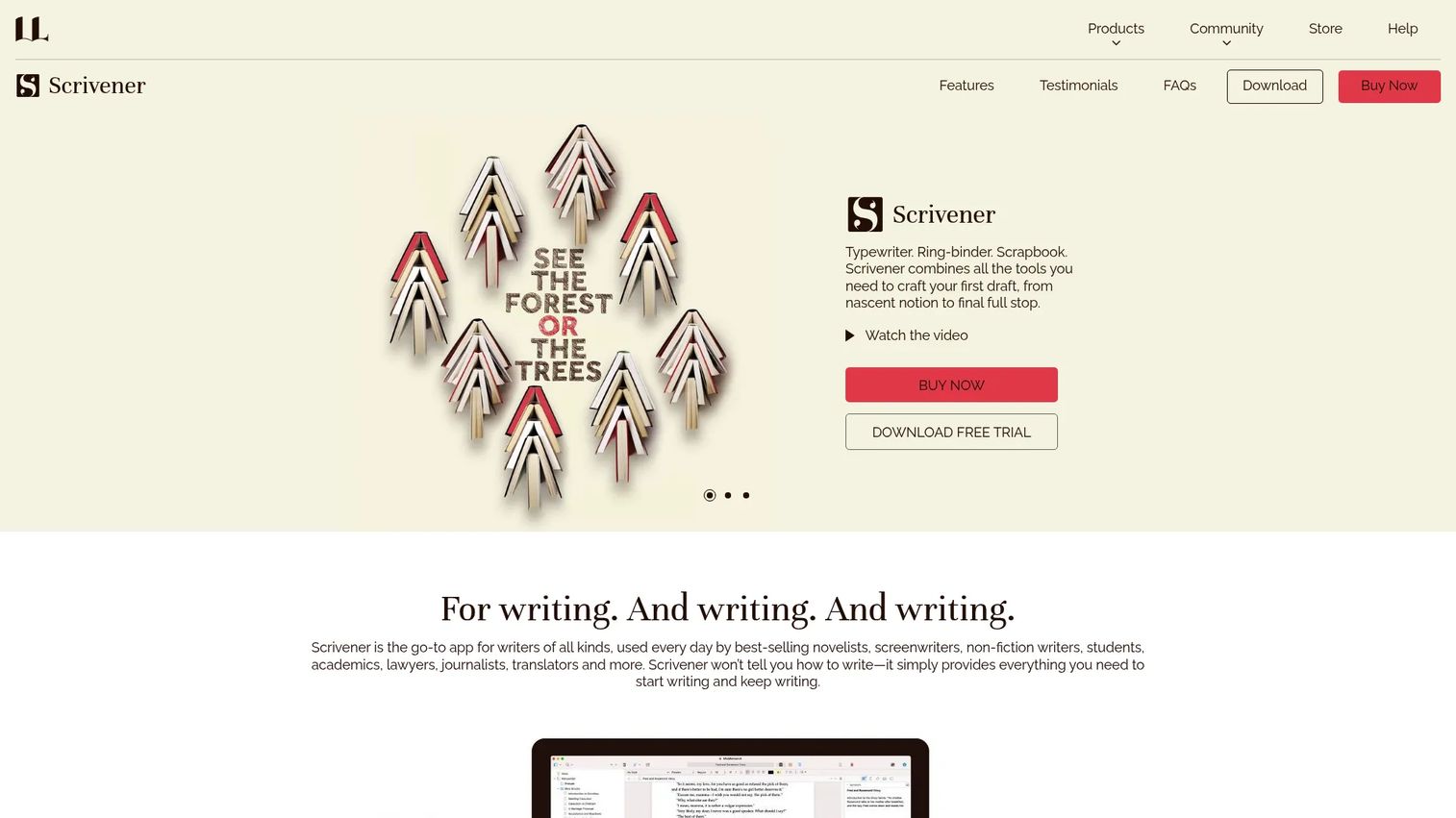
Scrivener is the drafting benchmark for a reason. It treats your book as a binder of chapters, scenes, and research rather than one long file, so you write nonlinearly and reorder without copy-paste. Its corkboard and composition mode give you both the big-picture map and a distraction-free page, then compile everything into the format you need.
Best for: Novelists and nonfiction writers on a long-form project who need structure and research in one app.
Key features
- Nonlinear drafting with a binder and outline
- Corkboard for reordering scenes visually
- Research and notes stored beside the manuscript
- Composition mode for distraction-free writing
- Compile to Word, PDF, Final Draft, plain text
Why choose Scrivener: If your book is complex and your bottleneck is organization, nothing else holds a big manuscript this well. The tradeoff is a real learning curve, and it is not the pick when live co-editing with an editor is your priority.
Scrivener pricing: A one-time license runs $59.99 for macOS or Windows, and the iOS and iPadOS app is $23.99. A 30-day free trial covers the desktop versions, and there is no recurring subscription.
Scrivener holds a 4.5/5 rating on G2.
2. Microsoft Word

Microsoft Word is the editing and polish tool your editor already knows. Track changes and comments are the shared language of professional editing, and almost every publisher accepts a DOCX. It runs on web, desktop, and mobile, with Copilot assistance built into the newer versions.
Best for: Writers whose manuscript moves to an editor or agent who expects a familiar, review-ready document.
Key features
- Track changes and inline comments
- Familiar formatting most publishers accept
- Web, desktop, and mobile apps
- Real-time sharing and co-authoring
- Copilot-powered writing assistance
Why choose Microsoft Word: Pick it when editorial collaboration and industry-standard file handoff matter more than project structure. It was never built to manage a full book from outline to export, so the organizing burden stays on you.
Microsoft Word pricing: Word on the web is free with a Microsoft account. Microsoft 365 Personal is $99.99 per year, Family is $129.99 per year, and a standalone one-time Word license is $179.99.
Word carries a 4.7/5 rating on G2.
3. Google Docs
Google Docs is the browser-based collaboration option that needs no install. Several people edit the same document at once, comments thread inline, and version history means no more "final_v3" files. Anyone with a Google Account can open it from any device.
Best for: Co-authors and editors who want real-time, cloud-first writing without managing software.
Key features
- Real-time co-editing and inline comments
- Version history that tracks every change
- Access controls for shared documents
- Offline editing when connectivity drops
- Gemini assistance in Docs
Why choose Google Docs: It is the fastest path to shared writing, and the collaboration is genuinely strong. Very large manuscripts get sluggish, and serious formatting control is limited, so treat it as a drafting and review space, not a typesetting tool.
Google Docs pricing: Free for anyone with a Google Account. Paid features come through Google Workspace, which starts at $7 per user per month for Starter and rises to $22 per user per month for Plus, with Enterprise priced by sales.
The Google Workspace listing that covers Docs holds a 4.6/5 rating on G2.
4. Atticus
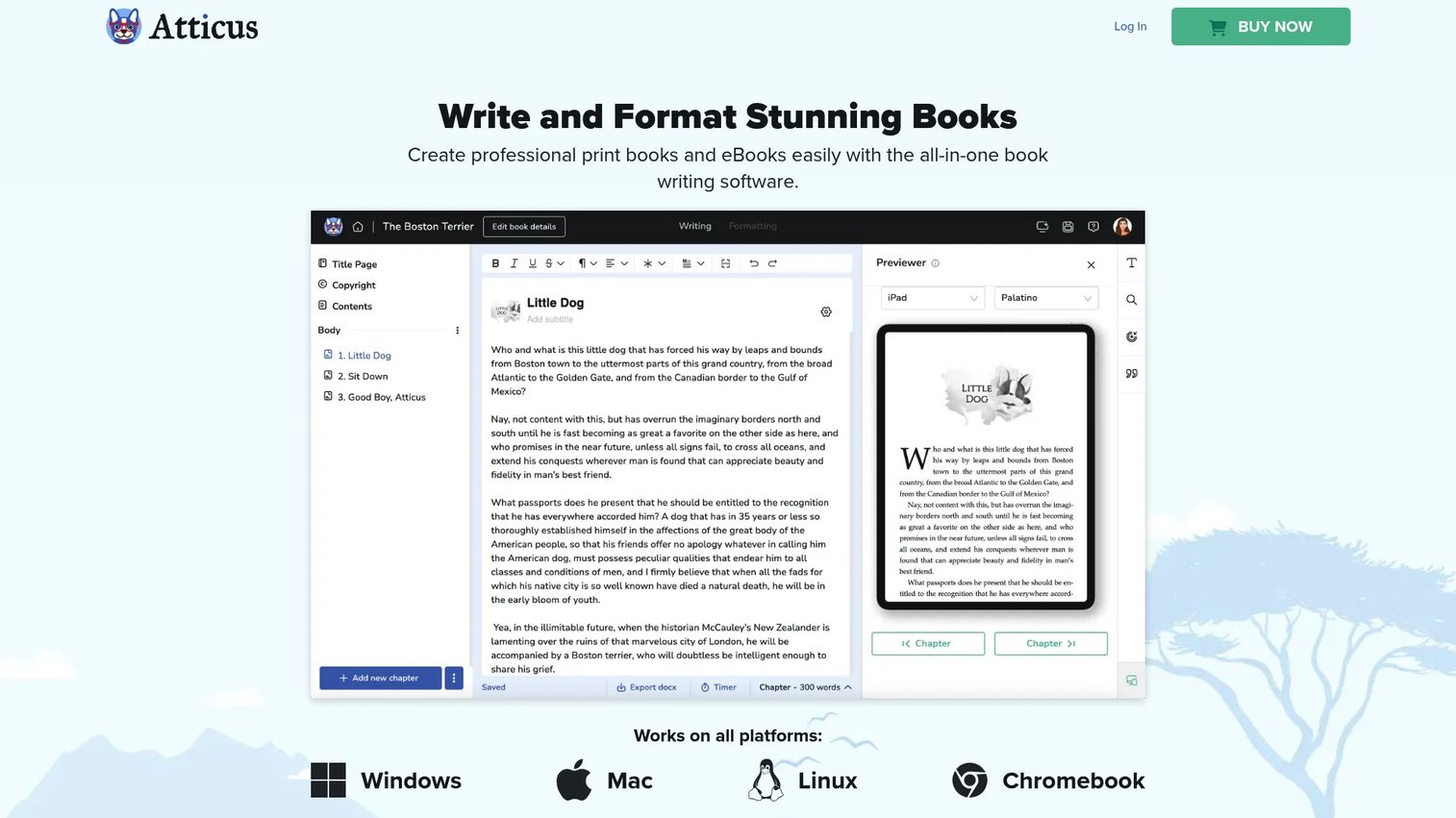
Atticus closes the gap between writing and formatting. You draft in the browser or an installed app, then produce publish-ready print and ebook layouts in the same place, no second tool for typesetting. For indie authors, that single-app path from manuscript to export is the draw.
Best for: Self-publishing authors who want one app for both the manuscript and the final layout.
Key features
- Write in browser or as an installed app
- Print and ebook formatting tools
- Export to PDF, ePub, and DOCX
- Works across Mac, Windows, and web
- Unlimited books on a single license
Why choose Atticus: Choose it when output quality is the job and you would rather not stitch drafting and formatting together. It leans toward the publishing end, so deep drafting structure is lighter than a dedicated long-form tool.
Atticus pricing: One flat price of $147 covers unlimited books and ebooks, with no subscription and no per-book fee.
Atticus shows a 3.0/5 rating on its G2 seller page.
5. Reedsy Studio
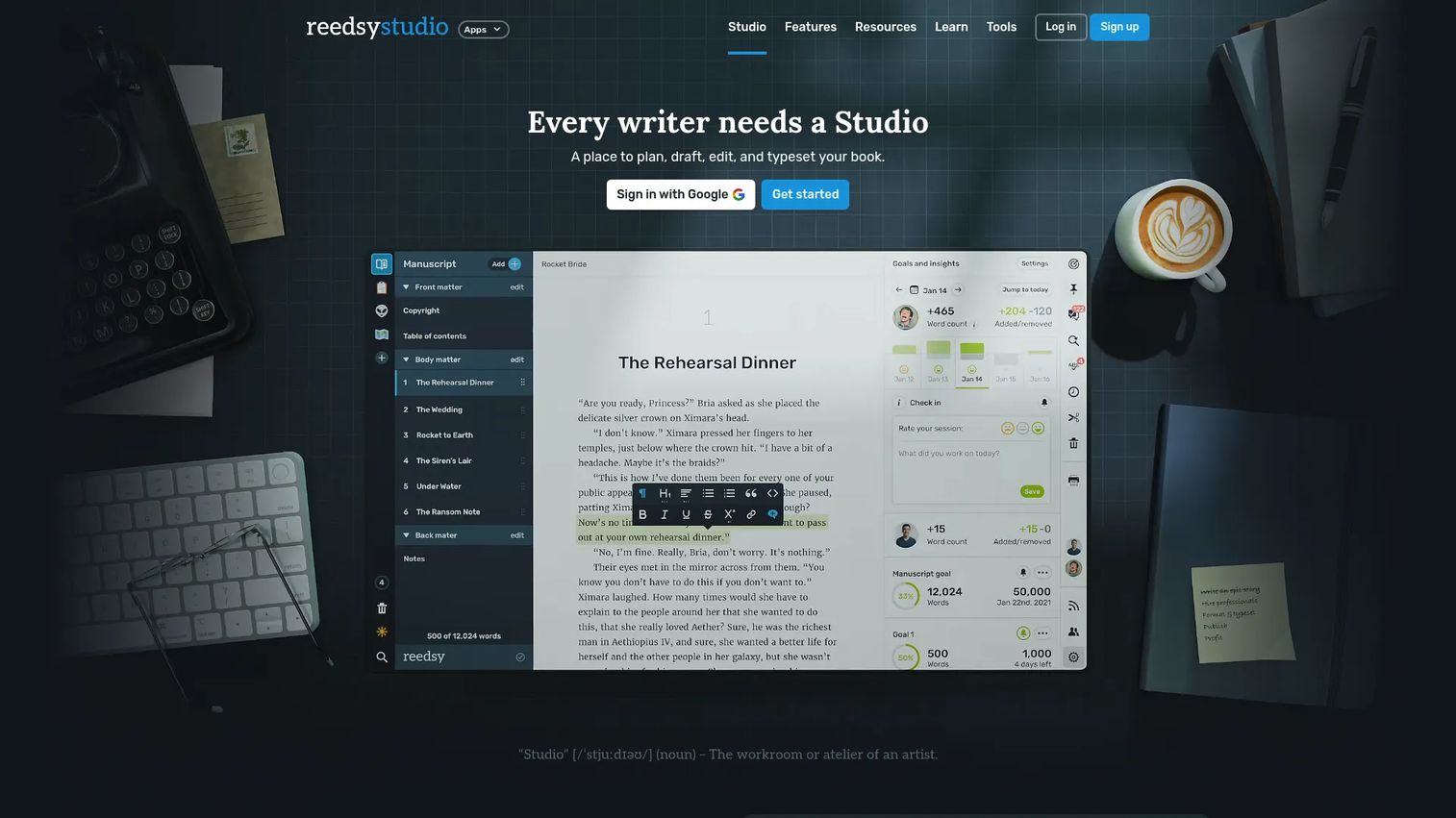
Reedsy Studio gives you planning, drafting, editing, and formatting in the browser, with the core free. You write in a clean editor, organize with boards for notes and characters, and export to EPUB or print-ready PDF when you are done. Real-time collaboration and track changes are built in.
Best for: Authors who want a free, all-in-one writing and formatting workspace with room to add planning tools.
Key features
- Free core writing and formatting
- Boards for outlining, notes, and worldbuilding
- Real-time collaboration and track changes
- Export to EPUB and print-ready PDF
- Optional premium outlining and stats
Why choose Reedsy Studio: The free tier is genuinely usable for a full book, which is rare. Deep project organization is lighter than a binder-based tool, so it fits writers who want simplicity over granular control.
Reedsy Studio pricing: Core writing and formatting are free. Premium add-ons start at $4.99 per month for Studio Essential and $7.99 per month for outlining, both with a 30-day free trial.
The Reedsy listing holds a 4.8/5 rating on G2.
6. Ulysses
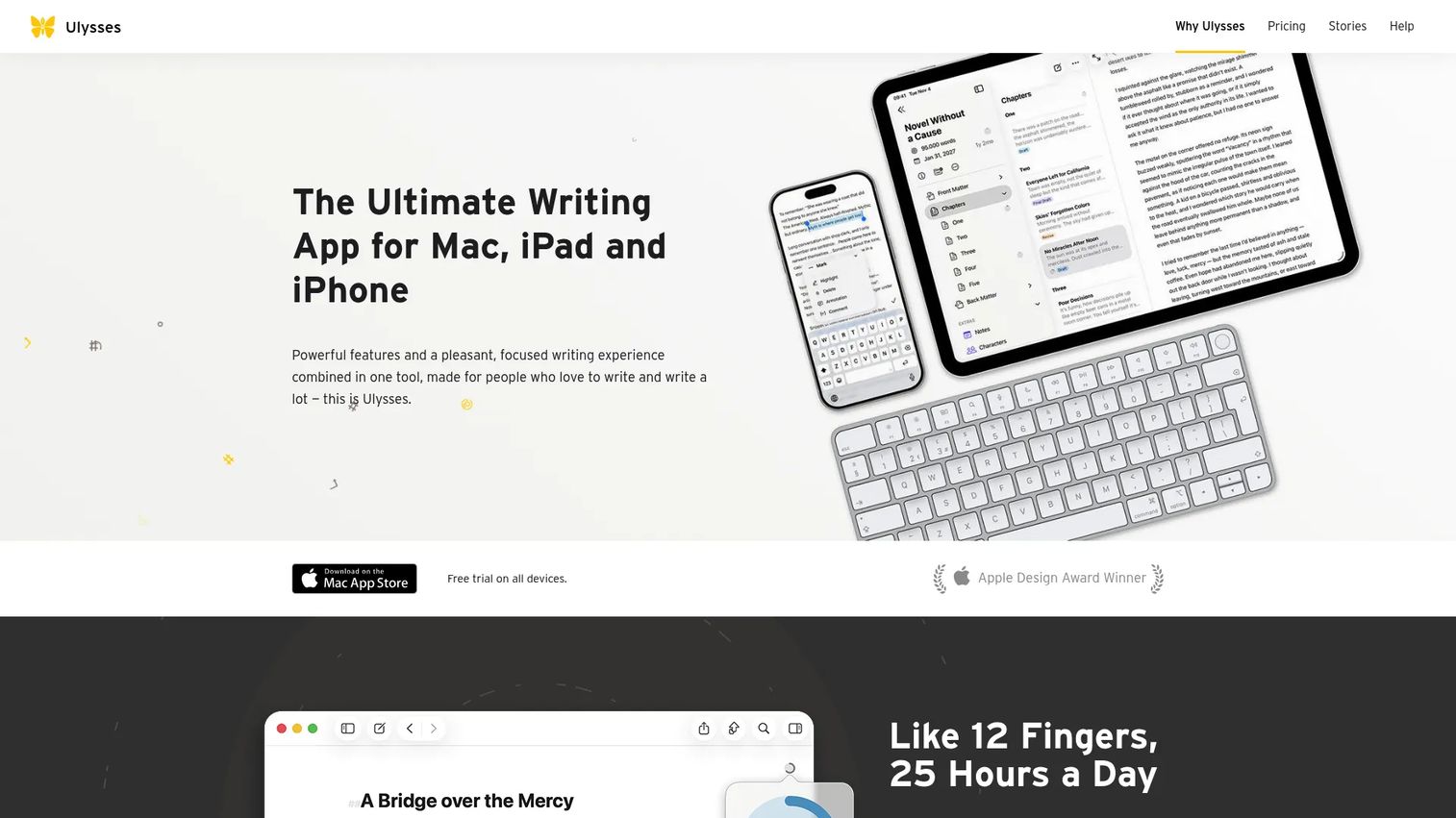
Ulysses is the minimalist Apple-first choice. A plain-text Markdown editor keeps the interface out of your way, while a single library organizes every project, group, and sheet. iCloud sync carries your work across Mac, iPad, and iPhone without a thought.
Best for: Writers on Apple devices who want distraction-free drafting with clean organization.
Key features
- Plain-text Markdown editor
- Single-library project organization
- Filters and groups for structure
- iCloud sync across Mac, iPad, iPhone
- Export and publishing tools
Why choose Ulysses: If a calm, uncluttered writing surface keeps you moving, this is the one. The tradeoffs are a subscription model and Apple-only availability, so Windows and Android users are out.
Ulysses pricing: A subscription runs $5.99 per month or $39.99 per year, both with a 7-day free trial. A reduced student rate is billed six months at a time.
Ulysses holds a 4.5/5 rating on G2.
7. Novlr
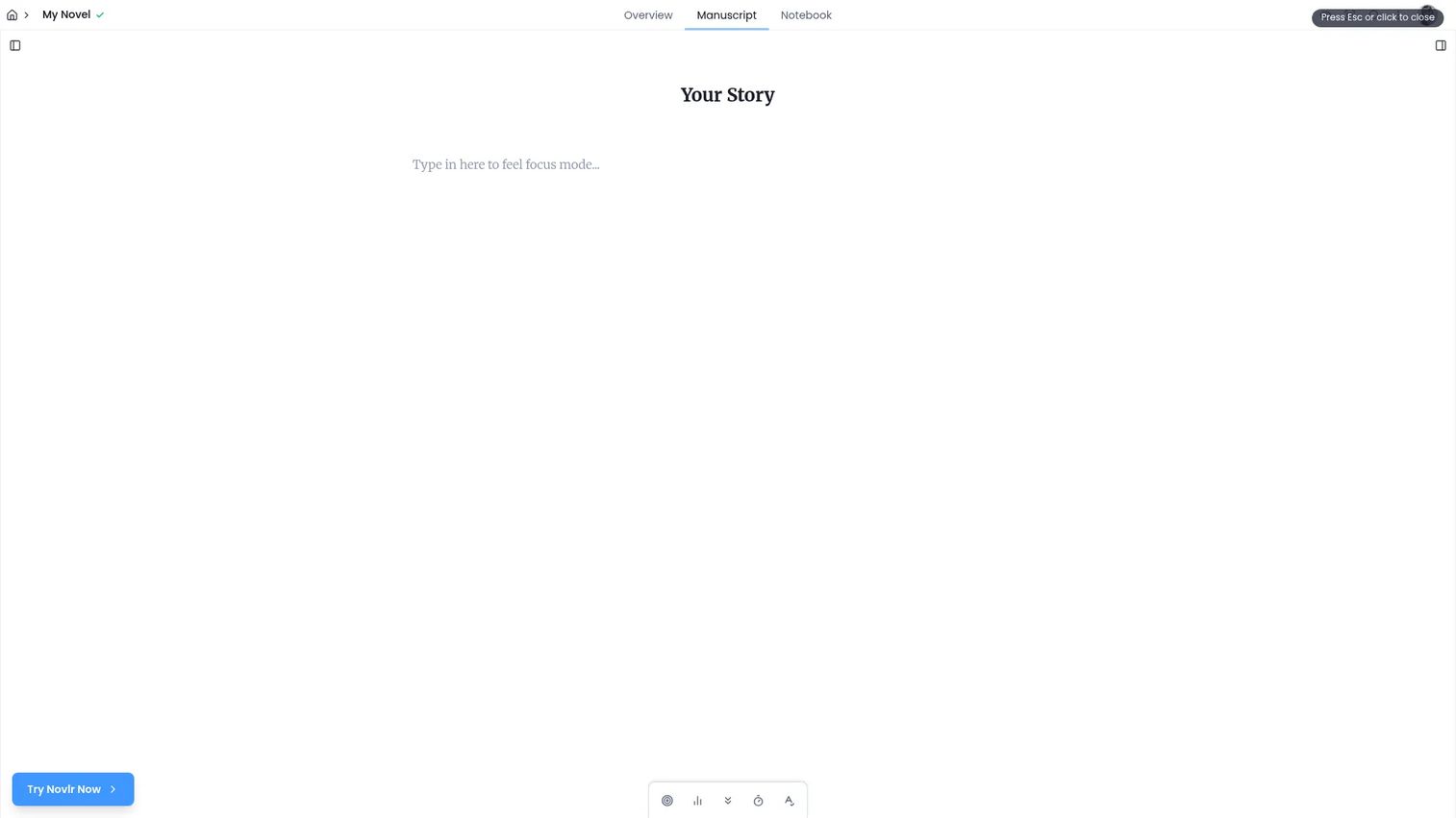
Novlr is a browser-based drafting workspace that leans into motivation. A distraction-free studio pairs with goals, streaks, and writing analytics, so you can see the habit forming, not just the word count. It is writer-owned, which shapes how the roadmap gets built.
Best for: Fiction writers who want a dedicated online drafting space with habit tracking and progress visibility.
Key features
- Distraction-free writing studio
- Goals, streaks, and writing analytics
- Notes and project organization
- Browser access from any device
- Proofreader and grammar tools on paid plans
Why choose Novlr: It suits writers who need momentum and visibility more than deep publishing tooling. The free plan caps you at two projects, so serious multi-book work moves you to a paid tier.
Novlr pricing: A free plan covers two projects with syncing, notes, and analytics. Starter is $8 per month billed yearly for unlimited projects, Studio is $16 per month billed yearly, and a Lifetime Studio membership is a one-time $499.
Novlr does not yet carry a G2 rating.
Considerations
Before you commit to a workflow, weigh these against how you actually write. The switching cost of a book tool is high, so a wrong pick means migrating a manuscript mid-project.
Workflow stage
Name your bottleneck first. If organizing chapters is the pain, a drafting tool wins. If layout is the pain, a formatting tool wins. Buying for a stage you are not stuck at wastes both money and setup time.
Ownership model
One-time purchases like Scrivener and Atticus cost more upfront but nothing after. Subscriptions like Ulysses and Novlr cost less to start but never stop. Do the payback math against how long your book will take.
Platform compatibility
Some tools box you into an operating system. Ulysses is Apple-only, Scrivener splits licenses by platform, and browser tools like Google Docs and Reedsy Studio run anywhere. Check that your primary device is a first-class citizen, not an afterthought.
Collaboration needs
Solo drafting and shared editing pull toward different tools. If an editor or co-author touches the manuscript often, Word or Google Docs earns its place. If you write alone until handoff, structure matters more than live editing.
Export and publishing
Confirm the output formats before you buy: DOCX for editors, EPUB for ebooks, print-ready PDF for physical books. A drafting tool that cannot export clean files just adds a step at the finish line.
Conclusion
There is no universal winner here, only the right tool for the stage you are stuck on. Scrivener owns deep drafting and organization. Word and Google Docs win when collaboration and familiar handoff matter most. Atticus is the pick for formatting and publication. Ulysses and Novlr keep distraction-free writing simple, one on Apple, one in the browser.
The honest recommendation is a small stack, not a single app. Draft where structure lives, format where output quality lives, and stop asking one tool to do both jobs poorly. Match the tool to your bottleneck, check the ownership model against your timeline, and confirm it runs on your device before you move a single chapter into it.
Most writers overthink the choice and underthink the switching cost. Pick for the stage that hurts today.
Start your journey with Guideflow today!
Start your journey with Guideflow today!
FAQs
For a first-timer, browser-based tools with a free tier lower the risk the most. Reedsy Studio and Google Docs both let you write a full manuscript without paying or learning a complex interface. Start there, then move to a structured tool like Scrivener once you know what you actually need.
For drafting and organizing a long manuscript, yes, because Scrivener treats a book as a binder of reorderable parts rather than one flat file. Word wins on collaboration and handoff, since editors and publishers already work in DOCX. Many writers draft in Scrivener and export to Word for editing.
You can, and plenty of authors do. Real-time collaboration, version history, and free access make it a strong drafting and review space. The limits show up with very large manuscripts, which can slow down, and with serious formatting, which it does not handle well.
Self-published authors often pair a drafting tool with a formatting tool. Atticus is popular because it does both writing and publish-ready layout in one app, and Reedsy Studio offers a free path to EPUB and print-ready PDF. The common thread is control over final output.
If you self-publish and want one app for both manuscript and layout, the $147 one-time price often pays for itself against per-book formatting services. It exports to PDF, ePub, and DOCX and covers unlimited books. Writers who need deep drafting structure may still want a dedicated long-form tool alongside it.
Reedsy Studio offers the most complete free experience, with core writing and formatting free and export to EPUB and print-ready PDF. Google Docs is free with a Google Account and strong for collaboration. Novlr also has a free plan, though it caps you at two projects.
Not always, but the split is common because the two jobs pull toward different strengths. Drafting tools optimize for structure and focus, while formatting tools optimize for output quality. Tools like Atticus and Reedsy Studio try to cover both, which works well for many indie authors.
It depends on your timeline. A one-time purchase like Scrivener at $59.99 or Atticus at $147 costs more upfront but nothing after, which favors long projects. A subscription like Ulysses or Novlr costs less to start and suits writers who want continuous updates or are testing whether a tool fits.










