How to watch a space in Confluence
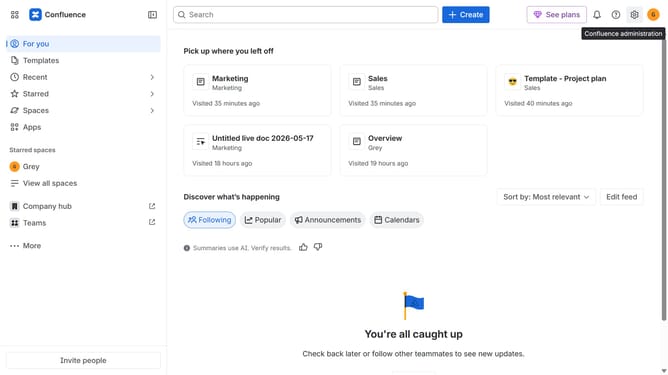
Here is how to watch a space in confluence
- First click on "Spaces" in the left sidebar
- Next click on the "View all spaces" option from the pop-up menu
- From the list, find the space you want to watch
- Finally, click the "Watch" option next to the space
Why should you watch a space in Confluence
Confluence is a powerful collaboration tool designed to connect teams and centralize their knowledge.
The "watch a space" feature in Confluence keeps you informed by sending notifications about changes or updates in a specific space.
By watching a space, you ensure you're always up-to-date, fostering seamless collaboration and preventing missed updates.
This functionality not only enhances productivity but also allows team members to focus on tasks without worrying about manually checking for updates.
Last update