How to use rgba to choose a text color in Webflow
Here is how to use rgba to choose a text color in webflow
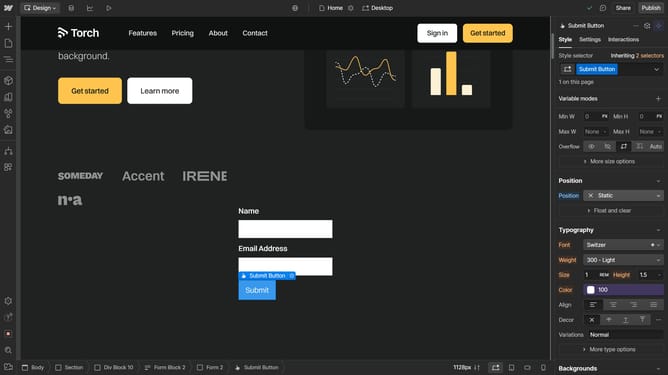
- First click the element you want to edit
- Then click on the "Style" tab in the right sidebar settings panel
- Next click on the "Typography" section in the right sidebar style panel
- Then click on the color picker button in the Typography settings
- Next click on the "HSB" color format option in the color picker to switch to "RGB"
- Finally click on the RGBA color values field to adjust the color settings
Why should you use rgba to choose a text color in Webflow
Webflow empowers creators to design, build, and launch stunning websites effortlessly.
With rgba, a versatile color model in Webflow, you can set text colors with precision and control over opacity.
Using rgba enhances your design palette by allowing seamless blending and transparency, providing a more dynamic and visually appealing experience.
Explore the richness rgba offers and elevate your text designs, ensuring perfect alignment with your creative vision and overall design strategy.
Last update