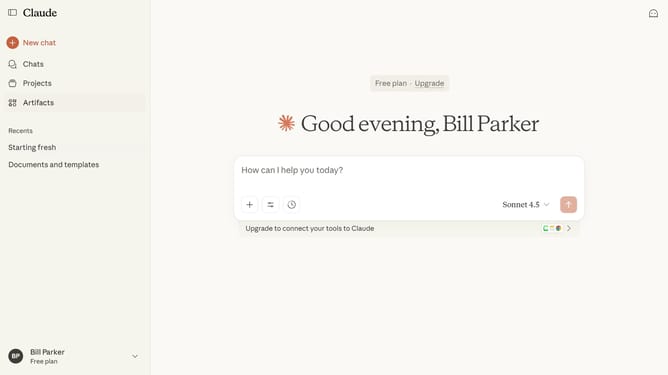
How to update your name in Claude.ai
Here is how to update your name in claude.ai
- First click on the user profile section in the bottom left corner of the sidebar
- Next click on the "Settings" option in the expanded user menu
- Navigate to the "General" tab
- Locate the "Full name" text field in the Profile section
- Then click inside the field and type your new name
- Finally click on the "Save changes" button to confirm the profile updates
Why should you update your name in Claude.ai
Claude.ai enhances online interactions by providing an intuitive AI-powered platform for seamless communication.
Updating your name in Claude.ai is an easy but impactful feature, allowing users to personalize their experience with ease. This delightful customization ensures your interactions are genuine and tailored to your individual identity.
Personalizing your name not only makes interactions feel more authentic but also enhances user recognition and strengthens your connection with others on the platform.
Last update