Mural
Mural is a visual collaboration platform for brainstorming, planning, and running remote workshops on a shared canvas.
Website
Industry
Design
Share this article:

How to unlock all objects in Mural

Here is how to unlock all objects in mural

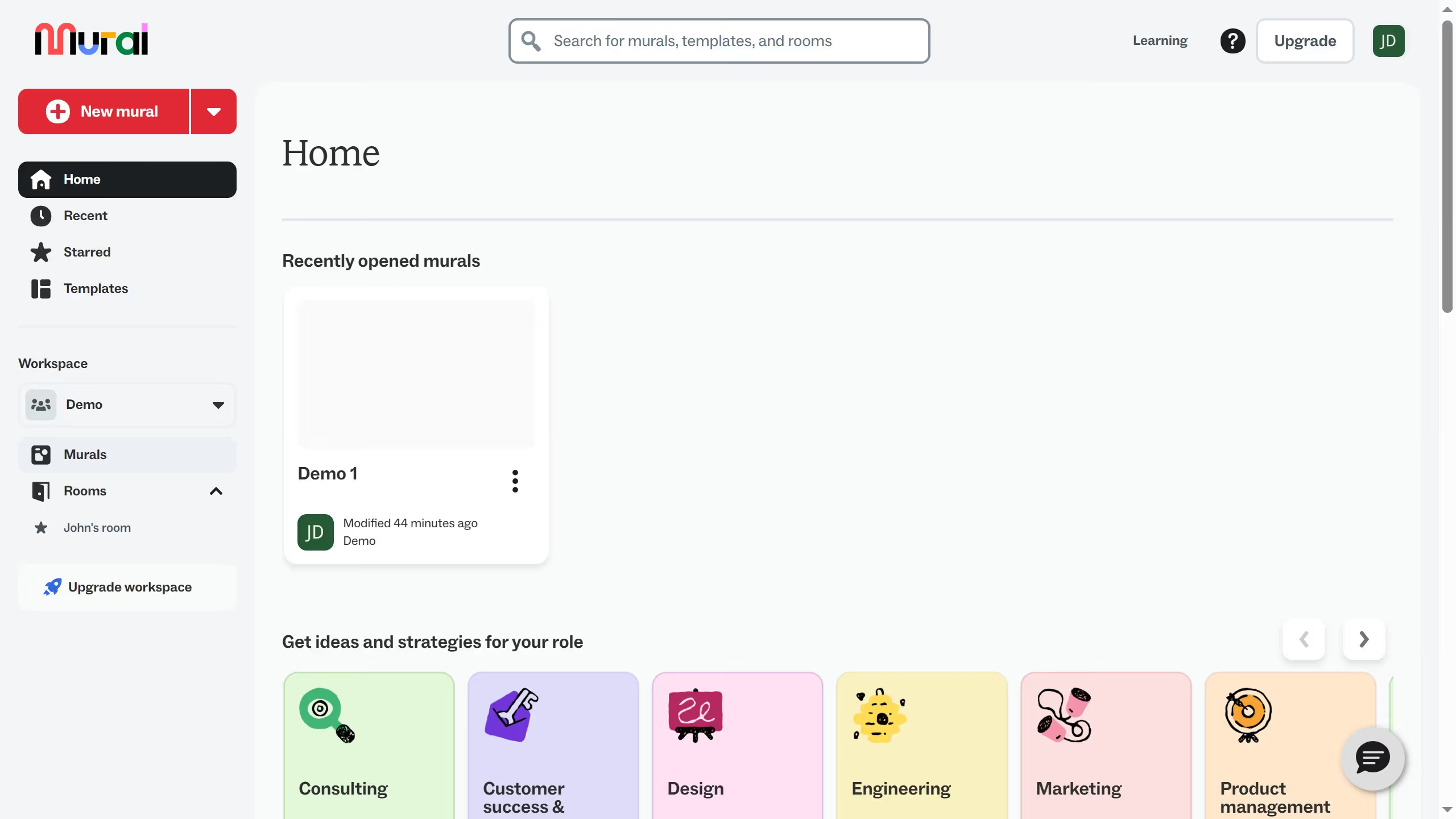
  1. First click on "Murals" in the sidebar navigation menu
  2. Then click on the mural filename that you want to manage to open it
  3. Next click on the "Actions" button in the top toolbar
  4. Finally select "Unlock all objects" from the Actions dropdown menu

Create your own interactive guide with Guideflow

Why should you unlock all objects in Mural

Mural is a dynamic visual collaboration tool designed to inspire creativity and teamwork.

The "unlock all objects" feature in Mural streamlines the creative process by providing users with full access to every design element. This increased accessibility allows team members to freely explore and edit ideas, fostering a more collaborative environment.

By utilizing this feature, teams can efficiently iterate on designs, ensuring every member's input is valued and readily integrated. It enhances productivity and maximizes creative potential.

Last update
March 13, 2026
Cursor MariaA cursor points to a button labeled "James."

Create your first demo in less than 30 seconds.