How to turn off email notifications in Hubspot
Here is how to turn off email notifications in hubspot
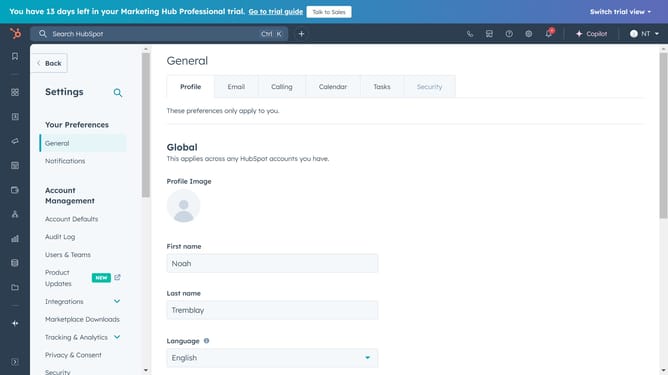
- First click on the "Settings" icon in the top navigation bar
- Then click on "Notifications" in the left sidebar under "Your Preferences"
- Finally click on the "Email" notification switch to toggle it off
Why should you turn off email notifications in Hubspot
HubSpot is a dynamic platform designed to help businesses streamline their marketing, sales, and service efforts.
Among its myriad features, HubSpot allows users the flexibility to manage their preferences for email notifications.
Turning off email notifications can be incredibly beneficial for those looking to reduce email clutter, allowing for a more focused work environment.
This feature helps users maintain concentration by minimizing disruptions, ensuring that they stay productive and attentive to the most critical tasks at hand.
Last update