How to track changes in Domain Rating (DR) over time in Ahrefs
Here is how to track changes in domain rating (dr) over time in ahrefs
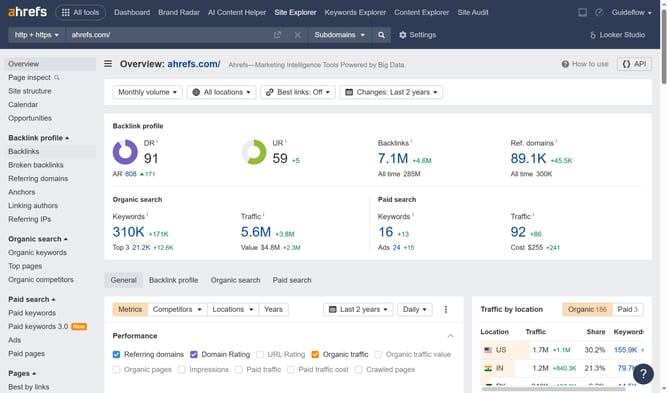
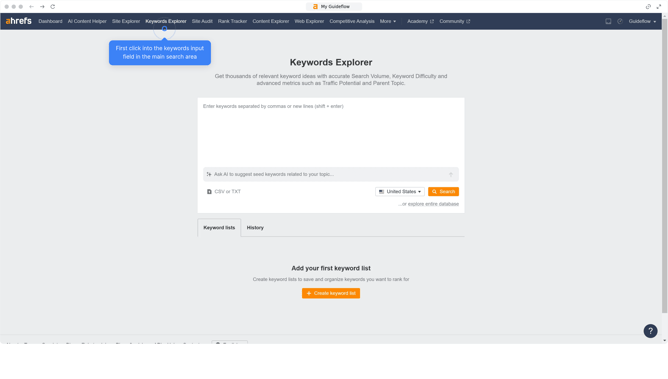
- First click on "Site Explorer" in the top navigation menu
- Then enter your website's domain or URL input field in the search bar
- Click the "Search" button to begin the analysis
- In the Overview report, click on the "General" tab in the navigation menu
- Select the "Domain Rating" checkbox under Performance section
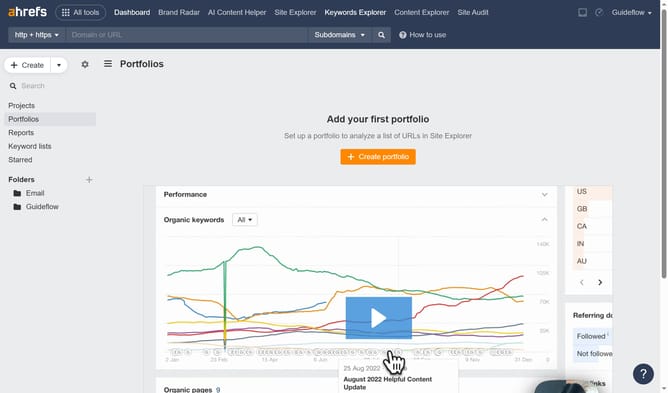
- Then, use the graph to track DR trends effectively
- To refine your tracking, click on the time period dropdown menu in the top right corner
- From the dropdown options, select the specific date range you want to focus on for detailed analysis
Why should you track changes in Domain Rating (DR) over time in Ahrefs
Ahrefs is a powerful tool suite for SEO analysis, helping website owners and marketers grow their online presence.
Tracking changes in Domain Rating (DR) over time in Ahrefs provides valuable insights into a website’s authority and its competitive standing in search engine rankings.
Observing DR trends allows you to analyze the impact of your SEO strategies, ensuring that your efforts are paying off effectively.
This feature empowers you to make informed decisions, optimizing your approach to building backlinks and enhancing your website's reputation and visibility.
Last update