How to filter keywords by difficulty score in Ahrefs
Here is how to filter keywords by difficulty score in ahrefs
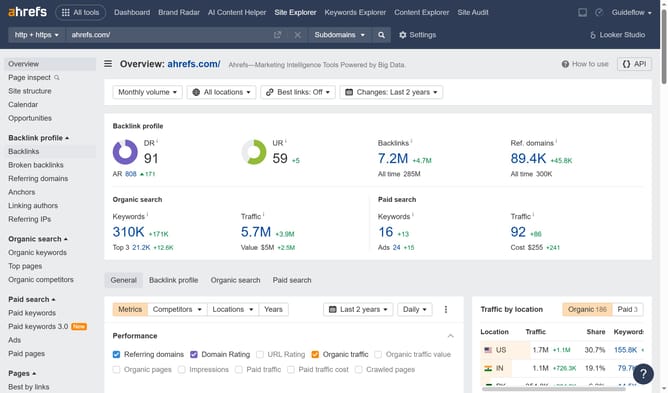
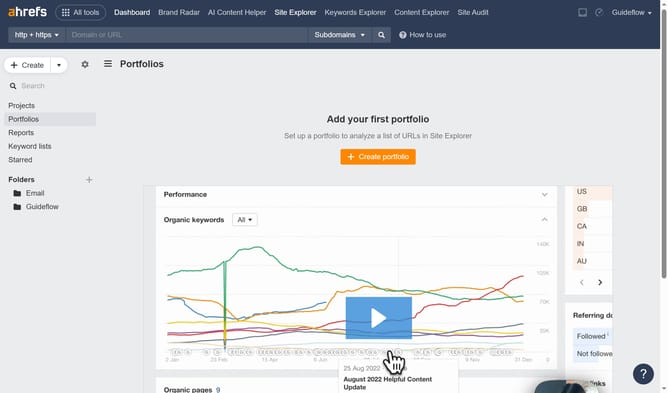
- First click on "Site Explorer" in the top navigation menu
- In the search bar, click the "Domain or URL" input field
- Type the website's name in the domain input field
- Click the search button to analyze the domain
- In the left sidebar, click on "Organic keywords" under the Organic search section
- Click on the "KD" filter button in the filter toolbar
- Set the "From" and "To" values for your keyword difficulty filter to define the desired range
- Click the "Apply" button
- Click the "Show results" button to apply the KD filter
Why should you filter keywords by difficulty score in Ahrefs
Ahrefs is a comprehensive SEO toolset designed to enhance your online visibility and ranking.
One of its standout features is the capability to filter keywords by difficulty score. This feature helps you identify keyword opportunities that are achievable based on their competitiveness.
Using this feature optimizes your content strategy by focusing on keywords that balance search volume and ranking ease, enabling efficient resource allocation and improved SEO outcomes.
Last update