How to switch between views in Airtable
Here is how to switch between views in airtable
- First navigate to a base and open the table you want
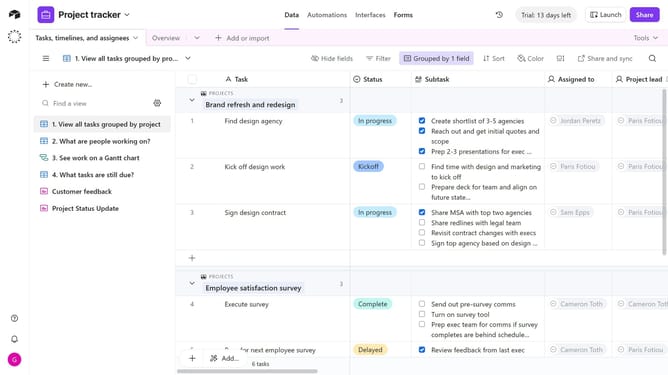
- Then click the view icon in the top-left corner to open the view sidebar
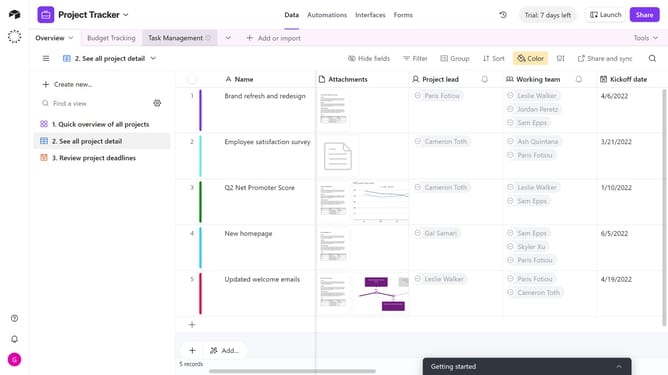
- In the left sidebar that appears, you’ll see a list of all available views
- Finally, find the view you want and click on it and the table will switch to that view instantly
Why should you switch between views in Airtable
Airtable is a powerful and flexible platform designed for organizing and managing data collaboratively.
Switching between views in Airtable allows users to customize how they see their data, offering a dynamic way to tailor information presentation to suit various needs.
Users can easily switch to grid, calendar, gallery, or kanban views, enhancing their workflow by emphasizing relevant details.
This feature empowers teams to focus on what's important, adapting perspectives to boost efficiency and productivity in any project.
Last update