How to share a dashboard by email in HubSpot
Here is how to share a dashboard by email in hubspot
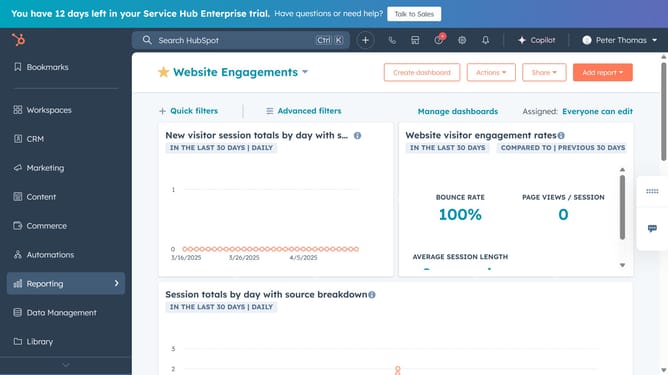
- First click on the "Reports" icon in the left sidebar
- Then click on "Dashboards" in the Reports submenu
- Next click on the dashboard title dropdown in the top left corner
- Select the dashboard you want to share from the list
- After that click on the "Share" button in the top toolbar
- Click on "Email this dashboard" option in the Share dropdown
- Then, in the right panel, choose whether to send a one-time email or set it as a recurring email
- Next click on the "Internal recipients" dropdown and select the users to send the email to
- You can send a once-off email to non-HubSpot users. In the "Other recipients" fields, enter the recipient's email address
- In the Email subject field, enter the subject line
- Next in the "Message" field, enter the email body text
- To attach a downloadable file, click the "Attach downloadable file" dropdown and select a format
- By default, all reports are included and filters are excluded. You can choose to include only specific reports and apply current dashboard filters if needed
- Finally, click the "Send now" button to send the email with your selected settings
Why should you share a dashboard by email in HubSpot
HubSpot is a dynamic platform designed to enhance business growth through effective marketing, sales, and customer service solutions.
One standout feature in HubSpot is the ability to share dashboards by email effortlessly. This allows users to keep their team informed and make data-driven decisions with ease.
By sharing a dashboard via email, you ensure that everyone stays aligned with key metrics and insights, promoting transparency and collaboration across teams.
Ultimately, this feature streamlines communication and fosters a data-driven culture within the organization.
Last update