How to restrict workspace access to specific IP addresses in intercom
Here is how to restrict workspace access to specific ip addresses in intercom
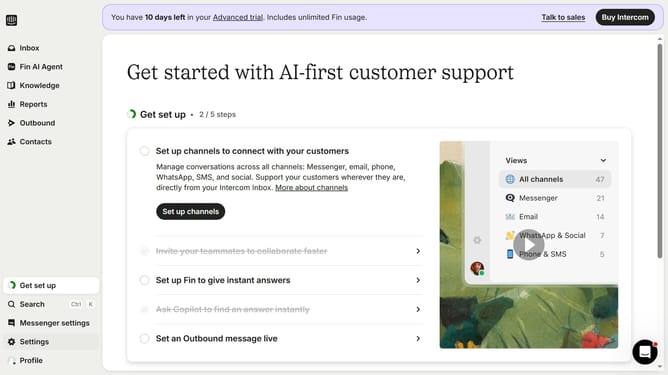
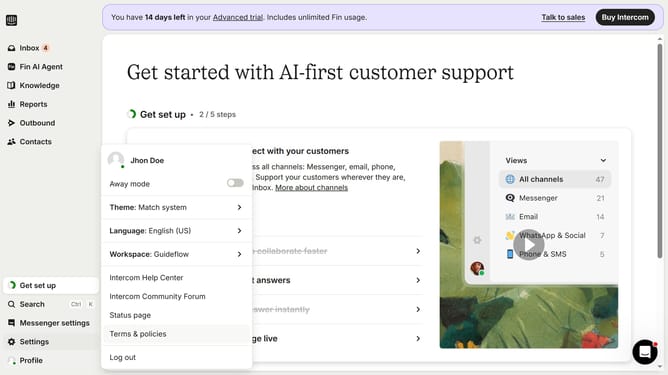
- First click on the "Settings" option in the left sidebar
- Then click on the "Workspace" section in the settings menu
- Next click on the "Security" option under the Workspace submenu
- Click the toggle switch for "Only allow access to your workspace from specific IP addresses"
- Click in the "Allowed IPs" text field and enter the IP address
- Finally click the "Save" button to apply the security settings
Why should you restrict workspace access to specific IP addresses in intercom
Intercom is a dynamic platform designed to enhance customer communication and engagement for businesses.
One of its powerful features is the ability to restrict workspace access to specific IP addresses. This feature ensures that only approved networks can access your workspace, fostering a secure environment.
By implementing IP restrictions, you effectively safeguard sensitive customer data and operational activities, enhancing both security and compliance. This adds an additional layer of protection, allowing you to focus on delivering exceptional customer experiences with peace of mind.
Last update