How to remove buffer time from an event in Calendly
Here is how to remove buffer time from an event in calendly
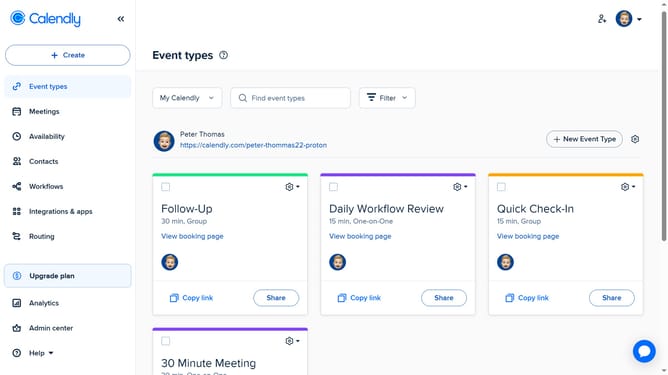
- First click on the "Event types" in the left sidebar
- Next find and click on the event type where the buffer was set
- Click on the "More options" button in the event settings panel
- Click on the "Limits and buffers" section in the settings menu
- Then set both Before event and After event to 0 minutes
- Finally click on the "Save changes" button to apply the settings
Why should you remove buffer time from an event in Calendly
Calendly is a streamlined scheduling tool designed to simplify the way you book meetings.
Removing buffer time from an event can enhance your scheduling flexibility by allowing back-to-back meetings without downtime, maximizing productivity.
In a fast-paced work environment, eliminating these buffers means you can efficiently utilize your time, reducing lag between commitments.
This adjustment can be beneficial when managing a tight schedule, ensuring every moment is purposefully allocated.
Last update