How to prevent push notifications in the Confluence mobile app
Here is how to prevent push notifications in the confluence mobile app
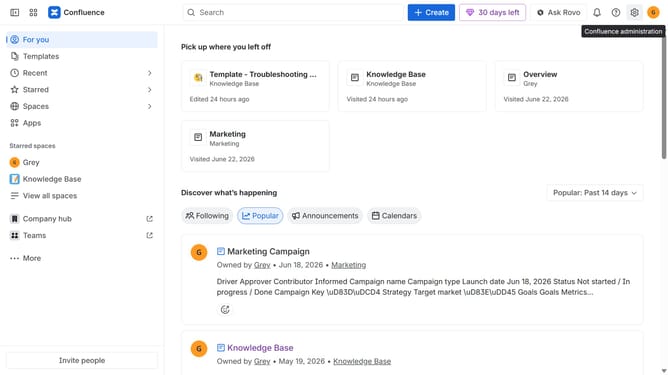
- First click on the gear icon in the top right header to open the Confluence administration menu
- Find "Settings" in the Confluence administration menu
- Next click on "Configuration"
- After that, select "General configuration" in the submenu
- In the General configuration section, locate the "Push notification" option
- Then, uncheck the checkbox to disable push notifications
- Finally click on the "Save configuration changes" button to apply the changes
Why should you prevent push notifications in the Confluence mobile app
Confluence is a powerful collaboration tool designed to help teams create, share, and manage information seamlessly.
Keeping focus is crucial in today’s busy work environment, and managing push notifications on your Confluence mobile app can significantly enhance productivity.
By choosing when to receive notifications, you can prevent unnecessary distractions, ensuring that your attention remains on the task at hand.
This feature empowers you to tailor your notification preferences, enhancing concentration and streamlining your workflow.
Last update