How to enable calendars in a Confluence space
Here is how to enable calendars in a confluence space
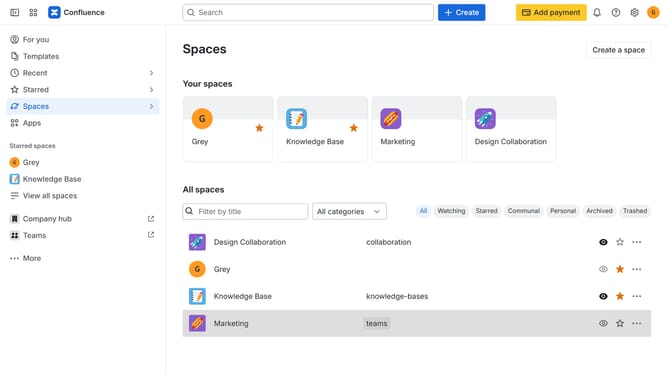
- First click on "Spaces" in the left sidebar
- Next click on the "View all spaces" option
- From the list of spaces, select the space you want to manage features for
- Then click on the "three dots" button next to the space name in the sidebar
- From the dropdown menu, select the "Space settings" option
- Next click the "General" menu in the left sidebar
- Select "Features" from the submenu
- Then, locate the “Calendars” feature in the Features section
- Finally, turn on the toggle next to "Calendars" to enable it
Why should you enable calendars in a Confluence space
Confluence is a powerful collaboration tool designed to help teams organize their work in one centralized space.
Enabling calendars in a Confluence space seamlessly integrates scheduling with project management. This feature allows teams to visualize deadlines, meetings, and project milestones directly within their workspace.
Using calendars enhances transparency and ensures everyone is on the same page, reducing the need for back-and-forth communications. With calendars enabled, team members can plan effectively, making collaboration smoother and more efficient.
Last update