How to stop receiving recommended content in Slack from Confluence
Here is how to stop receiving recommended content in slack from confluence
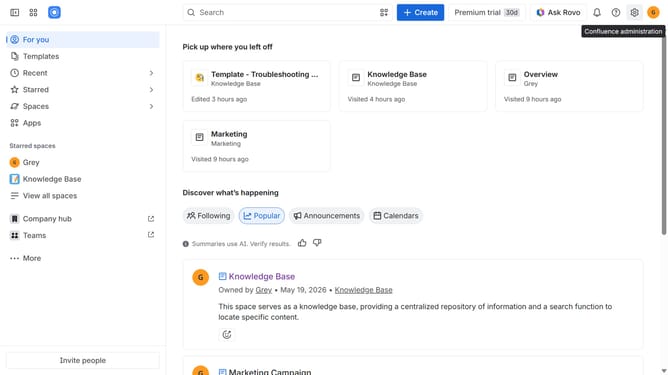
- First click on the gear icon in the top right corner
- Find "Settings" in the Confluence administration menu
- Next, click on the "Configuration" option
- Select "Notifications" from the expanded settings menu
- Then uncheck the "Recommendation Slack message" checkbox to disable it
- Finally, click on the "Save Slack setting changes" button
Why should you stop receiving recommended content in Slack from Confluence
Confluence is a dynamic collaboration tool designed to unify teams and tasks seamlessly.
For those looking to streamline their Slack experience, turning off recommended content from Confluence can enhance focus and reduce unnecessary alerts.
This feature allows users to control the flow of information, ensuring only essential updates come through, ultimately leading to a more productive environment.
By tailoring notifications, you can maintain a cleaner, less distracting workspace while ensuring essential information isn't lost in the chatter.
Last update