How to view trashed spaces in Confluence
Here is how to view trashed spaces in confluence
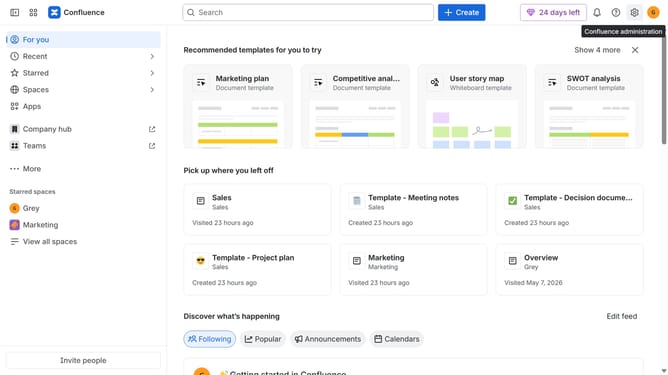
- First, click on "Spaces" in the left sidebar
- Next, select "View all spaces" in the dropdown menu
- Locate the filter options at the top of the spaces list
- Then, select the "Trashed" option
- Finally click on the "Go to settings" button
- From here, you can now view all your trashed spaces
Why should you view trashed spaces in Confluence
Confluence is a powerful collaboration tool designed to help teams organize, track, and share their work effortlessly.
One standout feature in Confluence is the ability to view trashed spaces, a boon for users who may have deleted valuable content accidentally.
This feature provides peace of mind, knowing that all spaces are not only organized but also recoverable, preserving vital project information and maintaining workflow continuity.
Using this feature not only strengthens content management but also enhances confidence in collaborative efforts, ensuring information is never truly lost.
Last update