How to manage a view’s share link security settings in Airtable
Here is how to manage a view’s share link security settings in airtable
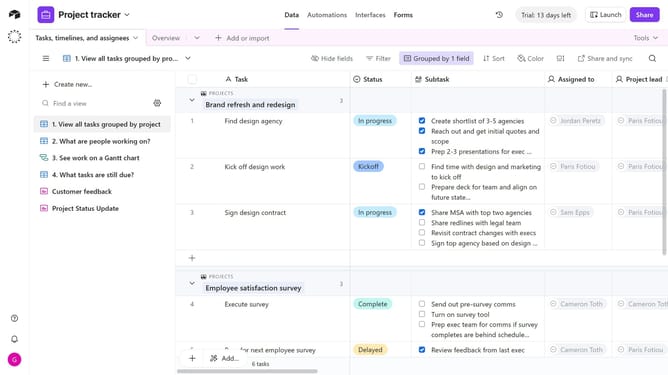
- First, navigate to the base and open the table containing the shared view
- Open the view sidebar and select the view you want to manage the share link permissions
- Next, click on the "Share and sync" button in the top toolbar
- Click on "Link settings" option in the share menu
- A permissions menu will then open, allowing you to manage the link settings
- Finally, toggle your preferred permissions on or off to control viewer access and actions in the shared view
Why should you manage a view’s share link security settings in Airtable
Airtable is a versatile platform that combines the simplicity of a spreadsheet with the power of a database to organize and streamline your projects.
One of its standout features is managing a view’s share link security settings, which adds an extra layer of control over who can access your data.
By adjusting these settings, you safeguard sensitive information, ensuring that only authorized personnel have the ability to view or collaborate on your work.
This feature enhances data privacy, making collaboration both safe and efficient without compromising on accessibility.
Last update