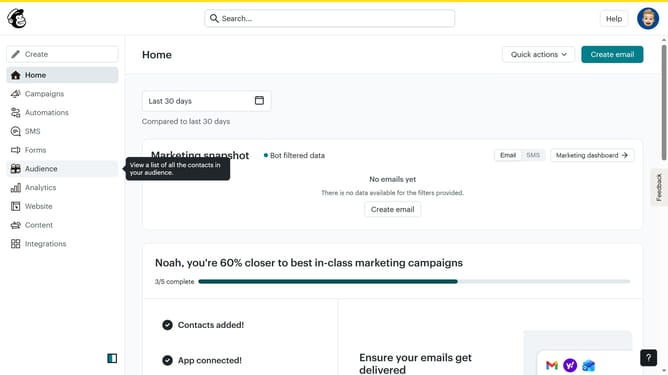
How to make the button round in an email campaign in Mailchimp
Here is how to make the button round in an email campaign in mailchimp
- First click on "Home" in the left sidebar
- Click on the "Edit" button
- Click on the "Edit" button within the "Actions" column
- Then click on the "Edit design" button at the bottom right of the screen
- Next, click on "Styles" in the left sidebar
- Then click on "Button" in the "Email Design" menu
- Finally, click on "Round" under the "Shape" options
Why should you make the button round in an email campaign in Mailchimp
Mailchimp is a leading email marketing platform known for empowering businesses to connect with their audience.
One of the exciting features within Mailchimp is the ability to make buttons round in your email campaigns. This small design enhancement can significantly impact the overall aesthetics of your email.
Rounded buttons are visually appealing and offer a modern and friendly look to your messages. They also help guide your audience's attention seamlessly, enhancing user experience and increasing click-through rates.
By using this feature, you can create an inviting and professional design that aligns with your brand's identity, fostering better engagement with your audience.
Last update