How to make a shared artifact private in Claude.ai
Here is how to make a shared artifact private in claude.ai
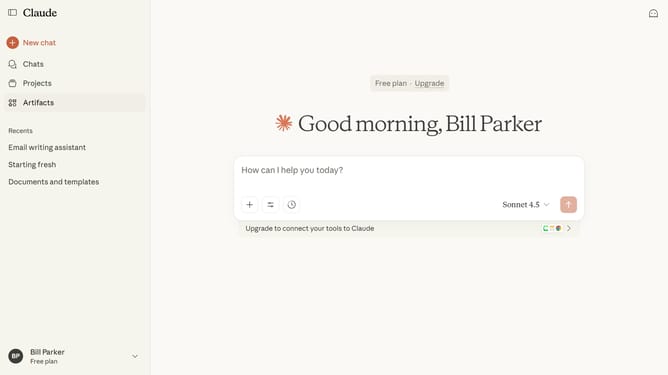
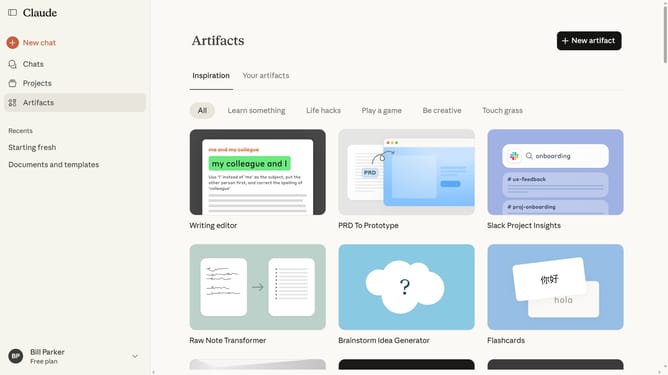
- First click on "Artifacts" in the left sidebar navigation menu
- Next click on "Your artifacts" tab in the top navigation bar
- Click on the Artifact you want to make private to open it
- Close the Artifact panel by clicking the “X” button in the right-side panel
- Then click on the "Share" button in the top right corner of the page
- Finally select the "Private" option in the sharing dialog modal
- The Artifact is now private and no longer publicly accessible
Why should you make a shared artifact private in Claude.ai
Claude.ai is a next-generation platform designed to enhance collaboration and knowledge sharing.
One standout feature of Claude.ai is its ability to make shared artifacts private. This ensures that users maintain control over their content, allowing selective access to sensitive materials.
Using this feature not only safeguards confidential information but also fosters a more secure and flexible environment for team collaborations.
Ultimately, it empowers users to manage their digital footprints while ensuring that their valuable data remains in trusted hands.
Last update