How to identify high-performing ad copies in Ahrefs
Here is how to identify high-performing ad copies in ahrefs
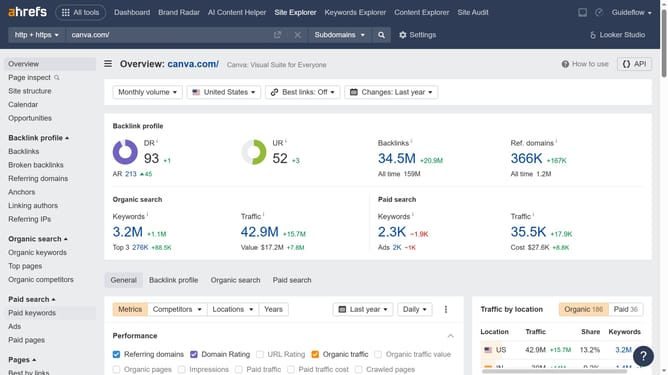
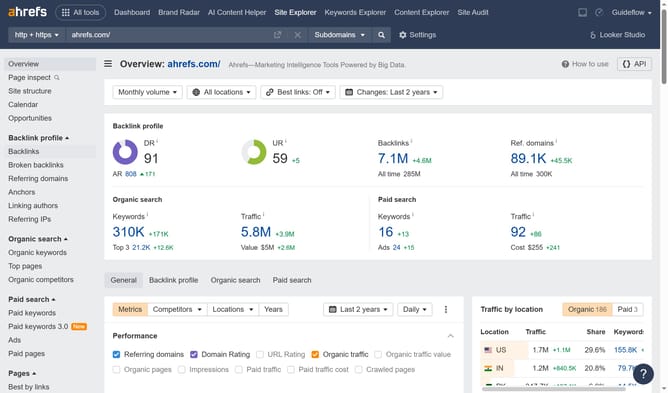
- First click on "Site Explorer" in the top navigation menu
- In the search bar, click the domain input field to enter a URL
- Click the "Search" button to analyze the URL
- Then click on "Paid keywords" in the left sidebar menu
- Then click on "Sort by" dropdown in the top menu
- Then select "Traffic" from the sorting options dropdown menu
- Finally check the "Performance" column to see the top performing ads
Why should you identify high-performing ad copies in Ahrefs
Ahrefs is a powerful tool designed for SEO and competitive analysis.
One of its standout features is the ability to identify high-performing ad copies, allowing marketers to pinpoint which ads are truly driving engagement and conversions.
By analyzing the performance metrics of different ad copies within Ahrefs, users can easily determine which content resonates best with their audience.
This insight helps refine marketing strategies, enhances ROI, and ensures more effective advertising efforts.
Last update