How to hide a meeting in Microsoft Teams
Here is how to hide a meeting in microsoft teams
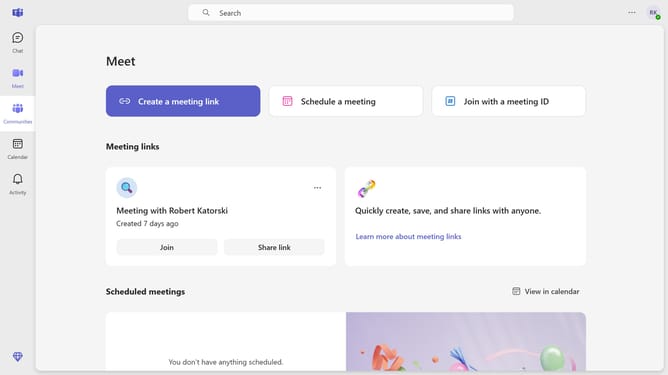
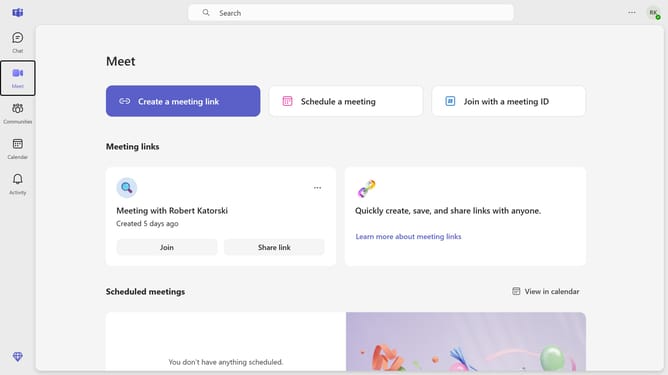
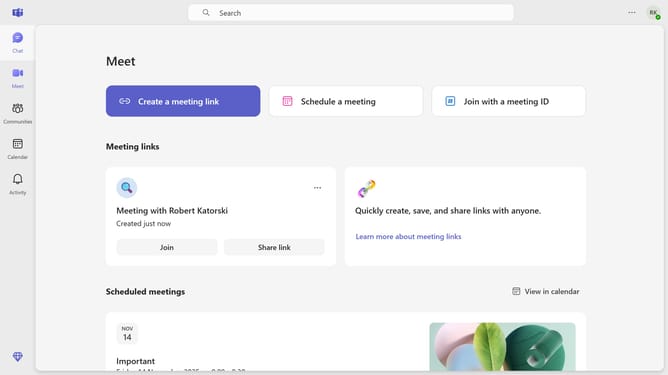
- First click on the "Meet" icon in the left sidebar to access meeting features
- Then click on the "More options" button (three dots) next to the meeting that you want to hide
- Finally click on the "Hide" option from the dropdown menu that appears for the selected meeting
Why should you hide a meeting in Microsoft Teams
Microsoft Teams is a powerful collaboration platform designed to streamline communication and teamwork within organizations.
The ability to hide a meeting in Microsoft Teams adds a layer of organization to your bustling schedule. It allows users to declutter their calendar view, providing a cleaner and more focused visual workspace.
This feature is particularly beneficial when you want to temporarily remove private or non-essential meetings from immediate view but still keep them accessible for reference.
By hiding meetings, you enhance productivity and maintain a tidy digital environment that promotes efficiency and clarity.
Last update