How to filter the campaign status to ongoing in Mailchimp
Here is how to filter the campaign status to ongoing in mailchimp
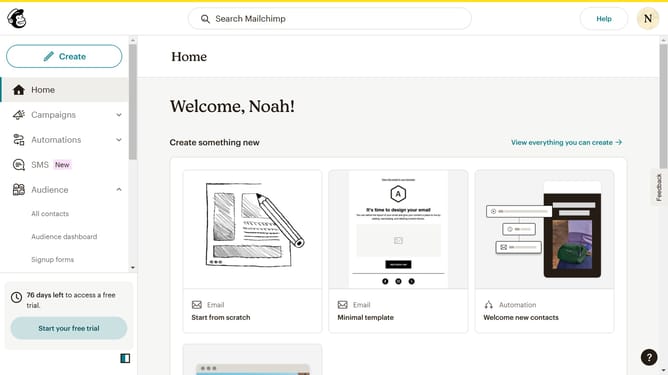
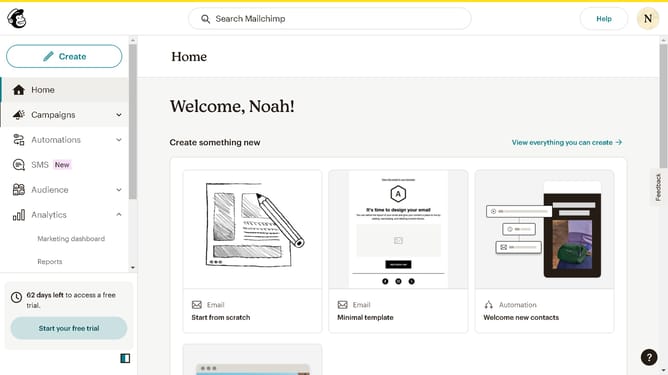
- First click on the "Campaign" button in the left sidebar navigation menu
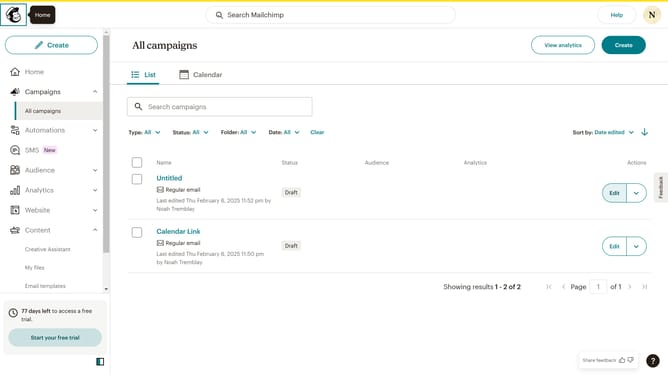
- Then click on the "Status" dropdown filter in the campaign list header
- Finally select "Ongoing" option from the Status dropdown menu
Why should you filter the campaign status to ongoing in Mailchimp
Mailchimp is a powerful marketing platform designed to help businesses connect with their audience through targeted email campaigns.
One of its key features is the ability to filter campaign statuses to "ongoing," allowing users to easily track and manage active marketing efforts. This feature enhances visibility and ensures that live campaigns receive the attention they need for optimal engagement.
By filtering for ongoing campaigns, businesses can focus on current initiatives, ensuring efficient use of resources and maximizing the impact of their marketing strategies.
Last update