How to filter spaces you are watching in Confluence
Here is how to filter spaces you are watching in confluence
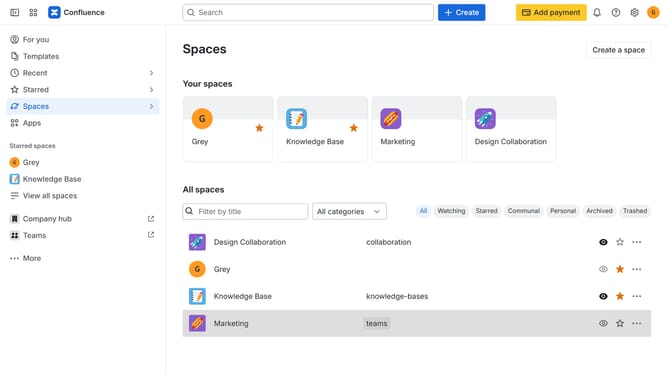
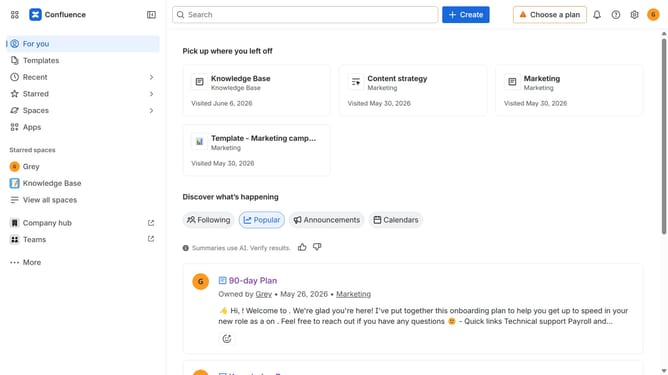
- First, click on "Spaces" in the left sidebar
- Next, select "View all spaces" in the dropdown menu
- Then, locate the filter options at the top of the spaces list
- Finally, click on the "Watching" option to filter the spaces
Why should you filter spaces you are watching in Confluence
Confluence is a collaborative workspace where teams create, share, and work together on projects seamlessly.
By filtering spaces you are watching in Confluence, you streamline your focus and productivity, ensuring you only receive updates relevant to your needs.
This feature minimizes unnecessary distractions, enhancing your efficiency and allowing you to prioritize effectively.
Ultimately, it creates a more personalized and organized user experience, empowering you to manage your workload effortlessly.
Last update