How to filter projects to your story in Canva
Here is how to filter projects to your story in canva
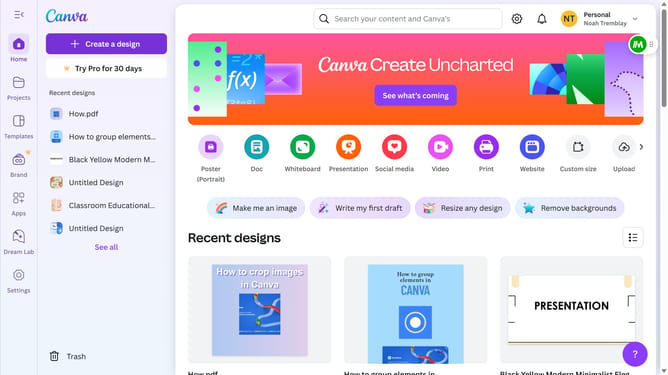
- First click on the "Projects" option in the left sidebar menu
- Then click on the "Category" dropdown filter in the top toolbar
- Next select "Your Story" from the category dropdown menu
- Finally click on the "Clear all" link in the top toolbar to reset the filters
Why should you filter projects to your story in Canva
Canva is an intuitive design platform that empowers you to create stunning visuals with ease.
Filtering projects to your story in Canva enhances your workflow by allowing you to organize and access relevant designs quickly. This feature streamlines the process of finding exactly what you need when crafting your narrative.
Using this feature means you spend less time searching and more time creating, ensuring that your focus remains on producing compelling content that speaks to your audience.
Last update