How to filter audit logs by experiment concluded in Mixpanel
Here is how to filter audit logs by experiment concluded in mixpanel
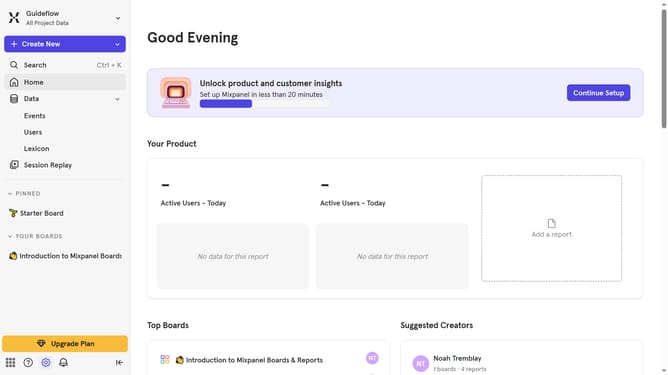
- First, click on the "Settings" icon located in the bottom left sidebar
- Then, hover your mouse cursor over the "Settings" menu
- Next, click on the "Organization Settings" in the expanded menu
- Next, click the "Audit Log" in the left side menu
- After that, click on the "Action" dropdown menu again to reveal the filter options
- Then, scroll down to view more options
- Finally, click on the "Experiment Concluded" text to apply the filter
Why should you filter audit logs by experiment concluded in Mixpanel
Mixpanel is a powerful analytics platform that helps businesses understand user behavior.
One standout feature is the ability to filter audit logs by concluded experiments.
This functionality allows businesses to pinpoint changes resulting from specific experiments, ensuring that insights are not only comprehensive but also precise.
By focusing only on data from concluded experiments, teams can more efficiently interpret results and streamline decision-making processes, ultimately enhancing their strategic planning capabilities.
Last update