How to export legacy pages from a Confluence space
Here is how to export legacy pages from a confluence space
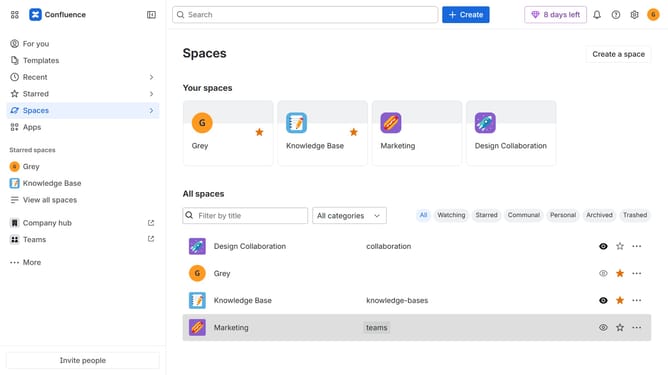
- First, navigate to the spaces list page and open the space you want to manage
- In the left sidebar, click on the three dots menu next to the space name
- Next, click on "Space settings" in the dropdown menu
- In the settings menu, click on "General"
- Click on the "Legacy content" option in the submenu
- After that, select the “Pages” content type
- Then click on the "Export CSV" button
- Finally, once the export is ready, click on the "Download CSV" button
Why should you export legacy pages from a Confluence space
Confluence is a powerful team collaboration platform designed to streamline content management and foster seamless communication.
Exporting legacy pages from a Confluence space offers a straightforward way to manage and preserve valuable historical content. This feature facilitates the transition of older material into new systems or formats, maintaining continuity and data integrity.
By utilizing this capability, teams can ensure information is consistently updated and accessible, preventing data loss and enhancing organizational efficiency. It's a vital step in sustaining a well-organized content archive.
Last update