How to prevent users from reacting to content in Confluence
Here is how to prevent users from reacting to content in confluence
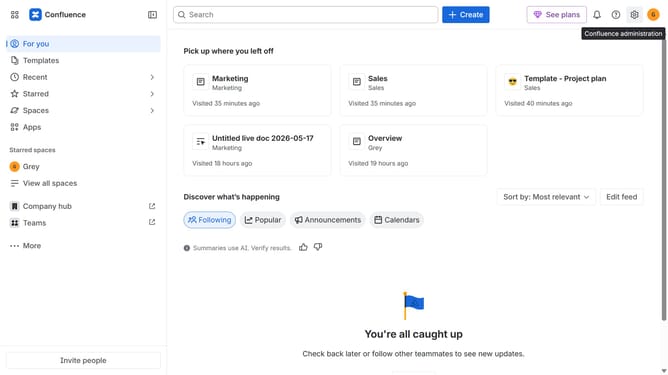
- First click on the gear icon in the top right header to open the Confluence administration menu
- Find "Settings" in the Confluence administration menu
- Next click on "Configuration"
- After that, select "General configuration" in the submenu
- In the Confluence setup section, locate "Likes/reactions"
- Then, uncheck the checkbox to disable the option
- Finally click on the "Save configuration changes" button to apply the changes
Why should you prevent users from reacting to content in Confluence
Confluence is a powerful collaborative workspace designed to help teams organize and share their knowledge efficiently.
Preventing users from reacting to content in Confluence offers a focused communication environment, reducing clutter and maintaining the integrity of documents.
By controlling interactions, you efficiently manage which content requires discussion, facilitating streamlined workflows. This feature supports maintaining consistent communication channels while enhancing concentration on important content.
Ultimately, it aids in preserving document clarity and enhances team focus on key objectives without distractions.
Last update